Category: Web Development

  • Speed to Lead in 2026: CRM Routing and 5-Minute Follow-Up for Delhi NCR Businesses

    Speed to Lead in 2026: CRM Routing and 5-Minute Follow-Up for Delhi NCR Businesses

    Quick answer: Speed to lead is the time between a genuine customer enquiry and the first useful response from your business. To improve it in 2026, connect accepted website forms to a CRM, assign each enquiry to a named owner, alert the right team immediately, set an achievable response target, and escalate unanswered leads. A five-minute target can be a useful operating goal for high-intent enquiries, but it is not a guarantee of more sales.

    A business can spend on SEO, Google Ads and a polished website, then lose opportunities when new enquiries sit unread in an inbox. For a Delhi NCR service company, the problem may be especially visible when enquiries arrive outside office hours or move between branches in Delhi, Noida, Gurugram and Ghaziabad. The fix is not simply another automated message. It is a reliable, measurable hand-off from the website to a person who can help.

    What does speed to lead mean?

    Speed to lead measures the elapsed time from a qualified inbound signal to an initial meaningful sales response. For website forms, start the clock when the server has accepted and recorded the enquiry, not when someone opens a dashboard. For inbound calls, the measurement may start when the call reaches the business. Use separate metrics for automatic acknowledgement and human contact: an instant receipt is helpful, but it does not mean the customer has spoken with your team.

    Faster handling matters because a customer may compare several suppliers. Still, response time is only one dimension of service. Accuracy, relevance, privacy, working hours and a respectful follow-up cadence are equally important. Avoid repeating unverified industry claims that a particular response time multiplies conversions by a fixed amount.

    How is this different from preventing fake website leads?

    Today’s earlier article explained how to reject automated spam and protect form endpoints. That is the acceptance stage. This guide begins after a legitimate enquiry has been accepted: storing it safely, choosing an owner, notifying the team, responding promptly and measuring whether the customer was actually contacted. A strong workflow needs both controls, but they solve different problems.

    1. Map every inbound lead source and define a single record

    List the channels where genuine enquiries arrive: website contact forms, quote requests, callback widgets, paid-ad landing pages, telephone calls, WhatsApp conversations and meeting bookings. Some channels already create their own conversations, while others only send an email. Decide which system owns the master lead record and how duplicates are reconciled.

    • Capture the source, form or campaign, service requested and timestamp.
    • Store a unique enquiry ID and a delivery or processing status.
    • Separate accepted enquiries from failed submissions and rejected spam.
    • Record consent and preferred contact channel where relevant.
    • Do not put private enquiry text or contact details in analytics URLs.

    A well-scoped website development implementation should treat the form, server, CRM and notifications as one conversion journey.

    2. Send verified website enquiries to a CRM, not just an inbox

    Email notifications are useful as alerts, but an inbox alone rarely gives a reliable record of assignment, follow-up or lead outcome. Connect the accepted form submission to a CRM or lead database using a supported integration, a secure webhook or a server-side API. Save the record before showing the final success message when your architecture permits it.

    For WordPress, identify the actual form plugin and its submission hooks. For a React or Next.js frontend, verify the server action or API endpoint that processes the form. If the frontend and WordPress CMS are separate, adding a WordPress CRM plugin will not automatically connect a custom React form. Our CRM solutions service covers lead-management workflows and practical integrations.

    Use retries with exponential backoff for transient API failures, but protect against duplicate CRM creation with an idempotency key. A successful HTTP response is not always proof that a record was saved correctly; log the CRM record identifier and inspect error states. If the CRM is unavailable, hold the enquiry in a secure queue and notify an administrator instead of silently dropping it.

    3. Route each lead to a real owner

    Define assignment rules that match how the business operates. A straightforward rule might route website development enquiries to a web consultant, SEO enquiries to a search specialist, and ecommerce enquiries to a store-development team. If several staff members share a service, round-robin assignment can distribute new records fairly.

    For a business serving Delhi NCR, location can be a secondary routing factor when local visits or service areas genuinely matter. Avoid inferring a visitor’s location solely from their IP address. Ask for the service area only when it helps deliver the requested service, and make a fallback queue for missing or ambiguous information.

    Enquiry Suggested owner Fallback
    Website redesign Web development consultant General sales queue
    Google Ads audit Paid media specialist Marketing team lead
    Shopify store issue Ecommerce specialist Technical support coordinator
    Unclear service request Intake coordinator Shared review queue

    Every lead should have one accountable owner, even if multiple specialists later collaborate. Otherwise a notification can reach five people while everyone assumes somebody else will reply.

    4. Set a five-minute response target where it is realistic

    A five-minute first-response target is a useful operational benchmark for urgent, high-intent leads during staffed hours. Define the target in writing, including business hours, holidays, priority classes and what counts as a meaningful reply. Do not present the target as a universal rule or imply that an automated acknowledgement is a human response.

    For example, an inbound request at 11:00 AM might be accepted at 11:00:05, assigned at 11:00:08, and alerted to a representative at 11:00:10. If the representative contacts the customer at 11:03, the human-response time is roughly three minutes. If the system only sends a generic acknowledgement at 11:00:10 and nobody follows up until 2 PM, the human-response time is still approximately three hours.

    Outside staffed hours, publish a clear expectation rather than promising a response that the team cannot deliver. The Keshav Enterprises contact page, for example, currently states an aim to respond within one to two business days. Any internal five-minute workflow should not be described as that company’s public response-time promise.

    5. Use immediate notifications and escalation rules

    Notify the assigned owner through a channel they actually monitor, such as a CRM mobile notification, a team inbox or a work chat integration. Include only the minimum information needed to identify and prioritize the enquiry. The notification should link to the secure CRM record rather than copying personal information into multiple uncontrolled channels.

    Build an escalation sequence appropriate to the team: an initial owner notification, a reminder if the lead is still unacknowledged, then reassignment to a backup or manager. A lead that is marked as contacted should exit the reminder sequence. An owner who is on leave should not receive new assignments.

    Audit both success and failure paths. Test disabled notifications, expired integration tokens, a full email mailbox, API rate limits and a representative who never opens the alert. Automation is reliable only when it can detect and recover from missed hand-offs.

    6. Choose the right follow-up channel, including WhatsApp

    Email, telephone and WhatsApp serve different customer expectations. If the visitor asks for a call, a quick phone response may be appropriate. If they provide an email address, a useful acknowledgement can summarize the request and set expectations. For WhatsApp, do not assume that submitting a website form automatically grants permission to send arbitrary business messages.

    The WhatsApp Business Platform uses a customer-service window tied to an inbound message from the customer. Free-form replies are generally restricted to that window; business-initiated outreach or messaging after the window closes typically requires an approved template and the appropriate opt-in. Rules and pricing can change, so review the current platform documentation and provider terms before deploying an automated sequence. Zendesk’s September 2026 WhatsApp workflow guidance explains the template requirement for proactive messages.

    Do not blast the same prospect through email, WhatsApp and SMS simultaneously. Let people select a preferred contact method, respect opt-outs and make the next step clear. A good first response answers the actual question or proposes a specific conversation rather than repeating a generic sales pitch.

    7. Separate acknowledgement, contact, qualification and conversion

    Use distinct CRM stages such as New, Assigned, Contact Attempted, Contacted, Qualified, Proposal Sent, Won and Lost. Define what moves a lead from one stage to another. For example, an automated receipt can move a lead to Acknowledged but should not move it to Contacted. A salesperson’s successful conversation can justify Contacted; qualification requires an agreed business criterion.

    Google Analytics provides recommended lead-generation events including generate_lead, qualify_lead and close_convert_lead. These events represent different stages, so do not fire them all on form submission. See the official GA4 recommended-events reference for the event definitions. Keep personal data out of analytics event parameters.

    Use a stable internal enquiry ID to reconcile the website, CRM and advertising reports. If you import offline conversions into advertising platforms, follow the platform’s consent, identifiers and deduplication requirements rather than uploading raw CRM exports without review.

    8. Build a practical lead-response dashboard

    Measure what the system actually does. Useful metrics include median time to assignment, median first human-response time, percentage of staffed-hours enquiries contacted within the target, number of unassigned leads, CRM integration failures, duplicate records and qualified-lead rate. Break results down by source, service and working-hours segment only where sample sizes support meaningful comparison.

    Metric How to calculate it What it reveals
    Assignment delay Owner assigned minus accepted timestamp Routing friction
    First human response First meaningful contact minus accepted timestamp Actual responsiveness
    Target attainment Eligible leads contacted within target / eligible leads Operational consistency
    Unassigned backlog Accepted leads with no active owner Workflow failures
    Qualified-lead rate Qualified leads / accepted leads Lead fit, not just speed

    Review outliers as well as averages. A low median can hide a handful of leads that receive no response at all. Track weekend and evening enquiries separately so a business-hours target is not confused with a 24/7 staffing promise.

    9. Common automation mistakes that lose genuine enquiries

    • Counting an auto-reply as contact: distinguish a system receipt from a human response.
    • Creating duplicate CRM records: use stable enquiry identifiers and idempotent integrations.
    • Routing to absent staff: connect assignment rules to availability and backup ownership.
    • Sending WhatsApp messages without valid permission: respect opt-in, template and timing requirements.
    • Using only email alerts: preserve a CRM record and a failure queue even if email delivery fails.
    • Exposing customer data in notifications: limit access and avoid unnecessary copies.
    • Optimizing only for response speed: also measure contact quality and customer outcomes.

    A 14-day implementation checklist for a Delhi NCR service business

    Days 1–2: Inventory all forms, phone and messaging channels; map the current response process. Days 3–4: Define accepted-lead criteria, unique IDs, consent fields and the CRM data model. Days 5–6: Integrate server-side lead creation and test retry behavior. Days 7–8: Configure assignment, working hours, owner availability and fallback queues. Days 9–10: Add alerts, escalation and compliant acknowledgement messages. Days 11–12: Test failures, duplicate submissions, after-hours enquiries and staff absence. Days 13–14: Review the dashboard, train the team and adjust response targets.

    This is an illustrative rollout, not a fixed implementation promise. Complex integrations, legacy CRM data and consent reviews may require more time.

    Frequently asked questions

    What is speed to lead in digital marketing?

    It is the elapsed time from a genuine enquiry to a business’s first meaningful response. It helps assess whether paid and organic leads are being handled promptly after they arrive.

    Is five minutes the best response time for every business?

    No. Five minutes can be a useful target for high-intent leads during staffed hours, but the right service level depends on customer urgency, team capacity and the promised operating hours.

    Can WordPress send form leads directly into a CRM?

    Yes, if the chosen form plugin or custom integration supports a secure API, webhook or CRM connector. Confirm successful record creation and error handling, not just notification delivery.

    How do I automate lead assignment in Next.js?

    Process accepted submissions in a secure server-side endpoint, save a stable enquiry ID, apply routing rules, create or update the CRM record and notify the selected owner. Keep privileged credentials on the server.

    Should an automatic acknowledgement count as a response?

    Track it separately. An automated receipt confirms intake, but a meaningful human reply is a different performance metric.

    Can I automatically WhatsApp someone who fills out a contact form?

    Only when your use case, consent and messaging method meet the current WhatsApp Business Platform rules. A form submission alone does not automatically open the platform’s 24-hour customer-service window.

    What happens if the CRM integration fails?

    Store the accepted enquiry safely, retry temporary failures with duplicate protection and alert an administrator when the delivery cannot be completed. Never show a misleading success state if the request was lost.

    Which KPI matters more: fast response or qualified leads?

    Both matter. Response speed measures operational follow-through, while qualified-lead rate and sales outcomes show whether the enquiries are relevant and handled well.

    Final takeaway: connect the form to a responsible person

    Fast lead response is a workflow, not a timer graphic. First accept a genuine enquiry securely, then create one dependable record, assign ownership, notify the right person and track a real response. For teams across Delhi, Noida, Gurugram and Ghaziabad, the best system balances speed with customer preference, privacy and clear service expectations.

    If your website enquiries are reaching the wrong inbox, sitting unassigned or disappearing between a form and CRM, review Keshav Enterprises’ CRM integration services or share your workflow requirements for a practical technical assessment.

  • Stop Fake Website Leads in 2026: Turnstile, Honeypots & Server-Side Validation

    Stop Fake Website Leads in 2026: Turnstile, Honeypots & Server-Side Validation

    Quick answer: To stop fake website leads in 2026, verify every contact-form submission on the server, add a bot challenge such as Cloudflare Turnstile where appropriate, use a honeypot as a supporting signal, rate-limit abusive requests, and record only successfully accepted enquiries in your CRM and analytics. A CAPTCHA widget by itself is not enough. Your form must still work for genuine customers.

    Spam enquiries waste sales time, pollute Google Ads reporting and can trigger unnecessary email or CRM workflows. A Delhi NCR service business may see bogus quote requests, automated messages, repeated form submissions or irrelevant offers. The solution is a layered form-security design, not simply a stricter checkbox.

    What counts as a fake website lead?

    A fake lead is a form submission that does not represent a genuine enquiry: an automated spam message, a scripted request, a malicious link, an obviously fabricated identity, or a repeated submission designed to flood the inbox. Not every unqualified lead is fake. A real person who asks about a service outside your coverage area is an unqualified enquiry, not necessarily spam.

    That distinction matters. If the sales team labels every low-budget or out-of-area visitor a bot, you may block potential customers and distort the actual quality of marketing channels. Create separate CRM outcomes such as verified enquiry, unqualified enquiry, suspected automation and duplicate.

    Why website forms attract spam in 2026

    Public contact forms expose a submission endpoint that scripts can discover and call directly. Attackers do not need to click the visible Submit button. They can post data to a WordPress AJAX handler, REST endpoint, Next.js route handler or server action, sometimes at a high rate. Common weak points include client-only validation, publicly exposed API keys, unrestricted request frequency, and automation that forwards every submission to a CRM.

    Modern anti-spam controls should therefore focus on the server boundary. The browser can provide useful signals, but the server decides whether a lead is accepted. This also helps protect downstream email services and prevents meaningless conversion events from being counted.

    1. Audit the entire enquiry journey before adding a challenge

    List every way a visitor can become a lead: contact page, quote request, landing-page form, popup, booking widget, chatbot, callback form and custom API integration. Check whether each submission goes to email, WordPress, a CRM, Google Analytics or a sales notification workflow.

    • Identify the actual endpoint receiving each form, including AJAX or REST calls.
    • Confirm that a successful form response means the enquiry was stored or delivered, not merely that a button was clicked.
    • Check for duplicate plugins, hidden forms and obsolete endpoints.
    • Review error logs without copying customer messages into insecure log files.
    • Test on mobile and slow connections so security does not silently block legitimate visitors.

    Our website development team in Delhi NCR treats form delivery, CRM hand-off and analytics as one customer journey rather than unrelated features.

    2. Add Cloudflare Turnstile, but verify the token on the server

    Cloudflare Turnstile can help distinguish automated requests from legitimate browser interactions. Its official documentation, updated on 22 October 2026, is explicit: displaying the widget alone does not protect a form. The backend must submit the generated token to Cloudflare’s Siteverify endpoint and check the response before accepting the enquiry.

    Tokens are single-use and expire after five minutes. If a customer spends longer completing a detailed form, your interface should request a fresh token rather than losing their work. Validate the expected hostname and action when your implementation uses those fields, and keep the secret key on the server. Never embed the secret in JavaScript sent to the browser.

    1. Register the website and obtain the site key and secret key from the provider.
    2. Render the widget on the intended form and collect its response token.
    3. Send that token with the submitted fields to your own backend.
    4. Call the official Siteverify API from the server.
    5. Reject failed verification with a clear, retryable user message.
    6. Only after successful verification, validate fields and create the lead.

    See the official Turnstile server-validation documentation for the current API contract and error handling. Security services can occasionally fail or time out; decide in advance how to handle those cases based on risk, rather than silently accepting all requests.

    3. Use a honeypot field as an extra signal, not your only defence

    A honeypot is a form field that genuine visitors should not fill. Simple bots sometimes populate every field and reveal themselves. A hidden field can be useful, but sophisticated scripts may ignore it, and poor implementation can confuse autofill tools or assistive technology.

    Make the honeypot unobtrusive and clearly excluded from the normal tab sequence, and check it on the server. Avoid relying on CSS hiding alone as a guarantee of security. Treat a filled honeypot as a signal for rejection or review according to your risk tolerance; use it alongside token verification and request throttling.

    4. Validate every field again on the backend

    Browser validation improves usability, but anyone can bypass it by sending requests directly. Your backend should enforce field lengths, allowed values, required fields and payload-size limits. Trim whitespace, normalize input carefully, and reject impossible or excessive data without revealing internal validation logic.

    For example, a quote form might require a name, a valid email format, a service selection from a known list and a message below a sensible character limit. This does not prove that the email address belongs to the visitor. Avoid promising that regex checks, disposable-domain filters or phone-number formats can certify a lead as genuine.

    For a Next.js App Router implementation, a Server Action or Route Handler should perform validation and the bot check before calling the CRM. The official Next.js forms guide shows server-side form validation patterns. Keep any privileged API credentials in server-side environment variables, and enforce authorization for private operations.

    5. Add rate limiting and duplicate controls

    Even a valid challenge can be followed by repetitive or unwanted requests. Rate limiting controls how frequently an endpoint accepts submissions. A sensible implementation may combine short-term limits per source, overall endpoint limits and stricter controls after repeated failures. Choose thresholds from real traffic rather than copying an arbitrary number from a tutorial.

    Deduplicate submissions using an internal request identifier or a carefully scoped hash of normalized fields. Consider a short suppression window for accidental double-clicks, but do not discard a second legitimate enquiry from the same company. Shared office networks, mobile carriers and VPNs make IP-only blocking especially error-prone.

    6. Protect WordPress contact forms without breaking plugins

    On WordPress, first identify which plugin or custom form handler receives the submission. Different form plugins expose different success hooks and anti-spam integrations. Confirm that your chosen Turnstile integration supports the installed plugin version and verifies tokens server-side. Check whether another CAPTCHA, caching layer or optimization plugin conflicts with it.

    After configuration, test the form while logged out, on a mobile browser and through any cached page variant. Submit one valid enquiry and one invalid or expired-token attempt. Verify that the invalid attempt is rejected before it reaches email or the CRM. Update plugins on staging first and keep a rollback plan.

    Businesses needing a tailored setup can review our WordPress development services and ongoing website maintenance support.

    7. Secure React and Next.js forms at the API boundary

    For a React frontend connected to Next.js or a separate backend, the anti-spam logic belongs where the submission is actually processed. A visible challenge on the React page is insufficient if a direct API request can bypass it. Validate the Turnstile token and form schema before writing to a database, sending email or triggering a webhook.

    When a headless WordPress CMS powers a Next.js frontend, the public form may never touch the WordPress backend. Installing an anti-spam plugin on WordPress will not automatically protect the separate Next.js form endpoint. Map the complete request path and place checks at the correct boundary.

    Log a request ID, verification outcome, rejection reason category and timestamp for troubleshooting. Avoid logging the full contact message, secret token, or unnecessary personal data. Use bounded timeouts for external verification calls and show the visitor an understandable retry message when a temporary failure occurs.

    8. Keep analytics and CRM data clean

    Only send a lead-generation success event after the backend confirms that an enquiry passed verification and was accepted. A button click or attempted submission should not become a qualified lead. A suspected bot event may be useful in operational monitoring, but should not inflate conversions used to optimize advertising campaigns.

    In the CRM, record an outcome such as accepted, duplicate, rejected or manually reviewed. Use separate statuses for genuine but unqualified enquiries. For a deeper measurement framework, see our GA4 lead-tracking guide for forms, calls and WhatsApp.

    Do not send names, email addresses, phone numbers or full enquiry text as ordinary GA4 event parameters. Protect the privacy of customers who contact you, and ensure your retention policy covers security logs and CRM records.

    9. Balance spam prevention with accessibility and conversion

    Every additional challenge can create friction. Test with keyboard navigation, screen readers, low-end mobile devices, slow networks and users who need extra time to complete a form. A strict timeout without a visible retry option can make a legitimate enquiry disappear. Keep error messages near the relevant fields and preserve already entered values whenever safe.

    Measure three outcomes together: suspicious submissions stopped, legitimate enquiries successfully delivered, and form abandonment after adding controls. An anti-spam change is not successful merely because inbox volume drops; it may also have blocked real customers.

    Practical anti-spam checklist for Delhi NCR businesses

    Control What to verify Failure to avoid
    Turnstile Server-side Siteverify returns success Trusting only the browser widget
    Honeypot Checked on the server Using it as the sole filter
    Field validation Length, type and allowed values enforced Client-only checks
    Rate limiting Limits reflect real traffic Blocking shared-office users
    CRM integration Only accepted leads trigger workflows Counting failed submissions
    Accessibility Keyboard, mobile and timeout recovery work Silently losing genuine enquiries
    Monitoring Failures reviewed without exposing personal data Logging secrets or entire messages

    A seven-day rollout plan

    Day 1: Inventory forms, endpoints, CRM destinations and current spam patterns. Day 2: Fix server-side field validation and logging. Day 3: Integrate Turnstile with server-side verification. Day 4: Add honeypot and rate limiting where suitable. Day 5: Test WordPress or Next.js flows, mobile devices and failure states. Day 6: Verify CRM routing and analytics only record accepted leads. Day 7: Review false positives, support feedback and rollback readiness.

    This is a planning example, not a guaranteed implementation time. Multiple forms, custom CRM integrations and regulated data handling can require additional engineering and review.

    Frequently asked questions

    How do I stop spam enquiries from my website?

    Validate form submissions on the server, use a suitable bot challenge, add supporting honeypot and rate-limit checks, and accept a lead only after those checks succeed. Review the false-positive rate so real customers are not blocked.

    Is Cloudflare Turnstile enough to stop every bot?

    No. Turnstile is one layer of protection. Its token must be verified server-side, and it does not replace field validation, rate limiting or monitoring.

    Can bots bypass a CAPTCHA on a WordPress form?

    Yes, particularly if the endpoint accepts requests without checking the challenge token on the server. A visible widget is not proof that the backend is protected.

    What is a honeypot in a contact form?

    It is a field designed to attract simplistic automated submissions while remaining outside the normal user flow. It provides a useful signal but cannot reliably identify every bot.

    Where should I validate a form in Next.js?

    Inside the Server Action or Route Handler that processes the request, before email delivery, CRM creation or database writes. Do not depend on React client-side checks alone.

    Will adding anti-spam protection affect conversions?

    It can. Poorly configured challenges, timeouts and error handling may block genuine visitors. Test accessibility and monitor successful enquiries alongside spam rejection.

    Should a rejected spam form count as a GA4 lead?

    No. Track accepted enquiries as lead-generation successes. Rejected attempts should not be counted as business conversions.

    Can I protect a headless WordPress and React website with a WordPress plugin?

    Only if the submission is actually processed by the protected WordPress endpoint. A separate React or Next.js API needs its own server-side protection.

    Final takeaway: protect the lead, not just the form

    The best website anti-spam setup is layered, measurable and accessible. Verify bot challenges server-side, validate the submitted data, limit abuse, and confirm that genuine enquiries reach the right team. For businesses in Delhi, Noida, Gurgaon, Ghaziabad and across NCR, fewer false enquiries are valuable only when real opportunities still get through.

    Need an audit of spam leads, broken contact forms or CRM integration? Contact Keshav Enterprises with your public website URL and a description of the issue. We can help scope the right technical checks without assuming a single plugin fixes every case.

  • Shopify Canvas & Sidekick AI in 2026: What Store Owners Should Know Before Redesigning

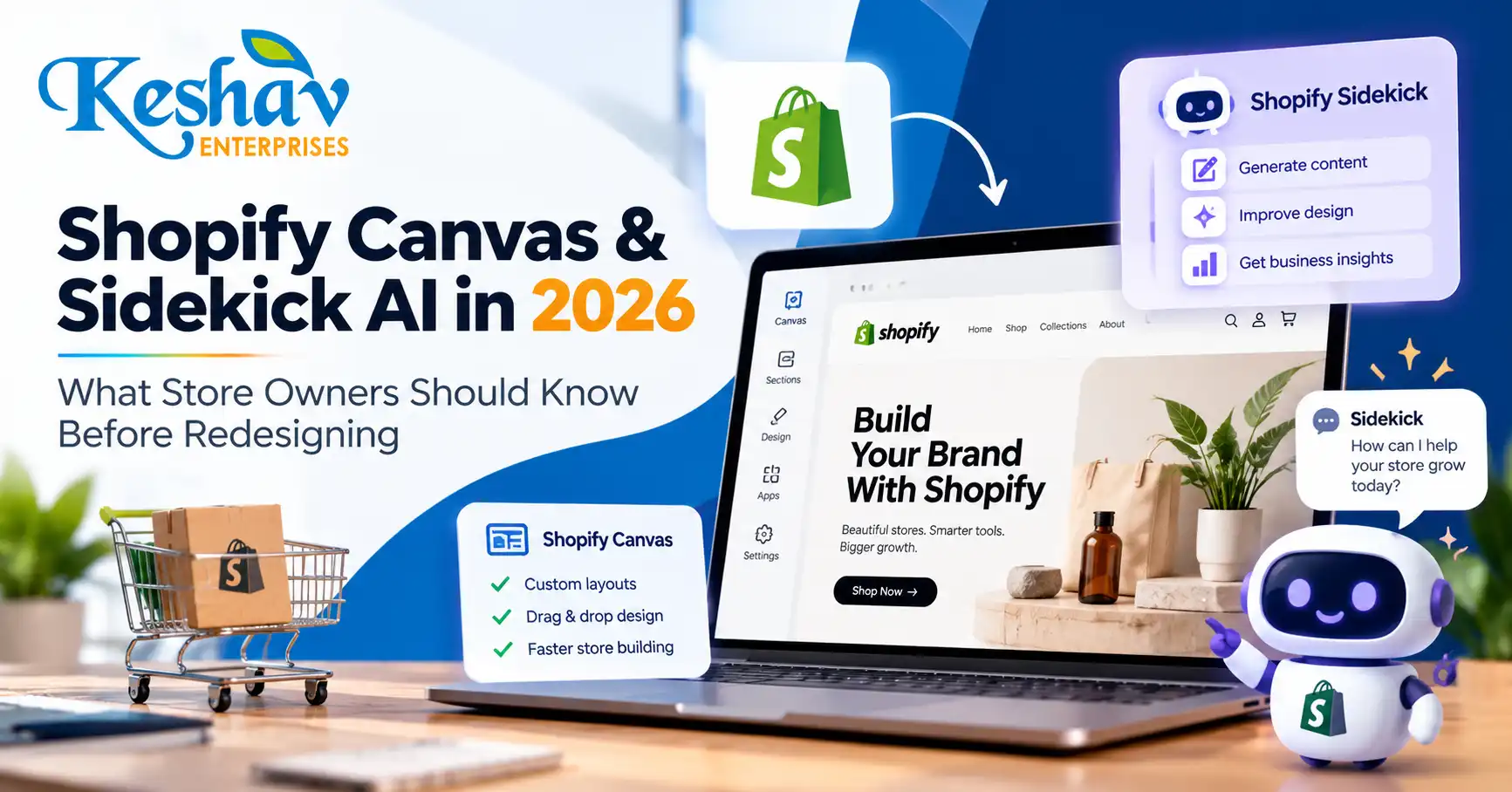
    Shopify Canvas & Sidekick AI in 2026: What Store Owners Should Know Before Redesigning

    Shopify Canvas is a new AI-assisted store-design workspace announced on 1 October 2026. It lets eligible merchants see multiple theme templates together, make visual changes and ask Shopify’s Sidekick assistant to help build or refine storefront layouts. For business owners, the opportunity is faster experimentation; the risk is publishing a visually attractive store that still has weak product discovery, mobile usability or conversion tracking.

    This guide explains what Shopify has actually announced, how Canvas differs from the familiar theme editor, where AI helps, what still needs human review and how ecommerce teams in India and Delhi NCR can prepare without assuming early-access features are already available to every store.

    Quick answer: what is Shopify Canvas and Sidekick AI?

    Shopify Canvas is a theme-design interface that displays store templates side by side and supports changes through direct editing or conversational instructions to Sidekick AI. Merchants can use it to create a theme, work on a copy of an existing theme and review coordinated changes before publishing. Shopify says Canvas is in early access, so availability depends on store eligibility and rollout.

    Shopify introduced Canvas on 1 October 2026. Read the official product announcement and the Canvas navigation guide for the latest product instructions.

    Why the October 2026 launch matters for ecommerce businesses

    Most online stores are made of interconnected templates: home, collection, product, search, cart and content pages. Editing them separately can produce inconsistent typography, spacing and promotional messaging. Canvas introduces a broader design view so teams can consider those pages together instead of treating each template as an isolated screen.

    Shopify describes Sidekick as an assistant that can make coordinated theme changes. That can shorten the time between an idea and a reviewable storefront, but it does not remove the need for merchandising decisions, brand judgment, accessibility testing, SEO checks or real customer research.

    The practical question for a merchant is not “Can AI design my store?” It is “Can the new workflow help us make changes that improve product discovery and purchases without breaking what already works?”

    Shopify Canvas vs the traditional theme editor

    Area Traditional Shopify theme editor Canvas with Sidekick
    Design perspective Often works on one page or template at a time Displays multiple templates in a broader workspace
    Editing Manual settings, sections and blocks Manual editing plus conversational AI assistance
    Cross-template consistency Requires deliberate checking across templates Helps review connected templates together
    Customization Theme settings and development where needed Sidekick can help implement coordinated theme changes
    Availability Widely available on supported themes Early access; not every store has Canvas
    Quality assurance Still required Still required; AI output needs review

    Canvas is a new way to work on Shopify themes, not a replacement for ecommerce strategy, checkout configuration, product information or analytics.

    What can merchants use Canvas for?

    1. Create a more consistent storefront

    Review the homepage, collections and product templates together. Align heading styles, button labels, spacing, color usage and product imagery so the experience feels like one brand.

    2. Explore a new theme direction before going live

    Use a copy or a new theme as the working environment. Test whether the proposed design supports the store’s catalog, promotional calendar and mobile shopping journey before replacing the published theme.

    3. Ask Sidekick for structured changes

    Instead of asking for “a premium website,” provide a precise brief: improve the mobile collection navigation, clarify size information on product pages, reduce competing calls to action and keep existing product data intact. Clear requirements make AI-assisted editing more reviewable.

    4. Coordinate templates rather than creating one-off sections

    A promotional banner that works on the homepage may need a different layout on a collection page. A consistent design system can guide variations without duplicating the same section everywhere.

    What Shopify Canvas cannot guarantee

    Canvas does not guarantee better SEO, higher conversion rates, faster loading or lower development costs. Those outcomes depend on the changes made, existing theme quality, third-party apps, catalog structure, image weight, mobile behavior and measurement.

    • SEO: A new visual layout does not automatically create better search intent coverage or structured data.
    • Conversions: Attractive layouts can still hide product information or add checkout friction.
    • Performance: Extra scripts, videos and oversized assets can slow a redesigned store.
    • Accessibility: Contrast, keyboard behavior, labels and focus states require testing.
    • Availability: Canvas is not yet accessible to every merchant.

    Shopify’s help documentation describes Canvas as early access and available only to selected stores. Avoid planning a launch around a feature until it appears in your own admin.

    How to check whether your Shopify store has Canvas

    Shopify’s documentation says eligible merchants can access Canvas from the Themes area in Shopify admin. Depending on the theme, you may see options to create a new theme, duplicate a supported theme in Canvas or edit a theme with a Canvas badge.

    1. Open your Shopify admin and go to Online Store → Themes.
    2. Look for a Canvas option or a supported theme carrying the Canvas badge.
    3. Read the eligibility and early-access notes shown in your admin.
    4. Work on a duplicate or unpublished theme when testing a substantial redesign.
    5. Review mobile and desktop previews before publishing.

    If the option is missing, it may simply not have rolled out to your store. Shopify has not stated that every merchant receives access immediately.

    Seven checks to run before an AI-assisted Shopify redesign

    1. Audit product discovery

    Can customers find the right product within a few steps? Review collections, filters, search suggestions, variant labels and the path from campaign landing page to product detail.

    2. Define conversion goals

    Choose measurable outcomes: product-page engagement, add-to-cart rate, checkout completion, qualified enquiries or average order value. Do not evaluate a redesign on appearance alone.

    3. Protect SEO-critical URLs

    Keep existing product and collection URLs unless a change is necessary. If slugs change, plan appropriate redirects. Preserve useful page titles, descriptions, headings, canonical signals and internal links.

    4. Review mobile behavior first

    Check menus, sticky purchase buttons, product galleries, variant selectors, filters and form fields on common mobile widths. A desktop-perfect theme can still be difficult to buy from on a phone.

    5. Measure Core Web Vitals

    Use field data and repeatable lab tests. Focus on Largest Contentful Paint, Interaction to Next Paint and Cumulative Layout Shift. Re-test after introducing new animations, apps, fonts or large hero assets.

    6. Confirm analytics continuity

    Before publishing, verify ecommerce events, attribution, consent behavior and ad-platform integrations. If conversion events disappear after a redesign, the team loses the ability to assess its impact.

    7. Create a rollback plan

    Keep a known-good theme copy, document app dependencies and define a launch checklist. A controlled rollout is more useful than an irreversible visual overhaul.

    Example Sidekick prompts that are actually useful

    A good prompt describes the audience, the page, the problem and the constraints. For example:

    Improve our mobile product page for first-time shoppers. Keep existing product information, variant functionality, reviews and tracking. Make size selection easier to understand, bring delivery and returns information closer to the purchase button, and preserve our current brand colors.

    Review our homepage and collection templates for inconsistent spacing and button styles. Propose a unified design system and implement changes on an unpublished theme copy. Do not remove product filters or change live URLs.

    Redesign the collection page for a 150-product catalog. Prioritize mobile filtering, visible prices, clear product imagery and quick access to bestsellers. Keep the layout lightweight and accessible.

    These prompts are examples of how to frame a design brief, not a guarantee that every requested operation is supported in a particular store’s current Canvas release.

    How Shopify Canvas affects SEO and AI-search readiness

    Shopify Canvas is primarily a design workflow. Search visibility still depends on accessible, useful content and a sound technical implementation. During redesign, check whether collection descriptions remain readable, product pages answer buying questions, images have meaningful alt text and navigation links are crawlable.

    For answer engines and AI-assisted discovery, useful product information matters more than repeated AI-related keywords. Explain materials, sizes, compatibility, delivery coverage, returns and important product limitations in clear language. Structured data should accurately reflect visible product information, and merchant feeds should stay synchronized.

    For stores selling into different countries, avoid inventing location pages or claiming local delivery that is not available. If your business operates in Delhi NCR, focus on real shipping, service and customer-support details rather than keyword-stuffed city references.

    Need implementation support? Explore Shopify development in Delhi and ecommerce website development.

    Should you redesign your Shopify store now or wait?

    Your situation Practical next step
    Store has poor mobile UX or confusing navigation Audit and improve those issues now, with or without Canvas
    Theme is stable and conversions are healthy Test focused changes rather than a full redesign
    Canvas is available in your admin Try it on an unpublished theme and compare outcomes
    Canvas is not available Use the existing theme editor or development workflow
    Store relies on complex apps and custom checkout flows Audit compatibility before changing theme architecture
    Team lacks clear brand or product content Fix messaging, catalog and design brief before automation

    30-day Shopify redesign plan for small and growing brands

    Week 1: baseline and requirements

    Record traffic, conversion, revenue, top landing pages, mobile usability issues and key customer questions. Capture the current theme and app configuration.

    Week 2: design and content

    Build a clear design brief. Improve category labels, product content, visual hierarchy and trust information. If Canvas is available, test AI-assisted ideas on a separate theme.

    Week 3: development and quality assurance

    Test navigation, search, filters, variants, cart, payments, mobile layouts, accessibility, speed and analytics. Compare the new theme with the baseline.

    Week 4: controlled launch and measurement

    Publish only after critical checks pass. Monitor checkout errors, conversion changes, traffic and page performance. Keep a rollback path and prioritize fixes based on evidence.

    These four weeks are a planning example, not a universal project timeline. Larger catalogs and complex integrations can require more time.

    What should Delhi NCR businesses consider?

    For a Delhi, Noida, Gurgaon or Ghaziabad brand, an AI-assisted design tool is most useful when it supports actual buying behavior. Ask whether customers need COD clarity, delivery estimates, local language support, GST invoice details, product comparisons or easy access to customer service. The right requirements vary by product category and fulfillment model.

    A local agency can help connect design, theme development, SEO and analytics, but the important deliverable is a tested buying experience—not simply a fashionable AI-generated storefront. Keshav Enterprises offers UI/UX design support and Shopify implementation based on the store’s requirements.

    Frequently asked questions about Shopify Canvas

    When did Shopify launch Canvas?

    Shopify announced Canvas on 1 October 2026 and described a phased rollout over the following days.

    Is Shopify Canvas available to every store?

    No. Shopify’s help center currently describes it as an early-access feature available to selected stores.

    Is Canvas the same as Sidekick?

    No. Canvas is the store-design workspace; Sidekick is Shopify’s AI assistant that can help propose and implement theme changes within that workflow.

    Can Sidekick create a custom Shopify theme?

    Shopify describes theme creation and coordinated editing with Sidekick. The exact actions available depend on eligibility, theme compatibility and the current product release.

    Does Canvas replace a Shopify developer?

    Not necessarily. Merchants may be able to make more changes themselves, but custom integrations, unusual workflows, debugging, accessibility and complex conversion problems can still require development expertise.

    Will using Canvas improve Google rankings?

    Not automatically. Rankings depend on content relevance, crawlability, page quality, technical SEO and many other signals. A redesign can help or hurt depending on implementation.

    Can I use Canvas for an existing store?

    Shopify describes workflows for editing supported themes and working on theme copies. Check your admin and the latest help documentation for eligibility.

    Should I redesign my entire store at once?

    Usually start with the most important customer journey and measure improvements. A full redesign makes sense when the current structure or design system creates widespread problems.

    Can Canvas help with mobile design?

    It can help you review and edit theme layouts, but mobile usability still needs hands-on testing across device widths and customer journeys.

    What is the safest way to try AI-assisted changes?

    Use an unpublished theme or duplicate, document changes, test checkout and analytics, and publish only after quality assurance.

    Final takeaway

    Shopify Canvas and Sidekick AI make store-design experimentation more accessible, but they do not replace clear strategy and careful testing. The strongest ecommerce redesign combines a coherent visual system, useful product information, fast mobile pages, dependable checkout and measurement. Start with the problems customers face, then decide whether Canvas is the right tool to solve them.

    If you are planning a new store or redesign, contact Keshav Enterprises with your store URL, platform details, top conversion problems and target market. We can help define a practical Shopify design and development scope.

  • WordPress vs Shopify vs Next.js in 2026: Which Website Platform Is Best for Your Business?

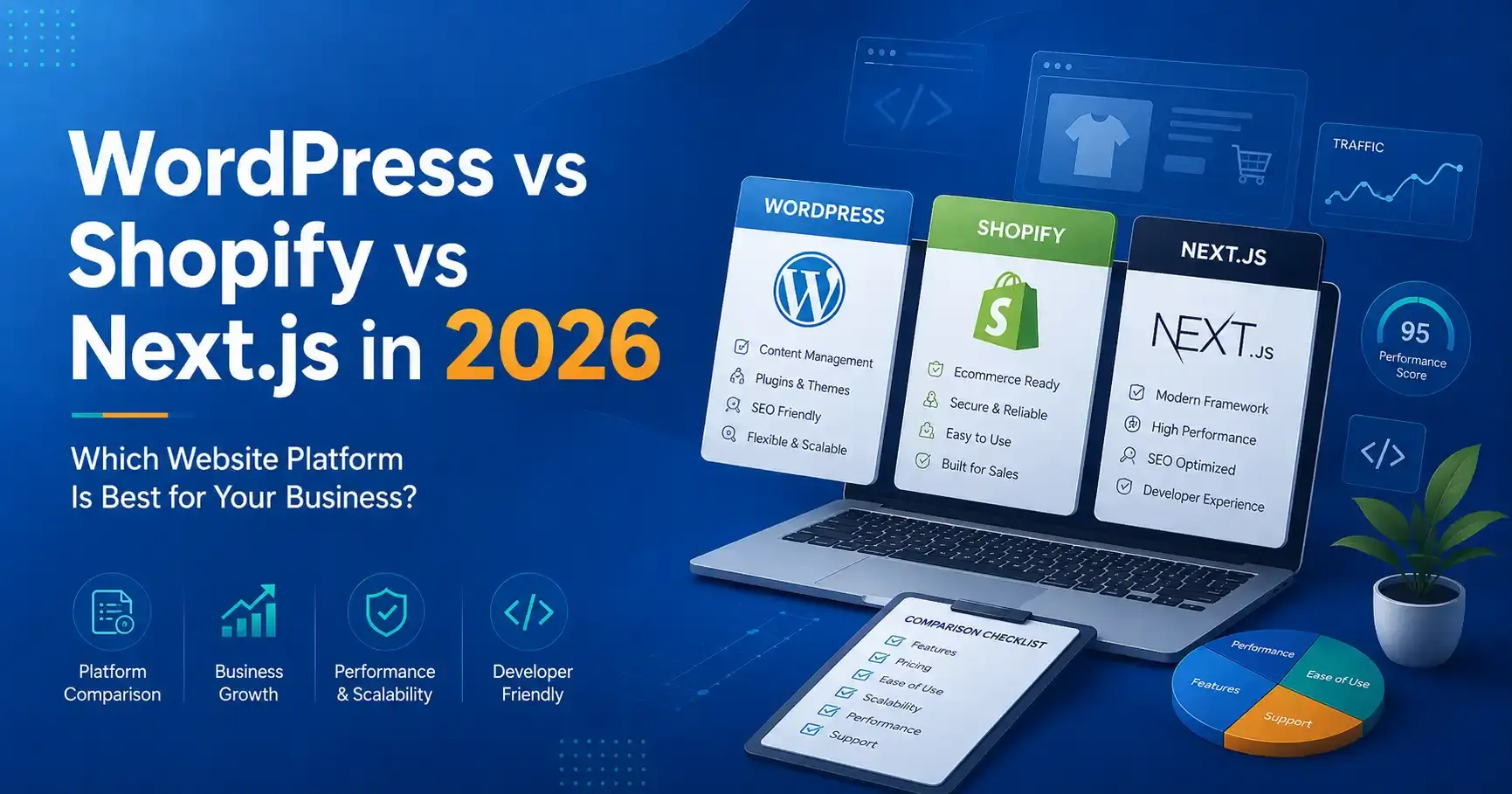
    WordPress vs Shopify vs Next.js in 2026: Which Website Platform Is Best for Your Business?

    Choosing a website platform is not a contest between technologies. The right choice depends on what your business needs to publish, sell, integrate and maintain after launch. WordPress, Shopify and Next.js are all capable platforms, but they solve different problems well.

    This guide compares WordPress vs Shopify vs Next.js from a business perspective: content management, ecommerce, SEO, performance, customization, development cost, maintenance and long-term flexibility. It is written for founders, marketing teams and businesses that want to choose a platform based on operational reality rather than a developer’s personal preference.

    Quick comparison: WordPress, Shopify or Next.js?

    Requirement WordPress Shopify Next.js
    Content-heavy business website Excellent fit Possible, but commerce-first Excellent with a CMS
    Ecommerce Good with WooCommerce Excellent for many stores Custom/headless commerce
    Non-technical editing Strong Strong Depends on CMS integration
    Custom application logic Possible but can become plugin-heavy Limited by platform model Very strong
    Front-end flexibility High High within Shopify architecture Very high
    Hosting management You manage or buy managed hosting Mostly managed by Shopify You choose deployment stack
    Typical maintenance burden Moderate Lower platform maintenance Depends on architecture
    Best for Marketing sites, publishing, WooCommerce Product businesses and D2C Custom, performance-led and application-like experiences

    When WordPress is the better choice

    WordPress is often a practical choice for service businesses, publishers, institutes, professional firms and marketing teams that need to create and update content regularly. The editor, media library, user roles and plugin ecosystem make it possible for non-technical teams to manage substantial websites without changing source code for every update.

    A well-built WordPress website can support landing pages, blogs, case studies, careers, forms, multilingual content and WooCommerce. The important phrase is well-built. A site with dozens of overlapping plugins, an oversized theme and no performance discipline can become difficult to maintain.

    Businesses looking for an editable marketing platform can review our WordPress development services in Delhi.

    WordPress advantages

    • Strong content-management experience.
    • Large ecosystem of themes, plugins and integrations.
    • Suitable for blogs, service websites, resources and publishing workflows.
    • WooCommerce can add flexible ecommerce capability.
    • Many internal teams already understand the admin interface.
    • Can be customized substantially when development is disciplined.

    WordPress limitations

    • Plugin quality varies widely.
    • Updates need to be managed and tested.
    • Poor themes and page builders can create unnecessary front-end weight.
    • Security and backups require a clear maintenance process.
    • Complex application workflows can become awkward if everything is forced into plugins.

    When Shopify is the better choice

    Shopify is designed around commerce. For many product businesses, that focus is its biggest advantage. Hosting, checkout infrastructure, administration, product management and a large app ecosystem are provided within one managed platform.

    A brand can focus on catalog structure, merchandising, design, content, conversion and marketing instead of operating its own commerce infrastructure. This makes Shopify attractive for D2C businesses, retailers and teams that want predictable day-to-day administration.

    For store builds and optimization, see Shopify development in Delhi and our broader ecommerce development services.

    Shopify advantages

    • Commerce-first administration.
    • Managed hosting and platform infrastructure.
    • Reliable product, order and checkout workflows.
    • Strong ecosystem for payments, shipping, marketing and operations.
    • Good fit for teams that do not want to maintain a custom commerce backend.
    • Theme sections make common merchandising changes manageable.

    Shopify limitations

    • Recurring platform and app costs must be considered.
    • Some advanced business workflows require apps or custom development.
    • Checkout and platform behavior have boundaries defined by Shopify.
    • Highly unusual content or application experiences may need a headless approach.

    When Next.js is the better choice

    Next.js is a React framework rather than a ready-made CMS or ecommerce platform. It becomes powerful when a business needs a custom front end, server-rendered pages, application functionality, complex integrations or a headless architecture.

    For example, a company can use WordPress as a headless CMS while Next.js renders the public website. The marketing team keeps a familiar publishing workflow, while the front end remains part of a custom React application. A similar approach can be used with headless commerce.

    Next.js is not automatically “better for SEO” simply because it is modern. SEO quality depends on crawlable output, metadata, internal linking, content quality, performance and technical implementation. A poorly built Next.js site can have serious indexing problems, just as a poorly built WordPress site can be slow.

    Next.js advantages

    • High degree of front-end control.
    • Supports server rendering and static generation patterns.
    • Strong fit for custom APIs, dashboards and application features.
    • Can integrate with headless WordPress, commerce platforms and custom backends.
    • Reusable React architecture suits larger design systems.
    • Can deliver strong performance when scripts, images and caching are handled correctly.

    Next.js limitations

    • Requires more engineering knowledge than a traditional CMS.
    • Non-technical content editing requires a CMS connection.
    • Custom features create custom maintenance responsibility.
    • Hosting, builds, cache strategy and deployment architecture must be planned.
    • A custom stack can cost more than necessary for a simple brochure website.

    Which platform is best for SEO?

    All three can rank well when implemented properly. Search engines do not reward a website simply because it uses WordPress, Shopify or Next.js. What matters is whether the site can be crawled, understood, indexed and used efficiently.

    • Unique and useful pages that satisfy search intent.
    • Server-accessible content rather than empty shells that depend on broken JavaScript.
    • Clear page titles, headings and internal links.
    • Canonical URLs and clean indexation.
    • XML sitemap and robots configuration.
    • Fast, stable mobile pages.
    • Helpful structured data where it accurately describes visible content.
    • Strong information architecture and no unnecessary duplication.

    For businesses targeting organic acquisition, platform selection should be discussed together with the SEO strategy, not after the build is finished.

    Which platform is best for AI search and answer engines?

    AI-driven search systems still depend on clear, accessible and trustworthy web content. The platform matters less than the quality of the output. Pages should explain services in direct language, use logical headings, answer common questions, connect related topics and make business information consistent.

    For AI visibility, avoid trying to create “special AI text.” Instead, make the content easier to understand: concise definitions, comparison tables, meaningful FAQs, transparent service scope, useful examples and well-connected topic clusters.

    Which is fastest: WordPress, Shopify or Next.js?

    There is no useful universal answer. A lightweight WordPress build can be extremely fast. A Shopify theme can perform well or become heavy after many apps and scripts. A Next.js application can be fast, but excessive client-side JavaScript, animation and oversized media can still damage real-world performance.

    Performance is an implementation discipline. Evaluate:

    • Largest contentful element on mobile.
    • Amount of JavaScript sent to the browser.
    • Image dimensions and formats.
    • Third-party apps and tracking scripts.
    • Font files and weights.
    • Layout shifts.
    • Server response and caching.
    • Animation and interaction cost.

    Which platform is easiest for the marketing team?

    WordPress is usually strong for editorial workflows. Shopify is strong for product and store administration. Next.js needs a connected CMS if marketers are expected to publish without developer assistance.

    This operational question is often underestimated. The best front-end architecture is not helpful if every headline change requires a deployment and the marketing team publishes weekly. Conversely, a company building a complex customer portal may accept a more technical stack because the product itself requires it.

    Cost comparison: think about total cost, not only development

    When comparing platforms, calculate the total cost of ownership:

    Cost area WordPress Shopify Next.js
    Initial development Low to high depending on customization Low to high depending on theme/custom build Usually higher for custom work
    Hosting Separate hosting Included in platform subscription Deployment/hosting provider required
    Apps/plugins Free and paid plugins Recurring app costs common Libraries/services vary
    Maintenance Updates, backups, security Platform core managed Code/dependency maintenance
    Content editing Built in Built in CMS usually required

    The cheapest initial build can become expensive if it creates manual work every month. The best business decision usually minimizes friction over the expected life of the website.

    Decision framework for Delhi NCR businesses

    If you are speaking with a website development company in Delhi NCR, ask them to recommend the platform only after understanding these questions:

    1. Is this primarily a marketing website, store or application?
    2. Who needs to edit content after launch?
    3. How often will products or pages change?
    4. What integrations are essential?
    5. Is there an existing CRM, ERP, booking or operational system?
    6. How important is advanced front-end customization?
    7. What is the expected traffic and growth model?
    8. What ongoing maintenance capacity does the team have?
    9. What is the realistic total budget for build plus maintenance?

    Common platform-selection mistakes

    Choosing based only on the developer’s preferred stack

    A technology should fit the business requirement. The developer should be able to explain why the choice reduces risk or improves a measurable outcome.

    Assuming a plugin can solve every future need

    Plugins are useful, but piling plugins onto a growing site can create conflicts, security risk and performance problems. Important workflows deserve intentional architecture.

    Choosing headless because it sounds premium

    Headless architecture can be excellent, but it creates additional moving parts. Use it when the front-end experience, integrations or multi-channel content needs justify the complexity.

    Ignoring the team that will maintain the site

    A website is an operating system for marketing and sales activity. The people who publish content, manage products and respond to leads need a workable process after launch.

    Frequently asked questions

    Is WordPress still a good choice in 2026?

    Yes, when the project benefits from strong content management and the site is built with disciplined themes, plugins, security and performance practices. It remains especially useful for content-led business websites and publishing.

    Is Shopify only for small stores?

    No. Shopify can support businesses at different scales. Whether it is appropriate depends on catalog structure, operations, required integrations, checkout requirements and how much control the business needs over the commerce architecture.

    Is Next.js better than WordPress for SEO?

    Not automatically. Both can perform strongly in search. SEO depends on rendered content, crawlability, metadata, internal linking, page quality, performance and indexation—not the framework name.

    Can WordPress and Next.js work together?

    Yes. WordPress can operate as a headless CMS while Next.js renders the public website through the WordPress REST API or another content interface. This preserves WordPress publishing while allowing a custom React front end.

    Which platform is best for an ecommerce business?

    Shopify is a strong default for many product-focused businesses because commerce infrastructure is managed. WooCommerce can be attractive when WordPress content and commerce need to live together. Custom/headless commerce is justified when business requirements go beyond standard platform capabilities.

    Can I migrate from one platform later?

    Yes, but migrations can involve URLs, product or content data, redirects, analytics, customer information, integrations and SEO preservation. Choosing a suitable platform now can reduce migration cost later.

    Need help choosing the right platform?

    Keshav Enterprises works with WordPress, Shopify, ecommerce and custom React/Next.js projects. Instead of forcing every project into one stack, the platform should be selected around content, commerce, integrations, internal capability and growth requirements.

    Discuss your website requirement and share what you are building, who needs to manage it, required integrations and your target launch window.

  • Website Development Cost in Delhi NCR in 2026: A Practical Pricing Guide for Businesses

    Website Development Cost in Delhi NCR in 2026: A Practical Pricing Guide for Businesses

    If you are planning a new business website in Delhi NCR, one of the first questions is usually simple: how much should a professional website actually cost? The difficult part is that there is no single useful price for every project. A five-page service website, a multilingual corporate site, a Shopify store and a custom Next.js platform may all be called “website development,” but the effort, risk and long-term maintenance are very different.

    This guide explains the main factors that shape website development cost in Delhi NCR, gives practical planning ranges, and shows how to compare proposals without choosing a vendor only because the first number looks lower. The goal is not to push a fixed package. It is to help you understand what you are paying for and what should be included in a serious scope.

    Quick answer: what does a business website cost in Delhi NCR?

    For planning purposes, many small and mid-sized business projects can be thought about in four broad bands. These are indicative budgeting ranges, not a quotation; actual pricing depends on requirements, content readiness, integrations, design depth and support.

    Website type Typical scope Indicative planning range Best suited for
    Starter business website 5–8 pages, responsive design, contact form, basic SEO setup ₹25,000–₹80,000 Local services, consultants, early-stage businesses
    Growth-focused corporate website 10–25+ pages, custom UI, CMS, lead journeys, analytics, stronger SEO architecture ₹70,000–₹2,00,000+ Established service businesses and B2B companies
    Ecommerce website Catalog, collections, checkout, payment integration, shipping, tracking and conversion work ₹1,00,000–₹4,00,000+ Retailers, D2C brands, manufacturers and distributors
    Custom web application Custom workflows, dashboards, APIs, authentication, databases and application logic ₹2,00,000 to several lakhs+ SaaS, portals, internal systems and complex platforms

    If two vendors quote very different amounts for the “same website,” the scope is often not actually the same. One may be pricing a pre-built theme with content insertion, while another is pricing discovery, information architecture, custom design, development, testing, analytics, technical SEO and post-launch support.

    What actually changes the price of website development?

    1. Number and complexity of page templates

    Page count matters, but template complexity matters more. Twenty pages built from four reusable layouts can be easier to manage than ten pages with ten completely different interactive designs. A practical proposal should distinguish between unique templates and pages populated from those templates.

    2. Custom design versus theme-led development

    A theme can be a sensible choice for a straightforward WordPress project, especially when speed to launch and editor friendliness matter. Custom design requires more discovery, wireframing, visual design, responsive states and quality assurance, but it can create a clearer brand experience when the business has more complex positioning or conversion needs.

    If your priority is an editable marketing website, see our WordPress development approach in Delhi. If you need a broader custom build, review our website development services in Delhi NCR.

    3. CMS and content-management requirements

    A brochure site that is rarely updated has different needs from a publishing-heavy website with blogs, case studies, careers, locations, resources and multiple content editors. CMS requirements can include role permissions, draft/review workflows, reusable content blocks, scheduled publishing, media management and multilingual editing.

    A good CMS should reduce the cost of future updates. Choosing the cheapest build but making every content change dependent on a developer can become more expensive over time.

    4. Ecommerce functionality

    Ecommerce introduces product architecture, variants, collections, filters, payments, taxes, shipping, transactional emails, inventory, analytics and conversion testing. The total effort depends on catalog size and operational complexity, not just the number of products.

    For businesses comparing store platforms, our Shopify development service explains where a managed commerce platform can reduce technical overhead. For broader store requirements, see ecommerce website development in Delhi NCR.

    5. Integrations and custom functionality

    Integrations often create the biggest difference between a basic website and a serious business platform. Examples include CRM systems, WhatsApp flows, payment gateways, booking systems, ERP tools, job application workflows, marketing automation, custom calculators, member areas and third-party APIs.

    Every integration should be scoped around what data moves, where it goes, who owns the account, what happens if the third-party service is unavailable, and whether there are recurring licensing charges.

    6. Content strategy and copywriting

    A visually attractive website cannot compensate for unclear content. If the project includes keyword research, page mapping, content writing, content migration, case-study development or multilingual copy, those activities should be visible in the proposal instead of being treated as an afterthought.

    For search-led projects, page architecture should be decided before design is locked. This avoids the common situation where SEO is “added later” by forcing keywords into a layout that was never built to answer search intent.

    7. SEO foundations

    Foundational SEO is more than adding a plugin. A strong implementation considers crawlable navigation, indexable pages, metadata, canonical URLs, XML sitemaps, robots rules, heading structure, internal links, structured data where appropriate, image handling, redirects and performance.

    Ongoing SEO is a separate discipline that includes research, content improvement, authority development, local visibility and measurement. If organic growth is a major acquisition channel, compare the development scope with the SEO services required after launch.

    8. Performance and Core Web Vitals

    Speed affects user experience, conversion and how easily visitors can interact with a site. Performance work can include image sizing, modern formats, font optimization, script reduction, caching, server rendering, lazy loading and removal of unnecessary animation.

    Performance should be considered during development, not left for a final “speed optimization” plugin. Heavy animation, large hero videos and multiple third-party scripts can make a polished design feel slow on real mobile devices.

    9. Migration and redirects

    Redesigning an existing website involves more than replacing pages. A safe migration may require URL inventory, redirect mapping, metadata transfer, content migration, analytics preservation, Search Console checks and post-launch monitoring. Skipping redirects can cause previously indexed URLs to return 404 errors and lose accumulated search value.

    10. Testing, security and post-launch support

    Professional development includes responsive testing, browser testing, form validation, broken-link checks, error handling, backups and security configuration appropriate to the platform. The proposal should state what happens after launch: warranty period, maintenance scope, response times, updates and what is charged separately.

    Why a ₹20,000 website and a ₹2 lakh website can both be “correct”

    Price only makes sense in relation to scope. A ₹20,000 site may be perfectly reasonable for a small business that needs a simple online presence using an existing design system. The same budget is not realistic for a custom multilingual corporate platform with integrations, structured content, testing and an ongoing publishing workflow.

    The better question is: what business problem must the website solve?

    • If the goal is credibility and a clear contact route, keep the build focused.
    • If the goal is organic lead generation, budget for content architecture, SEO and conversion paths.
    • If the goal is ecommerce, budget for merchandising, checkout, tracking and operations.
    • If the site supports internal workflows, treat it as software rather than a marketing brochure.

    How to compare website development proposals properly

    When reviewing proposals from a website development company in Delhi NCR, compare the items below line by line rather than comparing only the grand total.

    1. Discovery: Is requirement clarification included?
    2. Information architecture: Who defines the sitemap and user journeys?
    3. Design: Is the design custom, theme-based or a hybrid?
    4. Responsive states: Are mobile and tablet layouts explicitly tested?
    5. Content: Who writes, supplies, edits and uploads it?
    6. SEO: Which technical and on-page items are actually included?
    7. Analytics: Are GA4, conversion events or other tracking requirements configured?
    8. Integrations: Are third-party fees and dependencies clearly listed?
    9. Testing: What browsers, devices and functional flows are tested?
    10. Ownership: Who owns the source code, design files, accounts and domain access?
    11. Maintenance: What happens after launch and what is the response time?

    Which platform is usually the most cost-effective?

    There is no universal winner. WordPress can be cost-effective for content-led marketing websites. Shopify can reduce operational complexity for many ecommerce businesses. Next.js can be a strong choice when performance, application-like functionality or a custom front end is important. WooCommerce may suit businesses that want WordPress content management and commerce in one system.

    Platform choice should follow requirements rather than fashion. Rebuilding a simple business site as a complex custom application can increase development and maintenance cost without improving the customer journey. At the same time, forcing complex workflows into a plugin-heavy setup can create long-term technical debt.

    A practical website budget checklist

    • Business goals for the website.
    • Target customers and geographic markets.
    • Approximate number of pages or content types.
    • Current website URL, if any.
    • Examples of websites you like and why.
    • Required forms, CRM, payments, booking or other integrations.
    • Whether copywriting and images are ready.
    • Whether you need WordPress, Shopify, WooCommerce, React/Next.js or advice on the platform.
    • Expected launch date.
    • Who will approve designs and content.
    • Post-launch maintenance expectations.

    This information makes it easier for vendors to quote comparable scopes and reduces change requests later.

    Frequently asked questions

    How much does a 5-page website cost in Delhi?

    A simple five-page business website can often be delivered at the lower end of the market when content, branding and functionality are straightforward. The final figure depends on whether the design is custom, who writes the content, which CMS is used, and whether SEO, analytics, integrations and support are included.

    Is WordPress cheaper than a custom Next.js website?

    For a conventional marketing website, WordPress can require less custom engineering and may therefore be more economical. Next.js can make sense when the project needs a highly customized front end, application logic, performance architecture or integration patterns that justify a custom build.

    How much does an ecommerce website cost?

    Ecommerce pricing depends on platform, catalog size, product options, payment and shipping rules, design, apps, tracking and integrations. A small Shopify store and a custom commerce platform should not be expected to have the same budget.

    Does website development include SEO?

    A professional build should include foundational technical and on-page considerations such as crawlability, metadata structure, responsive design and performance. Ongoing SEO—keyword research, content growth, authority work, local optimization and reporting—is usually a separate continuous service unless explicitly included.

    How long does website development take?

    A focused business website may take a few weeks, while larger corporate sites, ecommerce stores and custom applications can take longer. Content readiness, feedback speed, integrations and testing often influence the schedule as much as development itself.

    Should I choose the cheapest website developer?

    Not automatically. Compare the actual scope, quality assurance, ownership, platform suitability, support and long-term maintenance. A lower initial price can be sensible for a smaller requirement, but a vague scope can also lead to additional costs later.

    Planning a new website?

    If you are comparing platforms, rebuilding an existing site or trying to understand the right budget, start with the business requirement rather than a package. Keshav Enterprises works across website development, WordPress, Shopify, ecommerce and search optimization for businesses in Delhi NCR and other markets.

    Request a website development consultation and share your current website, required functionality, preferred timeline and any known technical constraints. A clear scope is the best starting point for an accurate quotation.