Category: SEO & Local Growth

  • Google Business Profile Suspended in 2026? Appeal and Recovery Guide for Delhi NCR

    Google Business Profile Suspended in 2026? Appeal and Recovery Guide for Delhi NCR

    If your Google Business Profile is suspended in 2026, first review the policy issue, correct any inaccurate business details, prepare genuine supporting documents and submit an appeal through Google’s official Business Profile appeals tool. Do not create a replacement listing for the same business or send repeated appeals while the first is under review. A suspension can interrupt discovery on Google Maps and local Search, but an appeal is not a guarantee of reinstatement.

    This guide is for eligible storefront and service-area businesses in Delhi, Noida, Gurgaon, Ghaziabad and other NCR markets. It explains how to diagnose a suspension, which documents can support an appeal, what changed in the 2026 evidence-upload process and how to protect your local search presence while waiting for a decision.

    Quick answer: how do you recover a suspended Google Business Profile?

    1. Sign in with the Google Account that manages the affected profile.
    2. Open the official appeals tool and identify the restriction and policy shown.
    3. Check the business name, category, location, service area and eligibility against Google’s guidelines.
    4. Prepare business registration, licensing, tax or utility evidence with matching business details.
    5. Submit one accurate appeal with supporting evidence using the available form.
    6. Track the decision in the appeals tool and email. Request additional review only if the initial appeal is denied and the option is available.

    Google explains the official process in its suspended or disabled profile guidance. The exact options depend on the restriction and account.

    Suspended, disabled or unverified: understand the difference

    A suspended or disabled profile is subject to a policy restriction. An unverified profile may simply need verification before it becomes eligible to appear broadly on Google. A rejected edit, such as a phone-number change, is a separate moderation decision. Treating these as the same issue wastes time and can send the business into the wrong support flow.

    What you see What it may mean First action
    Suspended or disabled Profile-level policy restriction Review reason and eligibility in the appeals tool
    Verification required Ownership or business verification incomplete Follow the verification method Google offers
    Edit not approved A particular change was rejected Review the edit decision and relevant support route
    Duplicate profile Multiple profiles may represent the same business Resolve duplication through supported ownership or duplicate procedures
    Google Account restricted Manager account itself may be restricted Appeal the account restriction before individual profiles, as directed

    Do not assume that a sudden ranking drop means suspension. Check the actual management dashboard and notifications first. Ordinary changes in local ranking can happen without a policy restriction.

    Why Google Business Profiles get suspended

    Google requires businesses to represent themselves accurately and to be eligible for a profile. A review can be triggered by inconsistent information, suspicious edits or suspected policy violations, but the specific reason must be checked rather than guessed. Common areas to audit include:

    • Business name: extra keywords, services or city names that are not part of the business’s real-world name.
    • Address: a virtual office, postal box or location where the business does not actually operate as represented.
    • Service-area settings: an address shown publicly even though the business visits customers and does not serve them at that location.
    • Eligibility: an online-only business or lead-generation operation without the required in-person customer contact.
    • Duplicate profiles: multiple listings for the same business at the same location without a valid distinction.
    • Categories and services: misleading descriptions or categories that do not reflect the core business.
    • Ownership and account access: confusing ownership claims or account restrictions that affect managed profiles.

    These are diagnostic checks, not a claim that any one factor automatically caused a particular suspension. Use Google’s guidelines for representing a business as the policy reference.

    Step 1: audit the profile before appealing

    Start with a factual record of the business. Write down the legal or commonly recognized business name, website, phone number, actual operating address, customer-facing hours and whether customers visit the location or the business travels to them. Compare these with the profile and the information shown on the website.

    For example, a repair service based in Ghaziabad that visits customers at home may need a service-area configuration instead of displaying a residential address. A retail showroom in Noida that receives customers at a staffed, signed location may be eligible to show its address. These are illustrative scenarios, not determinations of eligibility for a specific business.

    Review your storefront signage, invoices and customer communications. If the profile says “Best AC Repair Noida 24×7” but the actual business name is different, correct the representation rather than arguing that the extra keywords help SEO. Do not invent a new business name merely to match a profile.

    Step 2: prepare credible business evidence

    Google lists official business registration, business licenses, tax certificates and business utility bills as examples of evidence that can strengthen an appeal. The business name and address on the documents should match the profile being appealed. The strongest evidence is authentic, current and relevant to the issue.

    Evidence What it supports Quality check
    Registration certificate Business identity and legal existence Name and registered details are accurate
    Trade or professional license Authorization for relevant operations Valid for the business and location
    Tax certificate Registered business information Matches the claimed business identity
    Electricity, phone or internet bill Connection between business and location Business name and address are visible
    Real storefront photos, where relevant Physical presence and signage Genuine and consistent with profile details

    Indian businesses may have GST-related documentation or other registration records, but only submit documents that genuinely establish the facts requested. Do not alter invoices, edit photographs or fabricate signage. Keep sensitive documents secure and provide them only through legitimate Google processes.

    Step 3: use the official Google Business Profile appeals tool

    Sign in with the account linked to the affected profile. Select the profile, review the moderation decision, and read the policy reason and eligibility information shown. Where an appeal is available, explain concisely what the business does, why it is eligible, what was corrected and which authentic documents support its identity and location.

    As of October 2026, Google’s help page describes attaching supporting files during the appeal process. Reporting from July 8, 2026 documented a change that integrated evidence upload directly into the appeal flow rather than requiring a separate post-submission form. The interface can vary, so follow the live instructions displayed for your account. Prepare all evidence before starting.

    Do not submit several appeals for the same decision while waiting. Google warns that appeals are limited and that businesses should not create a new profile for the same operation. The review result arrives by email and can be checked in the appeals tool.

    What should the appeal explanation say?

    A strong explanation is short, specific and verifiable. State the real business name, the customer-facing service or storefront, the operating location or service-area model, the correction made if a detail was inaccurate, and the evidence attached. Avoid emotional claims, threats or unsupported promises that the profile has never broken any policy.

    Illustrative wording: “Our business operates from a staffed location in Delhi and serves customers in person. We reviewed the Business Profile guidelines and corrected the listed business name to match our storefront signage and registration. The attached registration and business utility document support the name and address shown on our profile. Please review our eligibility for reinstatement.” Use only statements that are true for the business.

    What changed in the 2026 appeal process?

    In July 2026, industry reporting described a streamlined evidence-upload experience inside the Business Profile appeals form. The key practical change is fewer steps between appeal and supporting documents. The underlying requirement has not changed: the evidence must be genuine and consistent with the business’s real-world representation.

    Because Google updates its tools, rely on the live form rather than older screenshots that describe a separate evidence-upload window. A business should not assume an outdated tutorial’s button labels, limits or sequence still apply. The official help page and the current appeal interface take priority.

    How long does Google Business Profile reinstatement take?

    Google’s appeal documentation has described reviews taking up to five business days in its guidance for profile restrictions, although individual cases can take longer. There is no guaranteed restoration date or approval outcome. Check the status shown in the appeals tool rather than treating a third-party estimate as a promise.

    If the appeal is not approved, Google may offer an additional review where the business can submit further evidence. Follow that route only when it is available. Do not create replacement profiles, repeatedly change important information or buy supposed guaranteed reinstatement services.

    Delhi NCR examples: storefront versus service-area business

    Case A: a Noida showroom with a customer-facing location

    Suppose a furniture showroom has permanent signage, staff and customers visiting during stated hours. The profile should accurately reflect that real-world location. Supporting evidence may include registration, location-linked documents and authentic photos if requested. If the showroom moves, update business information through the supported process and keep the website consistent.

    Case B: a Gurgaon home-service provider

    Suppose a technician travels to customers and does not receive customers at the registered home address. The business should review Google’s service-area business rules and whether its address should be hidden. A service-area setting is not permission to claim dozens of staffed branches that do not exist.

    Case C: a Delhi digital consultancy

    A consultancy must assess whether it has qualifying in-person contact and a legitimate customer-facing location or service-area operation. Merely having a website, virtual address or remote clients does not automatically make a profile eligible. Verify eligibility before submitting an appeal.

    For businesses that want a broader local visibility strategy beyond suspension recovery, Keshav Enterprises explains profile accuracy, citations and location signals in its local SEO services guide.

    What to do while your Google Maps listing is unavailable

    Keep your own website accurate and useful. Confirm that the contact page, business hours, location description, service pages and enquiry forms are working. Maintain honest business details on relevant directories and your social profiles. Continue responding to customers through established channels and record enquiries in your CRM.

    A suspension does not automatically mean your website’s organic pages are deindexed. Review Search Console separately for organic search issues, and avoid changing your website architecture solely because the Business Profile is unavailable. If your website has weak service pages or indexing problems, consider a focused SEO audit and search visibility review.

    Do not pay for fabricated reviews or manipulate map signals. Legitimate local search visibility is built through accurate business information, useful pages, relevant categories, customer experience and policy-compliant review practices.

    After reinstatement: a practical prevention checklist

    1. Confirm the live profile name, category, address or service area and phone number.
    2. Check whether hours, services, website link and map pin are correct.
    3. Remove obsolete owner or manager access and secure the Google Account.
    4. Keep real-world signage, website details and core business information consistent.
    5. Avoid creating duplicate profiles for the same business.
    6. Use genuine photos and truthful service descriptions.
    7. Monitor profile notifications and changes regularly.
    8. Track website enquiries and local-search activity without treating rankings as guaranteed.

    Reinstatement is the start of maintaining a compliant profile, not a reason to make aggressive keyword edits. Document material business changes so future verification requests can be supported quickly.

    Frequently asked questions

    Can I recover a suspended Google Business Profile?

    You can submit an appeal if Google offers that option and the business meets eligibility and policy requirements. Reinstatement is decided by Google and is not guaranteed.

    Should I create a new Google Business Profile after suspension?

    No. Google’s official guidance warns against creating a new profile for the same business while resolving the suspension.

    Which documents are useful for a Google Business Profile appeal in India?

    Depending on the case, authentic business registration, relevant licensing, tax records and business utility bills can help. The business name and address should align with the profile and Google’s requirements.

    Does a suspended Google Business Profile hurt website SEO?

    It can reduce visibility and actions associated with the local profile, but it does not automatically remove your website’s organic pages from Google Search. Check website indexing separately.

    Can a service-area business show its home address?

    A business that visits customers but does not receive them at its location generally needs to follow Google’s service-area guidance, including whether the address should be hidden.

    How many times can I appeal a suspension?

    Use the available official appeal process and do not file repeat appeals for the same decision while awaiting a result. If denied, follow the additional-review option if Google provides one.

    How quickly will Google reinstate my profile?

    There is no guaranteed timeline. Review times vary, and Google communicates the decision through the appeal process.

    Can an SEO agency guarantee Google Business Profile reinstatement?

    No. An agency can audit accuracy, document policy issues and help prepare evidence, but only Google can approve the appeal.

    Final takeaway: fix the cause, then appeal with evidence

    A suspended Google Business Profile is best handled as an eligibility and documentation issue, not as a shortcut SEO problem. Check the actual restriction, correct inaccurate details, prepare matching evidence, submit the official appeal and wait for the decision. For Delhi NCR businesses, a clear website and consistent local information also help customers reach you while the appeal is pending.

    If you need a factual review of your website’s local-search setup or business information consistency, contact Keshav Enterprises with the public website URL, the profile issue and the service locations you genuinely cover.
  • Google Ads Negative Keywords in 2026: Stop Wasted Clicks and Improve Lead Quality

    Google Ads Negative Keywords in 2026: Stop Wasted Clicks and Improve Lead Quality

    Google Ads negative keywords prevent ads from appearing for search terms that do not match what your business sells. For a Delhi NCR service company, that can mean filtering job seekers, free-resource hunters or people searching for an unrelated service before those searches consume advertising budget. The right exclusions can improve traffic relevance, but careless exclusions can also block genuine customers.

    Quick answer: Open your Google Ads search terms report, identify queries that are irrelevant to the advertised service, select an appropriate negative match type, apply the exclusion at the narrowest useful level and review lead quality after the change. Do not copy a generic 500-word negative list into every campaign.

    Updated: 22 October 2026. This guide focuses on Search campaigns and explains the separate Search/Shopping scope of Performance Max negatives.

    What are negative keywords in Google Ads?

    A negative keyword is a rule that makes your ad ineligible for specified searches. A plumbing company advertising emergency repair might exclude a query about plumbing courses; a B2B web development agency may exclude an irrelevant search for free templates. The exclusion is not a judgment that a search is low quality in general. It is a decision that the search is not commercially relevant to a particular offer.

    Unlike positive keyword matching, negative keywords do not automatically cover synonyms or singular and plural variants. Google says case differences and misspellings are handled, but flower and flowers can require separate exclusions. Review the actual wording rather than assuming broad semantic coverage.

    This is a different optimization task from improving a page after a click. For that, see our Google Ads landing page optimization guide. Both search relevance and landing-page experience matter to qualified lead generation.

    Negative broad, phrase and exact match: which should you use?

    The names resemble positive keyword match types, but the rules are more literal. The table below uses the hypothetical negative keyword running shoes, following Google’s documented logic.

    Negative match type Example entry Search it blocks Search it may allow
    Broad running shoes blue running shoes and shoes running running shoe
    Phrase "running shoes" blue running shoes shoes running
    Exact [running shoes] running shoes blue running shoes

    Negative broad excludes searches containing every word in the negative, in any order. Negative phrase requires the words in the same order, though other words can appear before or after. Negative exact excludes the specific search without additional words. A one-word broad negative such as jobs can be much wider than a phrase negative such as "digital marketing jobs".

    Do not assume a negative exact keyword behaves like a positive exact keyword. Positive matching can use meaning and intent; negative exact matching is narrower. See Google’s official negative keyword reference before implementing exclusions at scale.

    12 negative keyword opportunities for Delhi NCR service businesses

    These are review candidates, not a universal upload list. A training company should not exclude course; a recruitment agency should not exclude jobs; and a budget-friendly service should not automatically exclude cheap. Apply only terms that contradict your actual offer.

    Search intent to review Illustrative query Possible action
    Employment digital marketing agency jobs delhi Consider excluding a relevant jobs phrase in client-acquisition campaigns.
    Internships SEO internship noida Exclude if you are advertising services, not hiring.
    Free resources free website builder Exclude only if free tools are not part of the offer.
    Education google ads certification course Exclude if you sell campaign management, not courses.
    DIY tutorials how to run ads myself Review separately; some educational searches later convert.
    Templates free proposal template Exclude if you do not offer downloadable resources.
    Software support google ads customer care number Exclude if you are not the platform’s support provider.
    Wrong geography agency jobs in another city Check location settings first; exclude only persistent irrelevant patterns.
    Wrong service graphic design course Exclude from a PPC management campaign if unrelated.
    Product research best free CRM software Exclude if the campaign sells CRM implementation, not software.
    Used goods second hand laptop repair tools Exclude from a managed IT service campaign when irrelevant.
    Consumer intent personal loan app Exclude from an enterprise lending technology campaign when irrelevant.

    For a Delhi, Noida, Gurugram or Ghaziabad campaign, a search mentioning a nearby city is not automatically unwanted. Service-area targeting, presence settings, landing-page location relevance and sales coverage must be considered together.

    How to find wasted search terms without blocking valuable leads

    Step 1: define the conversion you actually want

    Write down the desired outcome for each campaign: booked consultation, qualified phone enquiry, demo request, purchase or another meaningful action. A search can produce a cheap click and still be a poor match for that goal. Conversely, an informational search can be useful to a longer sales cycle. Agree on the business rule before adding negatives.

    Step 2: open the search terms report

    In Google Ads, navigate to Campaigns → Insights and reports → Search terms. Review the terms that actually triggered your ads. Google notes that the report covers searches meeting its reporting thresholds, not necessarily every individual query. Filter by campaign, date range, cost and conversion metrics, then inspect relevance manually.

    Step 3: label queries by intent

    Use four practical buckets: high-intent relevant, relevant but early-stage, irrelevant and uncertain. Only the clearly irrelevant bucket should be excluded immediately. Investigate uncertain queries using landing-page analytics and, where available, CRM lead outcomes.

    Step 4: choose the smallest effective exclusion

    Use an ad-group negative when one service should not appear in another ad group’s searches. Use a campaign negative for an offer-specific mismatch. Use a shared list for a consistent exclusion policy across selected campaigns. Reserve account-level negatives for terms that are inappropriate across all eligible Search and Shopping inventory.

    Step 5: record the reason

    Maintain a change log with the term, match type, level, date, campaign and reason. Example: “Excluded ‘digital marketing internship’ as phrase negative from agency lead campaign; search intent is hiring, not services.” This makes the decision reviewable when traffic patterns change.

    Step 6: compare lead quality, not just clicks

    Track impressions, search-term relevance, cost per qualified enquiry and downstream outcomes. Our GA4 lead tracking guide explains how to measure forms, calls and WhatsApp interactions without treating every click as a qualified lead. For higher-value services, connect campaign identifiers to CRM stages where your consent and data-handling practices permit it.

    Where should negative keywords be added?

    Ad group: useful for a specific service or offer. For example, a campaign separating website maintenance from new website builds may need careful ad-group routing.

    Campaign: useful for service-specific exclusions, such as filtering course searches from a management-service campaign while keeping them eligible in a training campaign.

    Shared negative keyword list: useful when several campaigns should share the same policy. Avoid a shared list that contains terms valuable to any campaign receiving it.

    Account level: useful for categorically irrelevant queries across eligible Search and Shopping inventory. Because the scope is broad, it requires the strictest review.

    Google Ads interfaces and eligibility can change. Follow the account’s current controls rather than relying on an outdated screenshot or menu label.

    Do negative keywords work in Performance Max and AI-driven campaigns?

    Yes, with important scope differences. Google documents that Performance Max negative keywords can be added at campaign or account level and apply to Search and Shopping inventory. They are not a universal exclusion for every Performance Max placement. For video, display or other inventory, use the relevant content suitability and placement controls instead.

    AI-driven matching can expand the set of searches eligible to trigger an ad. Negative keywords remain a practical relevance control, but they are not a substitute for strong conversion signals, relevant landing pages, location settings and ongoing search-term review. Check the current campaign’s supported controls before making changes.

    For exact product behavior and steps, consult Google’s Performance Max negative keyword instructions.

    Seven mistakes that can make negative keywords backfire

    1. Blocking a whole word too broadly. Excluding free may also block a search about a paid service with a free consultation. Check the full query.
    2. Copying lists from another industry. Words such as jobs, course and cheap can be valuable in the right campaign.
    3. Forgetting variants. Negative keywords do not automatically include every singular, plural or synonym.
    4. Confusing positive and negative match types. A negative exact keyword is not the same as positive exact matching.
    5. Applying campaign-specific terms at account level. This can suppress legitimate traffic in unrelated services.
    6. Ignoring location and language context. A term that looks irrelevant in English may describe a relevant service in another language or region.
    7. Measuring only lower CPC. A smaller bill is not a win if qualified leads and revenue decline disproportionately.

    A 20-minute weekly negative keyword review workflow

    Minutes 0–5: compare the past week with a suitable prior period. Flag campaigns with higher spend, weaker lead quality or unusual search-term patterns. Avoid interpreting a tiny sample as a trend.

    Minutes 5–10: group visible queries by service, audience and intent. Note recurring irrelevant phrases and high-cost anomalies.

    Minutes 10–15: select narrow negative matches for the clearly irrelevant queries. Check whether each candidate overlaps with a positive keyword or a valuable conversion path.

    Minutes 15–20: apply approved changes, record the reason and schedule a follow-up review. Where possible, validate results using qualified-lead data rather than raw conversion count.

    Run a deeper monthly audit for account-level exclusions, shared lists and Performance Max campaigns. Recheck negatives whenever a new service, market or landing page launches.

    How should Delhi NCR businesses measure the outcome?

    Compare cost per qualified lead and qualified-lead rate before and after changes, while accounting for seasonality, budgets, bids, attribution windows and other simultaneous campaign edits. For example, a Noida B2B agency should distinguish a student asking for training from a procurement manager requesting a proposal; the same click cost does not imply the same business value.

    Pair search-term hygiene with a useful landing page and timely follow-up. If visitors reach the wrong service page, negative keywords alone will not fix the problem. A managed Google Ads and PPC strategy should combine targeting, ad copy, landing pages and lead-quality feedback.

    Frequently asked questions

    What are the best negative keywords for Google Ads?

    There is no universal best list. Start with search terms that are clearly unrelated to your service, such as job searches for a campaign selling services, and choose the narrowest exclusion that solves the problem.

    How do I add negative keywords in Google Ads in 2026?

    Open the Search terms report or Negative keywords area, choose the ad group, campaign, shared list or supported account-level control, enter the terms with the intended match types and save. Review the change after it has collected enough data.

    Can negative keywords reduce wasted ad spend?

    They can prevent ads from showing for irrelevant searches, which may reduce wasted clicks. Results depend on your campaign, the chosen exclusions and whether the blocked traffic was truly unqualified.

    Should I exclude “free” from every lead-generation campaign?

    No. A business offering a free consultation or assessment may want some searches containing “free.” Exclude only the irrelevant intent, preferably with a more specific phrase when appropriate.

    Do negative keywords work with broad match?

    Yes. Negative keywords can filter eligible searches even when positive keywords use broad match. Negative matching itself is more literal and does not automatically cover all synonyms or word forms.

    Do Performance Max negative keywords block YouTube and Display?

    No. Google’s Performance Max documentation says negative keywords apply to Search and Shopping inventory, not every placement. Use other suitability and placement controls where appropriate.

    How often should I review negative keywords?

    Weekly is a practical starting point for active campaigns. Increase frequency when launching new campaigns or when traffic changes sharply, and review shared and account-level lists at least monthly.

    Can negative keywords hurt conversions?

    Yes. Overly broad exclusions can remove relevant searches and reduce qualified lead volume. Check search intent, apply changes carefully and measure outcomes rather than assuming more exclusions are always better.

    Next step: audit search intent before increasing budget

    If your campaigns generate clicks but few useful enquiries, start with the search terms report, campaign structure, conversion quality and landing-page alignment. Share your Google Ads challenge with Keshav Enterprises for a scoped review covering Delhi NCR or other target markets. The aim is better-fit traffic and measurable business outcomes, not a guaranteed ranking, conversion rate or return.

    References: Google Ads negative keyword behavior; Google Ads search terms report; Performance Max negative keywords. Reviewed 22 October 2026.

  • Google Ads Location Targeting in 2026: Presence vs Interest for Delhi NCR Leads

    Google Ads Location Targeting in 2026: Presence vs Interest for Delhi NCR Leads

    Google Ads location targeting determines which geographic audiences are eligible to see a campaign. For a Delhi NCR business, the most important choice is often between reaching people who are in or regularly in a service area and also reaching people who have shown interest in that area. The wrong choice can attract enquiries your team cannot serve, while an overly restrictive setup can hide ads from legitimate buyers.

    Quick answer: In Google Ads, review each campaign’s Locations and Location options. Presence or Interest is the broad default for supported campaigns; Presence is narrower and can suit businesses that only serve people physically in or regularly in a defined area. Set targets around actual service coverage, inspect geographic performance reports, and judge success by qualified leads rather than impressions alone. Google does not guarantee perfectly accurate location detection.

    Updated 22 October 2026. This guide covers local lead-generation campaigns, including current AI Max for Search considerations. Interface availability differs by campaign type.

    What is Google Ads location targeting?

    Location targeting is a campaign control that helps determine where ads may appear based on Google’s location signals. Advertisers can target supported cities, regions, countries and, where eligible, a radius around a point. It is not a legal geographic boundary, a GPS guarantee or a replacement for checking whether a lead is genuinely serviceable.

    Google explains the mechanics in its official location-targeting guide. A campaign aimed at Noida can still encounter uncertainty around user location, neighboring areas and location interest. Therefore, a local business should combine targeting with service-specific ad copy, landing-page information and reliable enquiry qualification.

    This is a different optimization from keyword exclusions. Negative keywords filter search terms; geographic targeting filters the locations and location signals used for ad eligibility. Both affect traffic relevance, but neither fixes a weak offer or a broken contact form.

    Presence vs Presence or Interest: which setting is right in 2026?

    Option Who may be eligible When it may fit Main trade-off
    Presence People likely to be in or regularly in your selected area. In-person clinics, local repairs, limited delivery zones and strictly local services. Narrower reach; may miss buyers planning from elsewhere.
    Presence or Interest People in or regularly in the area, plus people who have shown interest in it. Travel, relocation, education, destination services and some property searches. Broader reach can include people outside your operating area.

    Google’s advanced location options documentation describes Presence or Interest as the default and recommended broad setting, while acknowledging that Presence can be appropriate for geographically restricted offers. A narrower setting is not automatically better. The right option depends on whether the buyer needs to be physically local to become a valid customer.

    Example: an emergency AC repair business in South Delhi

    If technicians only travel within a limited service area, Presence is a reasonable starting hypothesis. A user living hundreds of kilometres away who researches South Delhi AC repair may be unlikely to book a same-day visit. Make the service boundary clear on the landing page and verify calls against technician coverage.

    Example: a property consultant serving buyers relocating to Noida

    Someone in another city researching an apartment in Noida could be a legitimate buyer. Presence or Interest may make sense because the buying decision concerns the destination even when the person is elsewhere. The business should qualify budget, timeline and project interest before deciding whether broader geographic reach is worthwhile.

    Example: a B2B agency with remote delivery

    A digital agency based in Nehru Place may work remotely with clients across India. Restricting every campaign to Delhi would unnecessarily exclude some potential clients. Separate local-intent campaigns from broader remote-service campaigns and tailor their ads and landing pages to the actual offer. Keshav Enterprises explains its scope on its Google Ads and PPC management page.

    How to set Google Ads location targeting step by step

    1. Write down the service boundary. Identify the cities, districts or travel radius you can genuinely serve. For remote services, document where you accept customers rather than assuming the office address is the only valid market.
    2. Open the relevant campaign. In Google Ads, navigate to the campaign’s Settings and Locations controls. Exact menu labels may vary with account layout and campaign type.
    3. Add supported target locations. Select Delhi, Noida, Gurugram, Ghaziabad or other eligible areas only where the offer applies. Check similarly named places and the country shown in suggestions.
    4. Inspect Location options. Review the available Presence or Interest and Presence controls. Some campaign types and account experiences expose different options; do not assume a setting exists in every campaign.
    5. Add exclusions cautiously. Exclude regions you cannot serve when the account and campaign type support them. Exclusions do not work identically to positive targeting and are generally based on Presence.
    6. Check languages, ads and destination pages. An ad aimed at a specific locality should accurately explain service availability. Avoid claiming a local office where none exists.
    7. Test and monitor. Use the Ad Preview and Diagnosis tool where appropriate, then review location reports and actual enquiries after sufficient data accumulates.

    For detailed campaign setup, consult Google’s location setup instructions. Radius targeting is subject to eligibility and a minimum supported radius of 1 km, so do not assume hyper-local circles below that threshold are available.

    Delhi NCR targeting examples by business type

    Business Initial geographic approach Lead-quality check
    Dental clinic in Noida Test Presence around reachable patient areas. Does the enquiry live or work close enough to visit?
    Home repair in Gurugram Use serviceable sectors or a supported radius. Can a technician reach the address at the advertised time?
    Coaching institute in Delhi Test local Presence; broaden if students relocate. Is the student able to attend the course format?
    Property sales in Greater Noida Consider broader Interest reach when buyers research remotely. Does the buyer fit project, budget and timing?
    Remote web development agency Separate Delhi-focused and wider-market campaigns. Does the project match the agency’s delivery scope?

    These are planning examples, not universal settings or reported client results. NCR borders, traffic patterns and business travel time vary. Use real delivery data to decide whether Delhi, Noida, Gurugram, Ghaziabad and Faridabad belong in one campaign or separate ones.

    How do you find clicks and leads from the wrong locations?

    Start with the geographic reports in Google Ads. Google’s locations and distance report instructions describe views such as targeted locations, matched locations and excluded locations. The matched locations view can reflect physical locations or locations of interest; it is not always proof of where a person was standing.

    Compare geographic data with your CRM, call logs and lead outcomes. Record whether each enquiry is serviceable, not merely whether the city label appears correct. If a campaign gets 30 form submissions but only five fit your actual coverage area, the more useful diagnostic is the reason the other 25 failed qualification. Those numbers are illustrative, not a Keshav Enterprises case study.

    For measuring completed enquiries accurately, see our GA4 lead tracking guide. A click on a phone or WhatsApp button does not automatically mean a qualified conversation happened.

    Location exclusions: what they can and cannot do

    Location exclusions help prevent ads from appearing to people Google identifies as likely to be in excluded areas. In most relevant campaign types, exclusion uses Presence, not the older Presence or Interest exclusion behaviour. That means an exclusion is not a universal block on every person who searches for the excluded place.

    Use exclusions when the area is genuinely outside your market, but avoid excluding a neighbouring NCR location simply because its initial click-through rate is lower. Evaluate lead quality, travel feasibility, offer relevance and conversion volume first. An over-restricted campaign may lose viable customers without improving economics.

    Google also notes that location signals are estimates. A user travelling between Noida and Delhi, a commuter regularly present in one area or someone using a network that obscures their location may not be categorized as expected. Exclusions reduce eligibility; they cannot promise zero out-of-area clicks.

    What’s new for AI Max for Search in 2026?

    Google documents an optional Locations of interest feature at the ad-group level for AI Max for Search campaigns. This is distinct from the campaign’s main location targeting. It can help an eligible ad group focus on people interested in a particular destination, while the user must still satisfy the campaign-level geographic eligibility rules.

    For example, a campaign targeted to people in one country could use an AI Max ad group focused on interest in another destination, if supported. The feature is not a reason to assume every Search campaign now targets by interest in exactly the same way. Read the current Google Ads location targeting documentation and confirm the controls shown in your own account.

    As AI-assisted matching evolves, the practical priority remains unchanged: accurate service areas, meaningful conversion definitions, relevant landing pages and reviewable campaign decisions. Do not treat AI Max or broad geographic reach as a guarantee of better leads.

    Five mistakes that cause poor local lead quality

    1. Targeting an entire state for a city-only service. Start with actual coverage rather than the largest possible audience.
    2. Leaving broad location interest on without reviewing fit. It may be useful, but should be an intentional choice.
    3. Using only clicks and CPC to judge geography. Cheap traffic can still produce unusable enquiries.
    4. Sending every locality to a generic landing page. Explain where and how you deliver the service. Our Google Ads landing page checklist covers this post-click work.
    5. Changing too many settings simultaneously. Keep a change log so you can connect results to decisions rather than guess.

    A 14-day location targeting audit for local campaigns

    Days 1–3: define the market and establish a baseline

    Document service coverage, campaign types, existing positive and excluded locations, location options, ad language and the last suitable period of performance. Confirm whether CRM records include a usable service-area field.

    Days 4–6: inspect actual geographic outcomes

    Review targeted and matched location reports, call and form quality, out-of-area enquiries and any recurring geographic mismatch. Check for differences between mobile and desktop traffic only when the sample is meaningful.

    Days 7–10: make controlled adjustments

    Choose one or two evidence-based changes: refine a service radius, test Presence on a strictly local campaign, add a justified exclusion, or improve the location promise on a landing page. Record the previous configuration and the reason for each change.

    Days 11–14: verify lead quality and plan the next review

    Compare qualified enquiries and cost per qualified lead with a relevant baseline. Two weeks may be too short for low-volume campaigns or long sales cycles, so continue monitoring before drawing a firm conclusion. The aim is reliable learning, not an instant guarantee.

    Frequently asked questions about Google Ads location targeting

    What is the difference between Presence and Presence or Interest?

    Presence focuses on people likely to be in or regularly in the targeted area. Presence or Interest also includes people who have shown interest in the location. The second setting typically allows broader reach.

    Should a Delhi NCR business use Presence targeting?

    Often it is worth testing when the business can only serve people locally. However, relocation, property, education, tourism and remote-service businesses may benefit from users researching the area from elsewhere.

    Why do I receive Google Ads leads from outside my targeted city?

    Possible reasons include Presence or Interest settings, inferred regular presence, nearby related areas, imperfect location signals and misunderstanding of the location report. Review the campaign configuration and actual lead records before changing settings.

    Can I target a radius smaller than 1 kilometre?

    Google states that radius targeting requires at least 1 km. Availability also depends on local privacy thresholds and campaign eligibility.

    Does excluding a city block everyone searching about that city?

    No. For relevant campaign types, exclusions generally use the person’s likely presence in the excluded area. Someone elsewhere who shows interest in that place may still be eligible depending on the rest of the targeting configuration.

    Are location targeting settings the same in Performance Max and Search?

    No. Campaign types differ in available settings and reporting. Check the controls offered for the specific campaign and consult current Google documentation.

    What is AI Max’s ad-group location of interest?

    It is an optional feature for eligible AI Max for Search ad groups that lets advertisers specify destination-related interest. Users must still satisfy the campaign-level geographic targeting criteria.

    What metric best shows whether geographic targeting is working?

    For a lead-generation business, cost per qualified, serviceable lead and eventual sales outcomes are more useful than raw clicks alone. Combine platform reporting with CRM qualification and an appropriate observation period.

    Put geography, keywords and landing pages together

    Location targeting is one part of a wider lead-quality system. A campaign should reach people who can actually buy the service, respond to relevant searches, send visitors to a trustworthy page and track completed enquiries. A well-configured map cannot compensate for misleading copy, weak follow-up or an inaccurate conversion event.

    Keshav Enterprises helps businesses across Delhi NCR plan paid campaigns and their supporting websites. If you need an evidence-led review of targeting, ad relevance and conversion quality, share your current campaign challenge and the areas you genuinely serve.

  • Google Ads Purchase Conversion Tracking in 2026: Shopify & WooCommerce Checklist

    Google Ads Purchase Conversion Tracking in 2026: Shopify & WooCommerce Checklist

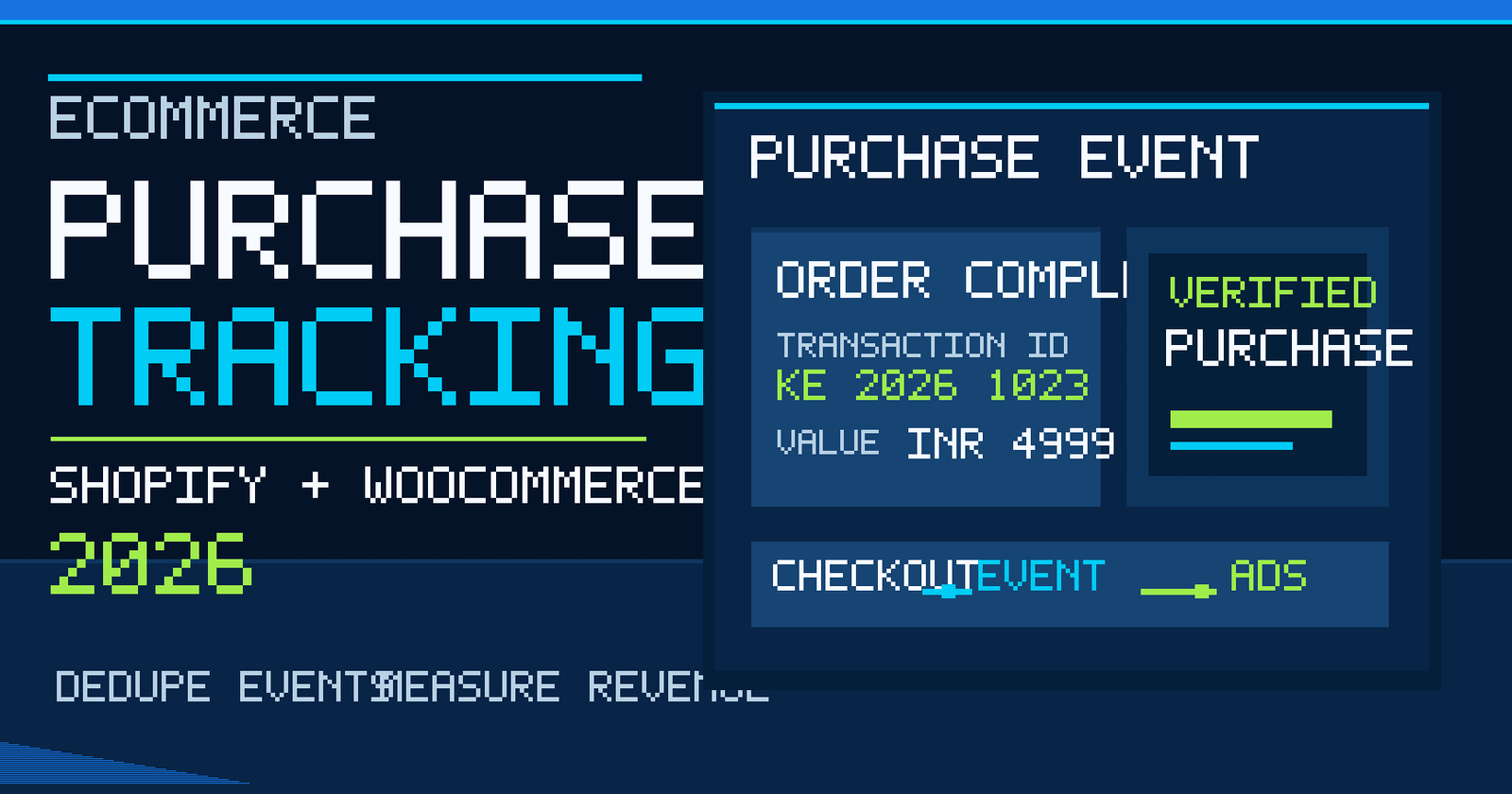
    Quick answer: Reliable Google Ads purchase conversion tracking records a completed order with the correct value and currency, connects it to the appropriate conversion action, and avoids counting the same transaction twice. For Shopify and WooCommerce stores, start by auditing existing app-based tags before adding Google Tag Manager or custom scripts. Then verify a real test order, transaction ID, revenue, consent handling and Google Ads diagnostics.

    In October 2026, ecommerce brands face two separate measurement problems: products must be eligible to appear in shopping experiences, and completed orders must be measured correctly. Our companion Merchant Center troubleshooting guide focuses on feed eligibility. This guide focuses only on Google Ads purchase conversion tracking, so it serves a different search intent and avoids duplicating feed-error advice.

    What is Google Ads purchase conversion tracking?

    Purchase conversion tracking tells Google Ads when a shopper completes an order after interacting with an advertisement. Depending on configuration, the event can include the order value, currency and an order identifier. These signals support conversion reporting and bidding, but they are not the same as total store sales: attribution windows, consent, cross-device behavior, refunds and reporting rules can create differences.

    A correctly configured purchase event should answer five questions: Was the payment/order completed? Which order was it? What revenue should be counted? Which currency applies? Was the event sent once through the intended tracking path? If any answer is unclear, fix the data layer before optimizing campaigns.

    Start with a conversion-tracking audit, not another tag

    The most common mistake is adding a new tag because a report looks incomplete, without checking what the ecommerce platform already sends. Shopify’s Google & YouTube integration and the Google for WooCommerce extension may configure purchase measurement. A separate Google Tag Manager container, third-party app or theme script can create an overlapping event stream.

    1. List every Google tag, Google Tag Manager container, Google Analytics integration and ecommerce marketing app active on the store.
    2. Open Google Ads conversion goals and identify the purchase conversion action used for bidding.
    3. Record the source of each purchase event: Google Ads tag, imported GA4 key event or another approved integration.
    4. Confirm which actions are primary and which are secondary; avoid using duplicate purchase actions as simultaneous primary bidding signals.
    5. Document who owns the implementation so future theme changes do not reintroduce duplicate scripts.

    For a broader website measurement foundation, see our GA4 lead-tracking guide. It covers enquiries rather than ecommerce purchases.

    Purchase event fields that should match your orders

    Field What to check Typical error
    Conversion action Intended purchase action is configured for campaign measurement Duplicate primary actions
    Transaction ID Stable, unique identifier for a completed order Blank or reused identifier
    Value Documented revenue definition matches the business’s reporting policy Fixed value on every order
    Currency Valid currency code, such as INR for rupee transactions Default USD for INR orders
    Event timing Triggered after the purchase is confirmed Triggered on button click before payment
    Consent Collection and tag behavior align with applicable privacy requirements Sending user data without a valid basis

    Google’s GA4 purchase-event documentation illustrates transaction IDs, value, currency and items. Google Ads and GA4 are separate measurement systems, so check the requirements for the actual destination rather than assuming their reports will match perfectly.

    How to set up purchase tracking on Shopify in 2026

    Short answer: Review the Google & YouTube app and existing customer-event setup before installing a second purchase tag. Confirm the connected Google Ads account, the purchase action, the event’s order value and any imported GA4 conversions.

    October 2026 platform change: Shopify’s official developer documentation states that order-status-page script tags stopped running on 26 August 2026 for non-Plus stores (and on 28 August 2025 for Plus stores). Legacy checkout and additional-script implementations are not a reliable 2026 purchase-tracking strategy. Audit old order-status scripts and migrate eligible analytics or conversion measurement to supported web pixels or app integrations. See Shopify’s official order-status script-tag deprecation timeline.

    Shopify implementation checklist

    1. Check the store’s Google & YouTube app connection and confirm the correct Google Ads account is linked.
    2. Identify all other apps or custom pixels listening for checkout completion.
    3. Check that the purchase event fires when checkout completion is confirmed, not merely when a shopper clicks “Pay”.
    4. Compare the event value with the completed order, including the store’s discount and tax treatment.
    5. Place one controlled test order, then check Google Ads and Analytics diagnostics as appropriate.

    Google documents the Shopify purchase-event parameters and notes that purchase values sent by the Google & YouTube app take discounts into account under its documented implementation. Custom integrations may differ, so validate your own data rather than copying example values.

    For theme architecture, app integrations and checkout improvements, explore our Shopify development services in Delhi NCR.

    How to set up purchase tracking on WooCommerce

    WooCommerce stores often use a combination of WordPress plugins, payment gateways, analytics extensions and a tag manager. The first step is to decide which integration is responsible for purchase measurement. The official Google for WooCommerce extension includes Google tag functionality and can create purchase conversion actions for supported setups.

    1. Check the Google for WooCommerce settings and the linked Google Ads account.
    2. Review whether a separate GTM container also sends the same purchase event.
    3. Use a completed test order and inspect the order ID, value, currency and tag requests.
    4. Test different payment paths, including card, UPI and cash on delivery where offered; do not treat an unpaid or cancelled order as a confirmed sale without a deliberate measurement policy.
    5. Retest after checkout, payment-gateway or plugin updates.

    WooCommerce’s official Google for WooCommerce FAQ explains why its extension may track conversions even when GTM is present, and documents an option for disabling the extension’s own tracking when a separate setup is intentionally used. Do not paste a disabling snippet without confirming the alternative purchase tag works.

    Businesses planning a custom checkout or plugin architecture can review our WooCommerce development service and ecommerce development capabilities.

    How to prevent duplicate purchase conversions

    A duplicate occurs when one order is reported more than once through the same or overlapping conversion setup. It can inflate reported revenue, distort return on ad spend and mislead automated bidding. A unique transaction ID is an important deduplication control, but it does not automatically solve every case of two distinct conversion actions counting the same purchase.

    Use this troubleshooting sequence:

    • Complete a controlled order and note its exact order ID.
    • Inspect the thank-you or order-status page for multiple Google Ads or GA4 purchase events.
    • Check whether both an app and GTM fire on the same completion event.
    • Check whether both a directly tagged Google Ads purchase action and an imported GA4 purchase action are marked primary.
    • Compare order totals with conversion values, allowing for attribution and reporting differences.
    • Keep one documented primary purchase measurement path; retain secondary actions only when they serve a defined diagnostic purpose.

    Important: A mismatch between store orders and Google Ads attributed conversions does not, by itself, prove a broken tag. Some orders have no eligible Google Ads interaction; consent and attribution can also affect counts. Diagnose with controlled tests and event-level evidence.

    What are enhanced conversions for web?

    Enhanced conversions for web can supplement existing conversion tags with appropriately processed first-party customer information to improve measurement where supported. They are not a replacement for a working purchase event. Google provides methods for implementing them through the Google tag and other supported integrations.

    Before enabling enhanced conversions, confirm that the relevant consent and privacy requirements are met, the correct Google Ads conversion action is selected, and the ecommerce integration supplies eligible user-provided data securely. Avoid placing raw personal data in page URLs or public logs. Google recommends checking implementation through browser diagnostics and the conversion action’s diagnostics report; diagnostics can take time to populate.

    Follow Google Ads’ enhanced-conversions setup and validation guide. Never claim that enhanced conversions will recover every lost sale or guarantee a specific ROAS improvement.

    Should you import GA4 purchases or use a Google Ads tag?

    Either route can be appropriate, depending on the store’s current integration, account structure and measurement requirements. A direct Google Ads conversion tag and a GA4-imported purchase key event can use different attribution and reporting logic. The objective is a coherent source of truth for campaign optimization, not two simultaneously counted versions of one order.

    Approach When it may fit What to verify
    Direct Google Ads tag Ads-first purchase optimization Conversion label, order ID, value, consent, diagnostics
    GA4 purchase import Existing GA4 ecommerce measurement workflow Key event settings, account link, import status, reporting differences
    Platform app integration Managed Shopify or WooCommerce implementation App ownership, account connection, duplicate tags, checkout behavior

    Whichever route you choose, test after changes and maintain a written conversion-action map. If a migration is planned, compare both streams temporarily for diagnosis without allowing duplicate primary bidding goals to distort results.

    Google Ads purchase tracking for Delhi NCR ecommerce businesses

    Consider a Delhi fashion retailer using Shopify, a Noida electronics seller using WooCommerce, or a Gurgaon D2C brand selling across India. Their product catalogs, payment methods and margins differ, but each needs to distinguish actual purchases from checkout attempts. A COD order may require a different operational definition of confirmed revenue than a prepaid order. Refunds, cancellations, partial fulfillment and GST treatment should be documented in reporting policies.

    For Indian rupee stores, verify the INR currency code and compare values against the same revenue basis used in business reporting. For multi-currency stores, test orders in every active currency. These checks matter more than adding a new dashboard without resolving inconsistent transaction data.

    For campaign architecture, reporting and conversion-quality reviews, see our Google Ads and PPC services in Delhi NCR.

    A practical 30-minute purchase tracking quality-control test

    1. Minutes 0–5: Record the active Ads conversion action and list all tags/apps that can send purchase events.
    2. Minutes 5–12: Place a low-risk controlled test order using a permitted payment method or a staging/test environment.
    3. Minutes 12–18: Inspect browser requests, event parameters and tag firing with the platform’s supported debugging tools.
    4. Minutes 18–23: Confirm one intended purchase event, a stable transaction ID, the correct currency and a documented value.
    5. Minutes 23–27: Compare the order record with analytics diagnostics and flag any duplicated conversion actions.
    6. Minutes 27–30: Record the result, responsible owner, known gaps and a retest date.

    This is an initial technical test, not proof that all future attribution will be perfect. Repeat after theme releases, checkout extensions, consent changes and payment-gateway updates.

    Common purchase tracking mistakes and fixes

    • Counting a checkout button as a purchase: Move the event to a confirmed completion signal.
    • Sending a fixed conversion value: Use actual order data where the integration supports it.
    • Missing currency: Pass a valid currency code consistently.
    • Duplicate apps and tags: Audit every active measurement integration and establish ownership.
    • Missing transaction ID: Use a stable unique identifier and verify the platform’s deduplication behavior.
    • Ignoring consent: Align implementation with applicable law and supported consent-mode behavior.
    • Assuming every order is ad-attributed: Compare the right metrics, time windows and attribution rules.
    • Never retesting: Add measurement QA to your ecommerce release checklist.

    Frequently asked questions

    How do I know if Google Ads purchase conversion tracking works?

    Place a controlled completed order, confirm the intended event fires with the correct transaction ID, value and currency, and review the relevant Google Ads diagnostics. Do not rely only on a tag being installed.

    Can Shopify automatically track Google Ads purchases?

    Supported Shopify integrations can configure purchase tracking, but you still need to confirm account connections, duplicate tags, consent behavior and actual test-order values.

    Does WooCommerce track purchases without Google Tag Manager?

    Yes, supported WooCommerce integrations can implement Google Ads purchase measurement. Check what the active plugin sends before adding GTM.

    Why are Google Ads purchases lower than my store orders?

    Google Ads reports attributed conversions, not necessarily every store sale. Attribution, consent, eligibility, timing and technical problems can all contribute to differences.

    What is a transaction ID in conversion tracking?

    It is an order-level identifier used to distinguish transactions and support deduplication in supported measurement setups. It should be stable and unique per completed order.

    Do enhanced conversions replace the Google Ads purchase tag?

    No. Enhanced conversions supplement eligible conversion measurement. They do not fix an event that never fires or a purchase value that is incorrect.

    Should I import GA4 purchases and keep a direct Google Ads purchase tag?

    You can retain both for a documented purpose, but avoid treating the same order as two independent primary purchase goals. Choose and validate the bidding source intentionally.

    How often should ecommerce conversion tracking be audited?

    Test during initial setup, after checkout or theme changes, after consent and plugin updates, and whenever order-versus-conversion discrepancies appear.

    Next step: fix measurement before increasing ad spend

    Reliable ecommerce advertising starts with a clear event definition, one controlled purchase-measurement path and evidence from real test orders. Feed eligibility gets products into shopping placements; conversion tracking tells you whether eligible traffic leads to measurable purchases. Both matter, but they require separate audits.

    If your store has mismatched purchase values, duplicate conversions or unclear attribution, share your Shopify or WooCommerce tracking requirement with Keshav Enterprises. Our New Delhi team can review the technical setup and recommend a practical testing scope for your business.

    Editorial review: 23 October 2026. Platform settings and Google documentation can change; verify the current account interface before implementation.

  • Google Ads Landing Page Optimization in 2026: 15 Fixes for More Qualified Leads in Delhi NCR

    Google Ads Landing Page Optimization in 2026: 15 Fixes for More Qualified Leads in Delhi NCR

    Google Ads landing page optimization means improving the page people see after clicking an ad so that it matches their search, explains the offer clearly and makes the next action easy. For a Delhi NCR service business, the best starting point is usually not another campaign or a larger budget. It is a focused page with a clear promise, useful proof, a working form or call option, reliable tracking and a fast mobile experience.

    This practical 2026 guide covers 15 improvements you can make before increasing ad spend. It focuses on qualified leads, not just more form submissions. There is no guaranteed conversion rate: results depend on search intent, competition, offer quality, pricing, targeting, follow-up and the page itself.

    Quick answer: how do you improve a Google Ads landing page?

    Match the landing page headline to the ad’s promise, give visitors a clear reason to choose your service, remove distractions, show genuine trust signals, make contact easy on mobile, and measure which enquiries become customers. Google explicitly recommends aligning landing pages with ads and keywords, including the call to action. Read Google Ads’ landing page optimization guidance.

    Why a landing page matters more than another design refresh

    A search ad may attract someone who is ready to act, but that person still needs to verify that your business solves the exact problem. If an ad promises “Shopify store development in Delhi” and sends visitors to a generic homepage listing ten unrelated services, the visitor must work harder to find the relevant offer. A dedicated page can explain the service, scope, process and next step immediately.

    Google’s ad-quality guidance emphasizes relevance to users’ searches and intentions, and the ability to complete tasks easily. It does not say that a prettier page or a higher bid automatically fixes poor relevance. See Google’s explanation of what matters for ad quality.

    Landing page vs homepage: which should your ads use?

    Situation Better destination Reason
    Specific service search Dedicated service landing page Answers the exact commercial question
    Branded company search Homepage or relevant company page Supports broader brand evaluation
    Time-limited promotion Offer-specific page Keeps the advertised terms visible
    Multiple unrelated services Separate pages by intent Prevents a generic message from diluting relevance
    Existing strong service page Improve and test the existing page A new page is not always necessary

    15 Google Ads landing page fixes that address real conversion problems

    1. Match the headline to the search and ad

    The first screen should confirm that visitors reached the right place. For an ad about “Google Ads management in Gurgaon,” a page headed “Full-Service Digital Solutions” is less specific than “Google Ads Management for Gurgaon Businesses.” Match the actual service and market without claiming a physical office in a location where you do not have one.

    2. Make the offer understandable in one glance

    Explain what you do, who it is for and what happens after an enquiry. A useful first-screen statement might be: “Google Ads campaign planning, landing-page improvement and conversion tracking for service businesses in Delhi NCR.” Avoid vague superlatives and promises such as guaranteed leads.

    3. Use one primary conversion goal

    A lead-generation page can offer a form, phone call and WhatsApp, but they should all support one clear outcome: an enquiry about the advertised service. If the page also pushes unrelated blogs, newsletters, app downloads and offers, the next step becomes confusing.

    4. Show the primary CTA early

    Use action-oriented labels such as “Request a PPC Audit,” “Discuss Your Campaign,” or “Get a Landing Page Review.” Match the CTA to what the visitor receives. Do not label a paid service as free unless that part of the offer genuinely is free.

    5. Reduce form friction without losing lead quality

    Ask only for the information needed to qualify and respond. For many B2B enquiries, name, business, contact method, service requirement and a short message are enough for the first step. Additional questions can be optional or collected later. Test form length against qualified lead rate, not raw submissions alone.

    6. Make mobile actions easy to use

    Check the page on an actual phone. Buttons should be easy to tap, text should be readable, the form should not jump around, and a sticky call button should not cover important information. Test with slow connections and common viewport sizes, not only a desktop browser preview.

    7. Replace generic claims with verifiable proof

    Useful proof includes a clear service process, genuine project examples, credentials that can be checked, real testimonials used with permission, and transparent contact information. Do not invent client names, rankings, revenue lifts or performance percentages.

    8. Explain what is included and excluded

    People searching for an agency often want to know whether the scope includes account setup, keyword research, ad copy, landing-page development, tracking, reporting and ongoing optimization. Make deliverables explicit. If media spend is separate from management fees, say so.

    9. Address price questions without manufacturing a fixed price

    If pricing depends on account complexity, target locations, campaign volume, creative needs or integration requirements, explain those factors. A clear quotation process is more credible than a fabricated “starting at” price.

    10. Improve speed without sacrificing clarity

    Compress large images, avoid unnecessary scripts, load essential content promptly and check whether popups or animations interfere with the form. Use real-user performance data where available. Page speed matters for usability, but it is not a substitute for a relevant offer.

    11. Keep the navigation focused

    Removing every navigation link is not automatically the best choice. For a complex B2B service, some visitors may need to verify the agency, review its process or inspect contact details. Keep a clear path to trust information while minimizing irrelevant exits.

    12. Create service- and location-specific relevance only when genuine

    A campaign for Delhi, Noida or Gurgaon can use locally relevant language, service examples and contact expectations. Avoid duplicating the same page across dozens of city slugs with only the location swapped. If a page targets several NCR areas, one strong page may be more useful than many thin copies.

    13. Check conversion tracking from start to finish

    Verify that a real successful form submission, completed call action or agreed lead event triggers the intended conversion. Do not count every button click as a qualified lead. Test duplicate submissions, thank-you page behavior, spam handling and CRM delivery. Ensure tracking respects consent and privacy requirements.

    14. Connect lead data to sales outcomes

    A campaign can produce many enquiries that never fit the business. Record lead source, campaign, landing page, service interest and qualification outcome where lawful and appropriate. Compare cost per qualified lead and eventual sales, not only cost per form submission.

    15. Test one meaningful hypothesis at a time

    Examples include changing the headline to match the ad more closely, simplifying the form, moving proof near the CTA, or improving mobile layout. Define the success metric before the test. Avoid declaring a winner from a tiny sample or changing many elements simultaneously without a controlled plan.

    A practical landing page structure for service businesses

    A strong page does not need to be crowded with cards. The following structure gives visitors the information they usually need in a natural sequence:

    1. Hero: service-specific headline, short explanation, primary CTA and one genuine proof element.
    2. Problem and fit: the situations your service solves and who it is suitable for.
    3. Scope: clear deliverables, process and important exclusions.
    4. Evidence: real work examples, team qualifications or documented methodology.
    5. Practical questions: timeline, pricing factors, access required and reporting.
    6. Conversion section: simple form or contact option with clear follow-up expectations.

    For design implementation, see Keshav Enterprises’ UI/UX design services. The aim is to make a useful decision easy, not to maximize visual effects.

    Example: improving a Delhi NCR Google Ads landing page

    Imagine a company advertising a website development service. Its ad says “Business Website Development in Delhi NCR,” but its destination page opens with “Welcome to Our Digital Universe,” a large animation and a generic “Learn More” button. The enquiry form is several screens below.

    A practical rewrite could use the heading “Business Website Development for Delhi NCR Companies,” explain supported platforms and deliverables, show a short project process, offer a clear quotation CTA and move the enquiry form closer to the decision content. This is an illustrative scenario, not a claimed client case study or measured result.

    What should you measure after improving the page?

    Metric What it tells you Important limitation
    Landing-page conversion rate Share of visitors completing the tracked action Can be inflated by low-quality leads
    Cost per lead Ad spend divided by tracked leads Not a measure of sales quality
    Cost per qualified lead Ad spend divided by leads meeting your criteria Requires consistent qualification rules
    Form completion rate How often form starters finish May improve while lead quality declines
    Call and WhatsApp enquiries Alternative contact paths Needs careful attribution and privacy handling
    Lead-to-sale rate Whether enquiries become customers May have a long sales cycle

    Example calculation: if a campaign spends ₹20,000 and produces 20 verified qualified leads, the cost per qualified lead is ₹1,000. These figures are hypothetical and are not Keshav Enterprises performance claims.

    When should you redesign the page instead of editing it?

    Start with a focused improvement when the current page has a clear offer, functional tracking and a usable mobile layout. Consider a larger redesign if the page architecture prevents clear service information, the form is unreliable, mobile navigation is broken, or essential changes cannot be made without rebuilding the template.

    If the broader question is whether to invest in organic growth or paid search, read our SEO vs Google Ads comparison for Delhi NCR businesses. This article instead focuses specifically on what happens after the ad click.

    30-day Google Ads landing page improvement plan

    Week 1: audit and baseline

    Review search terms, ad messages, landing-page variants, mobile behavior, conversion definitions and lead quality. Record the starting performance without inventing benchmarks.

    Week 2: fix clarity and friction

    Rewrite the headline, clarify scope, improve the CTA, simplify forms, strengthen trust information and test on mobile devices.

    Week 3: verify tracking and launch controlled tests

    Check conversion events end to end. Run a focused comparison with a defined hypothesis, sufficient observation and clear success metrics.

    Week 4: review qualified outcomes

    Compare enquiry quality and acquisition cost, document what changed and prioritize the next improvement. The four-week sequence is a planning example, not a guaranteed result timeline.

    Frequently asked questions

    What is Google Ads landing page optimization?

    It is the process of making the page reached from an ad more relevant, easier to use and better at generating the intended business outcome. Typical work includes message matching, UX, forms, trust, speed and tracking.

    Does Google Ads need a separate landing page?

    Not always. A strong service page can be a suitable destination. A dedicated page is useful when the ad targets a specific offer, audience or location that a general page does not address clearly.

    Can a better landing page reduce wasted ad spend?

    It can help visitors understand the offer and complete the intended action, but savings are not guaranteed. Targeting, bids, competition and follow-up still matter.

    What is landing page experience in Google Ads?

    It is part of Google’s assessment of how relevant and useful the destination is for people clicking an ad. The exact assessment is determined by Google, not by an agency’s self-reported score.

    Should I remove navigation from a PPC landing page?

    Not automatically. Reduce distracting choices, but keep enough information and links for visitors to evaluate trust, policies and the business itself.

    How many fields should a lead form have?

    Use the minimum needed for a useful response and qualification. Test form friction against lead quality rather than applying a universal field count.

    Does landing page speed affect Google Ads results?

    Slow or unstable pages can make it harder for visitors to act. Improving usability and relevance is useful, but speed alone cannot compensate for weak targeting or an unclear offer.

    Should Delhi and Gurgaon campaigns use different landing pages?

    Only when there is a meaningful difference in offer, service availability, proof or audience needs. Thin duplicated city pages are not a good long-term strategy.

    Can AI write my landing page copy?

    AI can assist with drafts and alternatives, but a person should verify service claims, pricing, proof, legal wording and alignment with the actual offer.

    How do I know whether a landing page is working?

    Track verified conversion actions, qualified lead volume, cost per qualified lead and sales outcomes. Review them alongside search terms and the page’s mobile usability.

    Final takeaway

    The best Google Ads landing page is the one that answers the visitor’s exact question and makes the right next step easy. Start with message match, mobile usability, proof, forms and tracking before paying for more traffic. Avoid unverified promises, misleading local claims and decorative complexity that does not help users.

    Keshav Enterprises supports Google Ads and PPC campaign management alongside landing-page planning for Delhi NCR businesses. If you need a practical review of an existing campaign and its destination page, share your website and requirement.

  • GA4 Lead Tracking in 2026: Measure Forms, Calls & WhatsApp for Delhi NCR Businesses

    GA4 Lead Tracking in 2026: Measure Forms, Calls & WhatsApp for Delhi NCR Businesses

    GA4 lead tracking is the process of recording genuine enquiries from your website and connecting them to the channels that generated them. For a Delhi NCR service business, that usually means tracking successful form submissions, phone enquiries, WhatsApp interactions and—where the CRM supports it—whether a lead was qualified or became a customer. The most important distinction is that a click is not the same as a lead.

    This guide explains a practical setup for WordPress, React and Next.js websites using Google Analytics 4 (GA4), Google Tag Manager (GTM) and a CRM. It focuses on measurement accuracy, consent, useful reporting and decisions that can improve marketing spend—not invented conversion benchmarks.

    Quick answer: how do you track leads in GA4?

    Install the Google tag correctly, define which actions represent a completed enquiry, send GA4’s recommended generate_lead event only after a successful submission, mark the appropriate event as a key event, and test it in DebugView. Track call and WhatsApp clicks as separate interactions unless you can verify that a real conversation or qualified enquiry occurred. Use CRM outcomes to distinguish raw leads from qualified leads.

    Google’s recommended GA4 events documentation includes generate_lead, qualify_lead, working_lead and close_convert_lead for lead-generation journeys.

    Why lead tracking matters more than page-view numbers

    A website may receive visitors from Google Ads, organic search, Google Maps, referrals and social media. Page views tell you that pages were loaded; they do not show whether a potential customer completed a meaningful action. A campaign can appear successful when it generates many button clicks while delivering few useful enquiries.

    For example, a user who taps a WhatsApp icon might never send a message. Another user might submit a form twice after seeing an error. Counting both interactions as two qualified leads would distort reporting. Accurate measurement requires an agreed definition of a lead and a reliable signal that the action succeeded.

    Choose the right events before installing tags

    Business action Recommended measurement What it proves What it does not prove
    Visitor opens a page page_view A page view was recorded Interest or enquiry
    Visitor clicks a phone link click_call (custom) Phone-link click Connected or qualified call
    Visitor clicks WhatsApp click_whatsapp (custom) Messaging-link click Message sent or lead received
    Form successfully creates an enquiry generate_lead Submission succeeded Lead meets sales criteria
    CRM marks enquiry as qualified qualify_lead when appropriately implemented Lead meets qualification rules Sale completed
    CRM records a customer conversion close_convert_lead when appropriately implemented Lead became a customer Profitability without cost data

    Custom event names are illustrative; choose one naming convention and document it. Google’s recommended events are preferable when they fit the business action.

    1. Audit your existing GA4 and Google Tag Manager setup

    Before adding a new tag, check what already exists. Many sites contain an analytics plugin, a GTM container, a manually inserted Google tag and a third-party form integration. Multiple installations can cause duplicated events and inflated traffic.

    • Identify the GA4 measurement ID and GTM container actually used on the public website.
    • Check whether a plugin or framework already sends page_view and form events.
    • Confirm that staging and production environments are not mixed.
    • Record the real enquiry paths: contact form, quote form, call button, WhatsApp and booking flow.
    • Check the privacy notice, consent mechanism and the legal basis for data collection.

    On a React or Next.js frontend with headless WordPress, analytics must run on the public frontend where visitors interact. Installing a tag only on the WordPress admin/backend will not measure the public customer journey.

    2. Track successful form submissions, not just submit-button clicks

    The most reliable signal is usually a confirmed success response from the form system. A button click can happen even when validation fails, a network request times out or a user is blocked by spam protection.

    WordPress forms

    Depending on the form plugin, use a documented successful-submission event, a unique thank-you page, or a confirmed callback. Avoid assuming that every form uses the same CSS selector or emits the same JavaScript event.

    React and Next.js forms

    For a custom form, push a dataLayer event only after the server confirms success. An illustrative implementation is:

    if (response.ok && result.saved === true) {
      window.dataLayer = window.dataLayer || [];
      window.dataLayer.push({
        event: "lead_form_success",
        form_name: "contact",
        lead_type: "service_enquiry"
      });
    }

    This is example logic: adapt the success condition to your API’s real response. In GTM, create a Custom Event trigger for lead_form_success, then send a GA4 Event named generate_lead. Do not push names, email addresses, phone numbers or message contents into GA4 event parameters.

    If your form redirects to a dedicated thank-you page, you can use that as the success signal—but ensure the page is not counted as a new lead on every refresh or direct visit.

    3. Track call clicks without confusing them with calls

    Phone buttons often use tel: links. A GTM click trigger can detect those interactions and send a custom event such as click_call. Include a non-personal parameter like placement with values such as header, footer or landing_page.

    A click on a phone link does not confirm that the call connected. If phone calls are a major lead source, evaluate a suitable call-tracking solution that can report connected calls and agreed qualification criteria. Document the difference between a click, a connected call and a qualified conversation.

    4. Measure WhatsApp interactions accurately

    A WhatsApp button may open an external application or browser conversation. Track the outbound click as a custom interaction event. Do not mark it as a completed enquiry solely because the link opened.

    For a more meaningful lead signal, use a CRM or supported messaging integration to record when a genuine conversation starts and whether it meets the business’s qualification criteria. Make sure any attribution method is disclosed and handled appropriately under applicable privacy requirements.

    For local businesses in Delhi, Noida, Gurgaon and Ghaziabad, this distinction is particularly useful when a large share of enquiries arrives through calls and messaging rather than website forms.

    5. Configure GA4 key events around real outcomes

    GA4 uses key events to identify actions important to your business. A sensible starting point is a verified generate_lead event for successful enquiries. Not every engagement event should become a key event.

    1. Send the intended event from the website.
    2. Verify the event appears in GA4 DebugView.
    3. Check that one real submission produces one event.
    4. Mark the verified lead event as a key event in GA4.
    5. Compare recorded events with the actual form inbox or CRM.
    6. Document when an event definition changes so reports remain interpretable.

    For campaigns, visit our Google Ads and PPC management page to understand how campaign planning and conversion measurement fit together.

    6. Fix duplicate page views on React and Next.js websites

    Single-page applications can change routes without a traditional full-page load. If automatic history-based page views and manual GTM history triggers are both enabled, the same route change may be counted twice.

    Google’s official GTM single-page application guide explains how to disable automatic history-based measurement when implementing manual GTM route tracking, create a History Change trigger and verify each virtual page view. Its SPA measurement overview explains why page location and referrer handling matter.

    Practical QA: open the site, navigate through three client-side routes, and check DebugView. Each intended virtual page should generate one appropriate page_view with the correct URL and page title—not zero and not two.

    When the issue is part of the application architecture, our website development team can scope the frontend tracking changes alongside the site’s other technical requirements.

    7. Connect form submissions to qualified leads

    A marketing dashboard becomes more useful when the sales team agrees on qualification rules. Examples include service fit, target location, budget range and whether the contact details are usable. These are business rules, not GA4 defaults.

    Use a CRM record identifier internally to connect the website submission to its later outcome. Do not send personal contact data into standard GA4 event parameters. Where a supported integration exists, send appropriate lead-lifecycle events or offline conversion data using approved methods and privacy safeguards.

    Google’s recommended lead-generation events include qualify_lead, disqualify_lead, working_lead and close_convert_lead. Implement them only if your data flow can reliably distinguish those stages.

    8. Understand enhanced conversions for leads in 2026

    Enhanced conversions for leads can supplement conversion measurement using appropriately processed first-party customer data and offline outcomes. It is not a substitute for correct lead-event definitions, and it is not a reason to send raw customer details into GA4.

    Google updated its enhanced-conversions configuration during 2026 and provides official setup guidance. Check the current Google Ads account interface, customer-data terms, consent requirements and supported Data Manager connections before choosing an implementation. Do not assume an old tutorial’s interface labels still match the account.

    For many businesses, the right sequence is: fix basic website conversions, connect reliable CRM outcomes, then assess enhanced-conversion capabilities with a qualified implementation specialist.

    9. Respect consent and data minimization

    Tracking should reflect applicable law, the site’s privacy notice and the visitor’s choices. Consent Mode is a way for Google tags to adjust behavior based on consent state; it does not replace legal compliance or an appropriate consent-management process.

    Google’s Consent Mode documentation describes default consent states, updates after user choices and the additional consent parameters introduced in Consent Mode v2.

    Never put a visitor’s email, phone number, address, form message or other personal information in GA4 URLs, page titles or ordinary event parameters. Audit whether third-party forms accidentally expose those values in query strings or thank-you page URLs.

    10. Build a reporting dashboard that helps decisions

    Metric How to use it Common mistake
    Successful form leads Measure completed enquiries Counting button clicks
    Call-link clicks See where users initiate calls Calling every click a connected call
    WhatsApp-link clicks Compare messaging interest by page Assuming a message was sent
    Qualified leads Evaluate lead fit from CRM outcomes Changing qualification rules without documenting them
    Cost per qualified lead Compare ad spend with usable enquiries Using all form submissions as qualified leads
    Lead-to-customer rate Assess downstream business results Ignoring delayed sales and offline outcomes

    Illustrative calculation: if advertising costs ₹30,000 and the CRM verifies 15 qualified leads, cost per qualified lead is ₹2,000. These are hypothetical numbers, not results claimed for Keshav Enterprises or its clients.

    11. Test the entire lead journey before relying on reports

    • Submit one valid test form and confirm exactly one generate_lead.
    • Attempt an invalid form and confirm no lead is counted.
    • Repeat a form submission only when appropriate and check duplicate handling.
    • Test a phone click on a real mobile device.
    • Test a WhatsApp click and verify it is labeled as an interaction.
    • Navigate between React routes and inspect page_view counts.
    • Verify event parameters do not include personal information.
    • Check that the CRM received the correct lead and source information.
    • Test consent choices and their effects on tags.
    • Reconcile a sample of GA4 events with actual submissions.

    A 14-day GA4 lead-tracking implementation plan

    Days 1–3: define events and audit tags

    Map the enquiry channels, choose one lead definition, review the existing GTM and GA4 installation, and identify duplicate tracking.

    Days 4–7: implement reliable success signals

    Connect successful form responses to generate_lead. Track phone and WhatsApp clicks separately. Configure SPA route measurement where necessary.

    Days 8–10: validate consent and quality

    Test all interactions in GTM Preview and GA4 DebugView. Verify consent behavior, event names, attribution parameters and personal-data handling.

    Days 11–14: connect CRM and reporting

    Agree on qualification criteria, check source capture, create a concise report and document how the team will reconcile online events with sales outcomes.

    This is a suggested implementation sequence, not a guaranteed delivery timeline. Complex CRM, phone-tracking and consent integrations can take longer.

    Frequently asked questions about GA4 lead tracking

    Can GA4 track WhatsApp leads?

    GA4 can track a WhatsApp-link click. Confirming that a message was actually sent or qualified generally requires a suitable messaging or CRM integration.

    What is the difference between form_submit and generate_lead?

    form_submit may describe a form interaction, while generate_lead is Google’s recommended event for a generated lead. Use a verified success signal for the latter.

    How do I track calls from my website?

    Track tel: link clicks as interactions. For connected-call measurement, use a suitable call-tracking provider and agreed qualification criteria.

    Does GA4 automatically track qualified leads?

    No. Qualification happens through business or CRM rules. You must design and validate an appropriate integration if you want to measure that stage.

    Can Google Tag Manager track React and Next.js routes?

    Yes. Use an appropriate history-change or custom-event implementation, and prevent double counting with GA4’s automatic page-view settings.

    Should every click be marked as a key event?

    No. Reserve key events for actions that meaningfully represent business outcomes, such as verified lead submissions.

    Do I need a separate GA4 property for my WordPress backend?

    Usually the public customer journey should be measured on the frontend. Whether the backend needs any analytics is a separate administrative decision and should not distort public-site reporting.

    Is enhanced conversions for leads the same as GA4 event tracking?

    No. It is a Google Ads measurement capability that can supplement attribution using appropriately processed first-party and offline data. It requires its own setup and compliance review.

    Why are GA4 leads higher than the number in my inbox?

    Possible causes include duplicate tags, button-click triggers, refreshable thank-you pages, test submissions, spam, failed integrations or differing reporting definitions.

    Can I measure leads across Delhi, Noida and Gurgaon?

    Yes, where appropriate geographic signals are available and handled lawfully. Avoid assuming that a city inferred from an IP address proves a lead’s actual service location.

    Final takeaway: measure enquiries, then measure their quality

    Reliable GA4 lead tracking starts with accurate event definitions and successful-submission signals. Keep phone and WhatsApp clicks separate from completed enquiries, validate React route tracking, connect CRM qualification where feasible and review data quality before optimizing advertising spend.

    Need help auditing a website’s lead tracking or fixing conversion events? Contact Keshav Enterprises in New Delhi with your public website URL, platform, enquiry channels and the tracking problems you want to solve.

  • Why Your Website Is Not Indexed on Google in 2026: 15 Fixes for React, Next.js & WordPress

    Why Your Website Is Not Indexed on Google in 2026: 15 Fixes for React, Next.js & WordPress

    If your website is not indexed on Google, the first task is diagnosis—not repeatedly clicking “request indexing.” A page can fail to appear because the public URL does not exist, the server returns the wrong status, Google is blocked, the canonical points elsewhere, the page is missing from the sitemap, JavaScript fails to render, or the content adds too little unique value.

    This 2026 guide explains how to diagnose indexing problems on React, Next.js and WordPress websites, with special attention to headless setups where WordPress manages content but a separate frontend serves the public page.

    Quick answer: why is my website not indexed on Google?

    The most common causes are: Google has not discovered the URL yet, the page cannot be crawled, the page contains noindex, the canonical points to another URL, the public route is broken, JavaScript prevents important content from rendering, the page is weak or duplicated, or Google has crawled the page but chosen not to index it.

    Start by checking the exact public URL in Google Search Console URL Inspection. Then verify the live HTTP status, rendered HTML, canonical, robots directives, sitemap inclusion and internal links.

    Understand the difference between discovery, crawling and indexing

    Stage What it means What to check
    Discovered Google knows the URL exists Sitemap, internal links, feeds and references
    Crawled Google fetched the page Status code, robots rules, rendered content
    Indexed Google stored the page as eligible for search Canonical, content value, duplication and quality
    Ranking The indexed page appears for relevant queries Search intent, relevance, authority, UX and competition

    These stages are different. A page may be crawled but not indexed, or indexed but receive no meaningful impressions.

    1. Confirm that the public URL actually exists

    For a normal published article, the public URL should usually return HTTP 200. A 404, 500, redirect loop, timeout or soft-404 style response can prevent normal indexing.

    On a headless WordPress setup, publishing a post in the CMS does not automatically prove that the frontend route exists. Your React or Next.js application still needs to fetch the post, resolve its slug and serve a working public URL.

    2. Check whether the page has a noindex directive

    Look for:

    • <meta name="robots" content="noindex">
    • <meta name="googlebot" content="noindex">
    • An X-Robots-Tag: noindex HTTP header
    • SEO plugin settings that mark the page as non-indexable
    • Environment-specific rules accidentally carried from staging

    Google’s noindex documentation explains that Google must be able to crawl a page to see its page-level noindex directive.

    3. Make sure robots.txt is not blocking essential crawling

    A robots.txt file controls crawling, not indexing in the same way as noindex. Check the public domain’s robots file for broad rules such as:

    User-agent: *
    Disallow: /blog/
    

    Also consider CDN, firewall or security rules that may block Googlebot even when robots.txt appears correct.

    4. Verify the canonical URL

    A canonical tells Google which URL you prefer when similar versions exist. On headless websites, one of the most damaging mistakes is to point the public page to the backend WordPress URL.

    For a public blog article, the canonical should normally match the intended frontend URL. Google may still choose a different canonical if signals conflict, so keep these consistent:

    • Canonical tag
    • Internal links
    • Sitemap URL
    • Redirects
    • HTTP/HTTPS version
    • www/non-www version

    Google’s canonical troubleshooting guidance is useful when the selected canonical differs from your preference.

    5. Check whether the page appears in your XML sitemap

    A sitemap helps Google discover canonical URLs you want considered for search. It does not guarantee indexing, but missing pages can slow discovery on websites where internal linking is weak.

    For React or Next.js sites, confirm that the frontend sitemap updates after WordPress publishes a new post. A backend WordPress sitemap is not enough if the canonical public URLs live on another host.

    Google recommends using fully qualified canonical URLs in sitemaps. See the official sitemap documentation.

    6. Make sure important content is available after rendering

    Google can render JavaScript, but JavaScript-heavy applications add extra failure points. Google’s own documentation describes crawling, rendering and indexing as separate stages for JavaScript pages.

    • The initial HTML contains only an empty app shell.
    • The content API fails during rendering.
    • Authentication blocks the API.
    • Important text appears only after user interaction.
    • JavaScript errors prevent the article from loading.
    • Client-side routing serves the wrong status code.

    Google recommends server-side rendering or pre-rendering as a strong option because it makes content easier to access for users and crawlers. Review the JavaScript SEO basics.

    7. Check whether the Next.js or React route supports new WordPress slugs

    A headless publishing system usually needs a route such as /blog/[slug]/. Confirm that:

    • Published posts are returned by the API.
    • The slug query matches WordPress exactly.
    • Draft filters do not accidentally hide published content.
    • Static builds are revalidated after publication.
    • CDN caches are refreshed when required.
    • The route returns the correct status if the post does not exist.

    If your site requires a full redeploy every time a WordPress post is published, that dependency should be documented and automated safely.

    8. Verify title, description and canonical in the public HTML

    SEO metadata stored inside WordPress does not automatically appear on a separate frontend. Your React or Next.js application must retrieve and render the intended metadata.

    • Unique title
    • Meta description
    • Canonical URL
    • Robots directives
    • Open Graph title and image
    • Article structured data where appropriate

    If the frontend ignores WordPress SEO fields, fixing metadata in the CMS alone will not solve the public page.

    9. Improve internal discoverability

    Every important article should be reachable through crawlable internal links. Add it to the main blog listing, a relevant category page, related articles, and relevant service pages where editorially appropriate.

    A technical SEO guide can naturally support the SEO services page, while a website rendering problem may relate to website development support.

    10. Look for duplicate or near-duplicate pages

    If multiple pages answer the same question with slightly different wording, Google may choose one representative URL or decide that some pages add little new value.

    • Does this page serve a distinct search intent?
    • Does it contain unique examples or guidance?
    • Is there already another page answering the same question?
    • Would updating the existing page be better than creating a new URL?

    11. Improve thin or generic content

    There is no minimum word count that guarantees indexing. A long article can still be weak if it repeats generic information.

    • A direct answer near the top.
    • Specific diagnostic steps.
    • Clear examples.
    • Original checklists.
    • Primary-source references.
    • Relevant internal links.
    • Useful FAQs.

    12. Check server reliability and crawl access

    If Googlebot repeatedly encounters timeouts, 5xx responses or blocked resources, indexing can suffer. Monitor server logs, CDN errors, API uptime, firewall rules, DNS issues and rate limiting.

    13. Understand “Discovered – currently not indexed”

    This generally means Google knows the URL but has not indexed it yet. Check whether the page is new, internal linking is weak, the site publishes large volumes of low-value URLs, or the page has limited unique value.

    14. Understand “Crawled – currently not indexed”

    This means Google has fetched the page but has not added it to the index at that time. Focus on content uniqueness, canonical consistency, duplication, usefulness, site quality and internal linking.

    15. Do not confuse indexing with ranking

    A page can be indexed and still receive no clicks. Once Search Console confirms indexing, shift the diagnosis toward search intent, keyword relevance, title and snippet quality, topical authority, competition, internal links and conversion experience.

    Headless WordPress + React/Next.js indexing checklist

    Check Expected result
    WordPress status Post is published
    API response Published post is available without authentication
    Frontend route Public URL returns HTTP 200
    Rendered content Main article text is available reliably
    Canonical Points to the public frontend URL
    Robots No unintended crawl or index block
    Sitemap Public canonical URL is included
    Internal links Article is linked from blog and related pages
    Search Console Exact public URL is inspected and monitored

    A practical 7-day indexing diagnosis workflow

    Day 1: technical validation

    Check HTTP status, canonical, robots directives, rendered content and page source.

    Day 2: discovery

    Verify sitemap inclusion and internal links from the blog archive or relevant pages.

    Day 3: Search Console inspection

    Record the exact indexing verdict. Distinguish unknown, discovered, crawled and indexed states.

    Days 4–5: fix the actual cause

    Resolve canonical conflicts, rendering failures, noindex rules, broken routes, duplicate content or weak internal links.

    Days 6–7: monitor changes

    Recheck the live page and Search Console. If the page is technically healthy, focus on usefulness and discovery rather than repeated submission attempts.

    This is a diagnostic workflow, not a promise that Google will index a page within seven days.

    Frequently asked questions

    Why is my WordPress blog published but not showing on Google?

    Publishing in WordPress makes the post available in the CMS. Google still needs a crawlable public URL. On headless sites, the React or Next.js frontend must also create and serve the route correctly.

    Does submitting a sitemap guarantee indexing?

    No. A sitemap helps Google discover preferred URLs, but it does not guarantee crawling, indexing or ranking.

    Does Request Indexing guarantee Google will index the page?

    No. URL Inspection can help Google recrawl a page, but indexing decisions remain automated and are not guaranteed.

    Can JavaScript prevent Google from seeing my content?

    Yes. Google can render JavaScript, but failed API calls, blocked resources, client-side errors or delayed rendering can stop important content from being available reliably.

    Should a React website use server-side rendering for SEO?

    Server-side rendering or pre-rendering can reduce dependence on client-side rendering and make important content easier for crawlers and users to access.

    Can a wrong canonical prevent the correct page from appearing?

    Yes. Conflicting canonical signals can cause Google to prefer a different URL.

    What does “URL is unknown to Google” mean?

    It means Search Console does not currently have indexing information for that URL. Verify the route, sitemap and internal discovery, then monitor the URL.

    What should I do if Google crawled the page but did not index it?

    Review content uniqueness, canonicalization, duplication, usefulness and the site’s overall quality.

    Can schema force Google to index a page?

    No. Structured data can help describe eligible content but cannot override indexing problems or Google’s decision not to include a URL.

    When should I get technical SEO help?

    If the problem involves rendering, headless CMS integration, inconsistent canonical signals, server errors or persistent indexing issues across many pages, a combined developer and technical SEO review is usually more efficient.

    Final takeaway

    If your website is not indexed on Google, diagnose the complete publishing chain. For headless websites, that means WordPress, the content API, the React or Next.js route, rendered HTML, canonical URL, sitemap, internal links and Search Console all need to agree on the same public page.

    Keshav Enterprises works across technical SEO, React/Next.js development, WordPress and local search. If you want an indexing or website audit, send your website and affected URLs for review.

  • Google AI Mode SEO in 2026: How Delhi NCR Businesses Can Win Visibility in AI Search

    Google AI Mode SEO in 2026: How Delhi NCR Businesses Can Win Visibility in AI Search

    Google AI Mode SEO in 2026 is not a separate trick or a new type of markup. For businesses in Delhi NCR, the strongest approach is still to build technically accessible pages, publish original and useful answers, make the business entity clear, connect related pages with sensible internal links, and measure whether search visibility produces qualified enquiries.

    The difference in 2026 is that more users are asking longer, more conversational and comparison-heavy questions inside Google Search. AI Overviews and AI Mode can surface supporting links from pages that answer different parts of those questions. That creates an opportunity for businesses that explain their services clearly instead of publishing repetitive keyword pages.

    This guide explains what has actually changed, what Google currently recommends, how local businesses should adapt, and how to measure AI-search visibility without relying on unsupported promises.

    Quick answer: how do you optimize for Google AI Mode in 2026?

    To improve your eligibility for Google AI Mode and AI Overviews, make sure important pages are crawlable and indexable, answer real customer questions directly, publish unique evidence-based content, use descriptive internal links, keep business information consistent, and make important text available in the page content. Google states that its existing SEO best practices continue to apply to AI features and that there is no special AI-specific schema required.

    Google’s current guidance is available in its AI features and your website documentation.

    What changed in Google AI search during 2026?

    Google has continued expanding guidance and measurement around generative search. In May 2026, Google published a new resource focused specifically on optimizing for generative AI experiences while reiterating that useful, original content and normal SEO fundamentals remain the foundation. In June 2026, Google introduced dedicated Search Generative AI performance reporting, and Google stated that these insights had rolled out worldwide by August 31, 2026.

    That means businesses can now approach AI search with better measurement than before. Instead of treating “AI visibility” as a vague agency metric, teams can increasingly connect search visibility with actual impressions, visits, engagement and conversions.

    See Google’s 2026 generative AI optimization resource announcement and its Search Generative AI performance reporting announcement.

    AI Mode SEO vs traditional SEO: what is different?

    Area Traditional search AI-assisted search What businesses should do
    Queries Often shorter and keyword-led More conversational, multi-step and comparative Answer complete questions and decision points
    Discovery Classic search results and rich features Generated answers with supporting sources Create pages that are useful as standalone sources
    Content depth One page may target one main topic Different pages may support different sub-questions Build focused topic clusters instead of duplicate pages
    Technical eligibility Pages need to be crawlable and indexable The same requirement still applies Fix rendering, canonical, sitemap and robots issues first
    Measurement Clicks, impressions, rankings and leads Dedicated generative AI visibility is increasingly measurable Connect visibility with qualified business outcomes

    1. Start with indexability before thinking about AI visibility

    A page that Google cannot crawl or index is not a strong candidate for AI-assisted visibility either. This is especially important for businesses using React, Next.js or headless WordPress.

    • The public URL returns HTTP 200.
    • The main text is available reliably to crawlers.
    • The canonical points to the intended public URL.
    • There is no accidental noindex.
    • Robots rules do not block required crawling.
    • The page appears in the correct sitemap.
    • The page is linked internally from relevant sections.
    • The visible title, headings and metadata describe the same topic.

    If your current website has technical or rendering problems, start with a website development and technical review before scaling content production.

    2. Build content around complete customer questions

    AI-assisted search is useful for queries that previously required several separate searches. A business owner might ask:

    • “Should I invest in SEO or Google Ads first for a new clinic in Delhi?”
    • “How do I improve Google Maps visibility without creating fake location pages?”
    • “Why is my React website indexed slowly even though the WordPress backend has published posts?”
    • “What should I check before hiring an SEO company in Delhi NCR?”

    These are not just keywords. They are decisions. Strong content explains the trade-offs, gives a direct answer early, then expands with examples, limitations and the next action.

    3. Avoid publishing five pages that answer the same question

    One of the easiest ways to weaken a content strategy is to create multiple near-duplicate articles around the same intent. Instead, build a topic cluster in which each page has a distinct purpose:

    • A core SEO services page for commercial intent.
    • A practical AI Mode guide for emerging search behavior.
    • A local SEO guide for map and location-based discovery.
    • A technical indexing guide for React, Next.js and WordPress sites.
    • A comparison article when users need to choose between SEO and paid acquisition.

    4. Strengthen entity clarity

    AI systems and customers both benefit from consistent information about who the business is, what it offers, where it operates and how people can contact it.

    • Keep company name, services and contact details consistent.
    • Explain which markets are genuinely served.
    • Use real project examples only when they can be verified.
    • Clarify what is included and excluded in each service.
    • Support technical claims with primary sources.

    5. Use clear answer-first writing for AEO and AI retrieval

    A useful section should still make sense when extracted from the rest of the article. A practical structure is:

    1. Question-based heading.
    2. Two- or three-sentence direct answer.
    3. Supporting explanation.
    4. Example or comparison.
    5. Relevant internal link or next action.

    6. Create original information that deserves to be cited

    Google’s guidance for AI search emphasizes unique, valuable content rather than commodity text. Useful original value can include:

    • Actual service process.
    • Real technical checklists used during delivery.
    • Original diagrams or screenshots.
    • Clear comparisons between options.
    • Common implementation mistakes.
    • Verified project examples when permission exists.

    Do not invent case studies, testimonials, traffic increases or client results just to make an article look authoritative.

    7. Support text with useful images and visuals

    Google’s AI-search guidance recommends supporting textual content with high-quality images and video where appropriate. A strong featured image should match the article rather than being reused across unrelated posts.

    • Create a unique visual for the article topic.
    • Use a descriptive filename.
    • Add meaningful alt text.
    • Compress the asset for web performance.
    • Avoid keyword stuffing in alt text.

    8. Treat local SEO as part of AI discovery

    Local businesses still need accurate business information, genuine reviews, appropriate service-area content and a useful Google Business Profile. AI search does not replace these fundamentals.

    For a deeper local strategy, read the Local SEO for Delhi Businesses guide or explore local SEO services in Delhi NCR.

    9. Use structured data to clarify content, not to “hack” AI search

    Structured data can help search systems understand content, but it must accurately match what users can see. Google states that there is no special AI-specific schema required for AI Overviews or AI Mode.

    10. Measure AI-search visibility with real business metrics

    In 2026, measurement is becoming more useful because Search Console now provides dedicated generative AI visibility reporting. Track:

    • Generative AI impressions where available.
    • Organic landing-page clicks.
    • Qualified enquiries.
    • Conversion rate by landing page.
    • Search queries with commercial or problem-solving intent.
    • Pages gaining impressions but weak CTR.
    • Pages that remain unindexed after publication.

    11. Build internal links that reflect topic relationships

    Internal links should help a reader continue the journey. Use descriptive anchors and avoid linking the same commercial keyword repeatedly across every article.

    12. Improve conversion experience after the click

    More visibility is not useful if a visitor cannot understand what to do next. Every high-intent page should make the next step obvious through mobile readability, clear service scope, trust-building information, visible enquiry options and simple forms.

    A 30-day Google AI Mode SEO action plan

    Week 1: technical and indexing audit

    • Check status codes, canonical tags and robots directives.
    • Review sitemap coverage.
    • Inspect important URLs in Search Console.
    • Test rendered content on JavaScript-heavy pages.

    Week 2: improve commercial pages

    • Rewrite vague introductions.
    • Add direct answers to common buying questions.
    • Clarify service scope and locations served.
    • Improve CTA placement.

    Week 3: publish one genuinely distinct guide

    • Choose a question customers actually ask.
    • Use primary sources where factual claims matter.
    • Create a unique topic-specific image.
    • Link to related service and educational pages.

    Week 4: measure and refine

    • Review Search Console performance.
    • Check generative AI visibility where available.
    • Identify low-CTR pages.
    • Review indexing issues.

    Frequently asked questions

    Is Google AI Mode SEO different from normal SEO?

    The fundamentals are largely the same. The practical difference is that users are asking more complex questions, so content should answer complete problems rather than only target short keywords.

    Do I need special schema for Google AI Mode?

    No. Google says there is no special schema.org markup required for AI Overviews or AI Mode.

    Can a small Delhi business appear in AI Overviews?

    Potentially, yes. Eligibility depends on the page being indexed and eligible for Google Search with a snippet. Inclusion is not guaranteed.

    Does AI Mode use only pages ranking in the top 10?

    Google does not describe AI Mode as simply copying the classic top ten results. AI features can use related searches and supporting sources across subtopics.

    How should I measure AI search traffic?

    Use Search Console’s generative AI visibility reporting where available, combine it with normal Search performance, and track enquiries, engagement and conversions.

    Can AI-generated content rank?

    The important issue is quality, originality and usefulness rather than whether a tool assisted with drafting.

    Do local SEO and AI SEO work together?

    Yes. Accurate local information, relevant service pages, genuine reviews and strong local content can support overall search understanding.

    Should every service page mention “AI SEO”?

    No. Add AI-search information only where it helps the reader.

    What should I fix first if my website has weak AI visibility?

    Start with crawlability, indexability and content quality.

    How can Keshav Enterprises help?

    Keshav Enterprises can review technical SEO, content structure, local SEO, React/Next.js implementation and conversion flow for businesses across Delhi NCR.

    Final takeaway

    Google AI Mode SEO in 2026 is best treated as an evolution of search, not a replacement for SEO fundamentals. Businesses that make their websites technically reliable, publish original decision-support content, maintain clear entity information and measure real outcomes are in a stronger position across classic search and AI-assisted search.

    If you want a practical review of your current website, contact Keshav Enterprises with your website, target services and priority markets.

  • How Much Does SEO Cost in Delhi NCR in 2026? Pricing, Packages & ROI Guide

    How Much Does SEO Cost in Delhi NCR in 2026? Pricing, Packages & ROI Guide

    SEO services in Delhi NCR commonly range from around ₹10,000 per month for limited local work to ₹1,00,000+ per month for competitive, multi-service or large-scale campaigns. The price alone, however, tells you very little. Two proposals can both say “SEO” while one includes only basic on-page changes and the other covers technical SEO, content strategy, local search, digital PR, reporting and conversion tracking.

    This guide explains SEO cost in Delhi NCR in 2026, what different budget levels can realistically include, why quotes vary so much, and how businesses in Delhi, Noida, Gurugram, Ghaziabad and Faridabad can compare SEO proposals without choosing purely on price.

    Quick answer: how much does SEO cost in Delhi NCR?

    For planning purposes, many 2026 SEO retainers in Delhi NCR fall into these broad ranges:

    SEO Scope Typical Monthly Budget Usually Suitable For
    Basic / Local SEO ₹10,000–₹25,000 Small local businesses with a limited service area
    Growth SEO ₹25,000–₹60,000 SMEs targeting multiple services or competitive local searches
    Advanced SEO ₹60,000–₹1,00,000+ Competitive industries, ecommerce, multi-location or larger websites
    Enterprise / National SEO Custom scope Large websites, national campaigns and complex technical environments

    These are market-planning ranges, not guaranteed prices. The correct budget depends on your website, competition, number of services, geographic target, content requirement, technical condition and how aggressively you want to grow.

    Why can one SEO company quote ₹10,000 and another quote ₹80,000?

    Because SEO is not a single task. A useful SEO programme can involve technical work, keyword research, content architecture, on-page optimization, local SEO, authority development, analytics, conversion tracking and ongoing strategy.

    A very low quote may cover only a small number of activities. A higher quote may include strategy, development support, content production and broader market coverage. The important question is not “Which quote is cheapest?” but “What work is actually included, who will do it, and how will success be measured?”

    What should be included in a professional SEO package?

    A serious SEO service in Delhi NCR should normally begin with the website and business model rather than a fixed keyword list.

    1. Technical SEO audit

    The website should be checked for crawlability, indexation, canonical issues, redirects, duplicate pages, sitemap problems, broken links, mobile usability and performance issues that can prevent good content from being discovered or understood properly.

    2. Search-intent and keyword mapping

    Keywords should be mapped to the right pages based on what the user is trying to accomplish. A service query, informational query, comparison query and local query should not all be forced onto one page.

    3. On-page SEO

    Important pages need clear titles, headings, copy, internal links, image context and calls to action. On-page optimization is not simply repeating a target phrase; the page should satisfy the search intent and explain the service clearly.

    4. Content strategy

    Supporting content should answer genuine customer questions and build topical depth around your services. This can include guides, comparison articles, buying questions, use cases and local topics.

    5. Local SEO

    Businesses serving defined areas may also need local SEO, including Google Business Profile improvements, location relevance, local pages, reviews, citations and consistent business information.

    6. Authority development

    Search engines need signals that a website and business are credible. Depending on the strategy, this may involve relevant links, mentions, partnerships, local citations, digital PR or other legitimate authority-building activity.

    7. Analytics and reporting

    Reporting should connect SEO activity to business outcomes. Rankings can be useful, but qualified enquiries, organic conversions, important landing-page traffic and search visibility usually matter more.

    SEO pricing by business type

    Local service business

    A clinic, consultant, repair company, interior designer, lawyer or other service provider targeting a limited geographic market may need a smaller scope than a national ecommerce brand. The work often focuses on core service pages, local SEO, Google Business Profile, reviews, location relevance and a focused content plan.

    Typical planning range: ₹10,000–₹30,000 per month depending on competition and scope.

    Growing SME targeting Delhi NCR

    A business targeting several services across Delhi, Noida, Gurugram, Ghaziabad or Faridabad usually needs a stronger technical and content programme, especially when multiple commercial pages are competing against established websites.

    Typical planning range: ₹25,000–₹60,000 per month.

    Ecommerce business

    Ecommerce SEO can require category optimization, product architecture, internal linking, faceted navigation controls, schema, content, technical fixes and ongoing work across a much larger number of URLs.

    Typical planning range: ₹40,000–₹1,00,000+ per month depending on catalogue size and competition.

    National or enterprise business

    Large websites competing nationally can require specialist technical SEO, content operations, digital PR, developer collaboration, analytics and governance across hundreds or thousands of pages.

    Typical planning range: custom, often above ₹1,00,000 per month for substantial campaigns.

    What changes the cost of SEO?

    Competition

    Ranking for a low-competition local service can require far less work than ranking for highly competitive commercial terms such as insurance, loans, software, ecommerce or digital marketing.

    Number of services and locations

    A business targeting one service in one area is very different from a company targeting twenty services across five cities. More genuine search intents usually require more strong pages and a larger supporting content structure.

    Current website condition

    A technically clean website with strong architecture is easier to build on. A site with duplicate pages, poor internal linking, slow templates, broken routing or indexation problems may need development work before content expansion becomes effective.

    Content requirement

    Content depth matters more than publishing a large number of generic articles. Google’s own guidance emphasizes helpful, reliable, people-first content rather than content created mainly to manipulate rankings.

    Website technology

    SEO execution differs across WordPress, Shopify, WooCommerce, React, Next.js and custom websites. A headless or JavaScript-heavy site may need technical SEO and developer support that a simple marketing website does not.

    Authority gap

    If competitors have years of relevant links, mentions and brand demand, closing that gap can require more time and broader off-page activity.

    Does cheaper SEO save money?

    Sometimes a smaller package is exactly what a small business needs. The problem is not the low price itself; the problem is when the scope does not match the goal.

    A ₹10,000 monthly campaign can be reasonable for a limited local requirement. It is unlikely to support the same level of technical work, content production, outreach and account management as a much larger campaign.

    The most expensive SEO is often the campaign that runs for six months without clear deliverables, useful reporting or meaningful improvements.

    What should you ask before hiring an SEO company?

    • Which pages and services will be prioritized first?
    • What technical issues will be audited and fixed?
    • How will keyword intent be mapped to existing or new pages?
    • How much content is included, and who creates it?
    • Does the package include local SEO or Google Business Profile work?
    • How are links or mentions earned?
    • What metrics will be reported each month?
    • Who owns the website content and assets?
    • How will leads and conversions be tracked?
    • What happens if priorities change after the first audit?

    SEO red flags to avoid

    • Guaranteed #1 rankings. No agency controls Google’s organic results.
    • Hundreds of backlinks every month. Volume without relevance or quality can create more risk than value.
    • Identical city pages. Changing only the location name creates weak content.
    • AI-generated filler at scale. Automation without expertise or editorial value rarely creates a useful search asset.
    • No technical access. Some SEO problems cannot be fixed through content alone.
    • No conversion measurement. Traffic without enquiries may not support the business objective.
    • No explanation of deliverables. “30 keywords + 100 backlinks” is not a complete strategy.

    How long should you budget for SEO?

    SEO should generally be treated as an ongoing growth channel rather than a one-month campaign. The timeline depends on the starting condition of the website, competition, content depth, authority and implementation speed.

    Some technical improvements can be crawled and reflected relatively quickly. Competitive commercial visibility usually takes longer because search engines need time to discover changes and reassess the website against other strong results.

    A useful planning mindset is to evaluate progress in stages:

    1. Month 1: audit, strategy, tracking and technical priorities.
    2. Months 2–3: core page improvements, content expansion and local work.
    3. Months 3–6: stronger search visibility, more data and continued authority building.
    4. Beyond 6 months: scale successful topics, improve conversion and expand into additional opportunities.

    This is not a guarantee of rankings or leads; competitive timelines vary considerably.

    How should ROI from SEO be calculated?

    The value of SEO should be measured against qualified business outcomes, not only rankings.

    A simple framework is:

    SEO ROI = (Revenue attributed to organic search − SEO investment) ÷ SEO investment × 100

    But even that calculation needs context. Some buyers visit several channels before converting. Organic search may assist a conversion that eventually comes through direct traffic, WhatsApp, a phone call or a branded search.

    Useful SEO reporting can therefore include:

    • Qualified organic enquiries
    • Organic conversion rate
    • Traffic to service and location pages
    • Search impressions and clicks
    • Growth in non-branded commercial searches
    • Google Business Profile interactions where relevant
    • Landing-page engagement and lead quality
    • Revenue or pipeline influenced by organic search

    Is SEO still worth paying for in 2026 with AI search growing?

    Yes, when the work focuses on making a business easier to discover, understand and trust across modern search experiences.

    Search is changing, but the fundamentals remain valuable: technically accessible pages, clear expertise, useful content, strong entity information, reputable mentions and a website that answers real customer questions.

    Content should now be structured not only for traditional blue-link search but also for AEO, GEO and LLM discoverability. That means direct answers, clear definitions, factual consistency, comparison sections, useful FAQs and strong internal topic relationships.

    How Keshav Enterprises approaches SEO pricing

    Keshav Enterprises does not treat SEO as a fixed list of keywords. The required scope depends on what is actually limiting growth.

    A business may need technical fixes first. Another may need better service pages. A local company may need stronger Google Business Profile and location relevance. An ecommerce website may need category architecture, technical controls and content at scale.

    Our work can connect SEO, local SEO, content strategy, website development and conversion improvement so that traffic is supported by a website capable of turning visibility into enquiries.

    If your current content is thin or inconsistent, our content marketing services in Delhi can support the SEO strategy with structured, useful material built around actual customer questions.

    Frequently asked questions

    How much does SEO cost per month in Delhi?

    Small local campaigns may start around ₹10,000–₹25,000 per month, while broader or more competitive campaigns commonly require ₹25,000–₹60,000 or more. Large ecommerce and enterprise campaigns can exceed ₹1,00,000 per month depending on scope.

    Why do SEO prices vary so much in Delhi NCR?

    Pricing changes with competition, website size, technical condition, number of services and locations, content requirement, authority gap, reporting depth and the amount of specialist work included.

    Is ₹5,000 per month SEO enough?

    It may cover very limited activity, but businesses should check exactly what is included. A low budget cannot realistically support the same level of technical work, content, strategy and authority development as a larger campaign.

    How many months should I pay for SEO?

    SEO is usually an ongoing activity. Many businesses evaluate meaningful progress over several months rather than expecting a complete result in 30 days. The right duration depends on competition and the starting condition of the website.

    Does SEO include content writing?

    Some packages include content and others charge separately. Ask how many pages or articles are included, who writes them, how topics are researched and whether revisions are covered.

    Does SEO include Google Business Profile optimization?

    Not always. If local search is important, confirm that local SEO and Google Business Profile work are explicitly included in the scope.

    Can an SEO company guarantee first position on Google?

    No credible provider can guarantee a specific organic ranking. SEO can improve relevance, technical quality, authority and visibility, but search results are controlled by Google’s systems and competitive conditions.

    Is SEO better than Google Ads?

    SEO is usually better for building long-term organic visibility, while Google Ads can create paid visibility more quickly. Many businesses use both channels together for different stages of demand generation.

    Should I hire an SEO freelancer or agency?

    A freelancer can be suitable for a focused smaller scope. An agency may be more appropriate when the work requires technical SEO, content, development, local SEO and reporting across several specialists.

    Can SEO help my business appear in AI answers?

    No provider can guarantee inclusion in AI-generated answers, but clear, useful, factual and well-structured content can make a business easier for search and answer systems to understand. Strong entity consistency, direct answers, useful FAQs and reputable references also help.

    Get an SEO plan based on your website, not a generic package

    If you are comparing SEO packages in Delhi NCR, start with your website, services, target locations and actual business goals. The right scope should explain what needs to change, what will be done first and how progress will be measured.

    Request an SEO consultation with Keshav Enterprises and share your website, priority services and target areas. We can review the requirement and recommend a practical next step for technical SEO, local search, content or broader digital growth.