Blog

  • Local SEO for Delhi Businesses in 2026: How to Improve Google Maps and Local Search Visibility

    Local SEO for Delhi Businesses in 2026: How to Improve Google Maps and Local Search Visibility

    Local SEO helps a business become more visible when people search for a service in a specific area or look for nearby providers in Google Search and Maps. For a business serving Delhi NCR, that can include searches such as “website developer in Nehru Place,” “SEO company in Delhi,” “dentist near me,” “interior designer in Noida” or “accountant in Gurgaon.”

    Ranking locally is not about repeating a city name hundreds of times. Google explains that local results are mainly influenced by relevance, distance and prominence. That means a strong local strategy combines an accurate Google Business Profile, a technically sound website, useful location-relevant content, real customer reputation and consistent business information across the web.

    This guide explains a practical approach to local SEO for Delhi businesses in 2026 without fake reviews, doorway pages or keyword stuffing.

    What is local SEO?

    Local SEO is the process of improving a business’s visibility for searches connected to a geographic area. It covers both the website and external local signals such as Google Business Profile, business directories, reviews and local mentions.

    For service businesses, local SEO can influence two important search surfaces:

    • Google Maps / local pack: business profiles displayed for local-intent queries.
    • Organic search: website pages that rank below or around the local results.

    A business can perform differently in Maps and organic search, so the strategy should measure both.

    The three foundations of Google local visibility

    Relevance

    Relevance is how closely the business matches what the searcher wants. Clear categories, services, website pages, profile information and content help search systems understand what the business actually offers.

    Distance

    Distance considers the location of the searcher or the location named in the query. This is why no ethical SEO provider can guarantee the same Maps position for every person across Delhi NCR. A business in Nehru Place may naturally perform differently for users searching from Rohini, Noida or Gurgaon.

    Prominence

    Prominence reflects how established and well known a business appears. Reviews, links, mentions, directories, website authority and broader real-world reputation can contribute to this picture.

    This is why local SEO services in Delhi NCR should never be reduced to editing a Google Business Profile once. The profile and the website need to reinforce each other over time.

    Step 1: make your Google Business Profile accurate and complete

    Start with basic accuracy. The business name should reflect the real-world business name rather than a list of keywords. Choose the most accurate primary category and relevant secondary categories. Add genuine services, business hours, website, phone number and address or service-area information according to how the business actually operates.

    • Business name.
    • Primary and secondary categories.
    • Address or service-area setup.
    • Phone number.
    • Website URL.
    • Regular and special hours.
    • Services or products.
    • Business description.
    • Attributes available for the category.
    • Photos and videos.

    Do not add keywords to the business name unless they are genuinely part of the name used in the real world. Short-term manipulation can create verification or policy problems.

    Step 2: keep NAP information consistent

    NAP means Name, Address and Phone number. The key business information on your website should match the details used on major profiles and directories.

    Perfect character-for-character consistency across every historical directory is not a magic ranking formula, but contradictory information can create user confusion and make it harder for platforms to understand the current business entity.

    On your own website, place verified contact details in predictable locations such as the footer, contact page and relevant structured data. If you move office, update the website and major business profiles promptly instead of leaving old addresses active for months.

    Step 3: create strong service pages before making dozens of location pages

    A common local SEO mistake is creating many thin pages such as “SEO Company Delhi,” “SEO Company South Delhi,” “SEO Company Noida,” “SEO Company Gurgaon” and “SEO Company Ghaziabad” and changing only the city name. These pages offer little value if the service description is otherwise identical.

    Start with comprehensive service pages that explain the problem, scope, process, deliverables, examples and FAQs. Keshav Enterprises, for example, separates its broader SEO services in Delhi NCR from its local SEO service so the intent of each page is clearer.

    Create dedicated city or area pages only when there is enough genuine local information to make them useful.

    Step 4: build location pages that deserve to exist

    A strong location page should not look like a template with one word changed. Useful local elements can include:

    • Services genuinely delivered in that market.
    • Local office or service-area information.
    • Local project examples that can be verified.
    • Travel/service logistics where relevant.
    • Local customer questions.
    • Area-specific industries or requirements.
    • Relevant internal links.
    • A clear enquiry route.

    If you cannot add meaningful local value, one strong Delhi NCR service page may be better than ten weak city pages.

    Step 5: improve your website’s technical foundation

    Google Business Profile work cannot compensate for a broken website. Local visitors frequently move from Maps to the website before calling, especially for higher-consideration services.

    • Pages load correctly on the first visit and direct URL request.
    • The website is mobile responsive.
    • HTTPS works consistently.
    • Important pages are indexable.
    • Canonical URLs are correct.
    • XML sitemap contains canonical pages.
    • Robots rules do not block important content.
    • Images are optimized and have meaningful alt text.
    • Forms and phone links work.
    • Core page templates do not have excessive layout shift.
    • Internal links connect services, locations and supporting articles.

    If your current site is slow, difficult to manage or structurally weak, local SEO may require broader website development improvements before content expansion makes sense.

    Step 6: use local keywords naturally

    Keywords still help clarify page intent, but they should fit the sentence. A page about local SEO in Delhi NCR can naturally mention Delhi, New Delhi, Noida, Gurgaon and Ghaziabad where the business actually serves those areas. Repeating the same phrase in every heading usually makes the page worse for users.

    • Service + city: “SEO company in Delhi.”
    • Service + area: “website developer Nehru Place.”
    • Near-me: “SEO agency near me.”
    • Problem: “why my business is not showing on Google Maps.”
    • Comparison: “best SEO approach for local business.”
    • Informational: “how to optimize Google Business Profile.”

    Build pages around distinct user needs, not around every possible keyword variation.

    Step 7: earn genuine reviews and respond professionally

    Reviews can influence customer confidence and contribute to local prominence. The right strategy is to ask real customers for honest feedback at sensible points in the customer journey.

    Do not buy reviews, create fake reviewer accounts or publish fabricated experiences. In addition to policy risk, fake reviews make it difficult to understand what real customers value or dislike.

    1. Identify legitimate customers after a meaningful service interaction.
    2. Send a direct review request without dictating what they must write.
    3. Respond to positive and negative reviews professionally.
    4. Use feedback to improve recurring service problems.
    5. Track review velocity and themes over time rather than obsessing over one week.

    Step 8: build local authority outside your own website

    Prominence is strengthened when other credible sources mention or link to the business. Relevant opportunities can include industry associations, local chambers, supplier/partner pages, reputable business directories, event coverage, local publications and genuine partnerships.

    The goal is not to submit the same description to hundreds of low-quality directories. Prioritize accurate profiles and sources that real customers or industry participants might actually use.

    Step 9: use structured data to clarify, not manipulate

    Structured data can help search engines understand the entities and relationships on a page. For a local business, appropriate markup may include Organization or LocalBusiness, service information, breadcrumbs and other schema types when they match visible content.

    • Use the real business name, address, telephone and URL.
    • Do not create fake ratings or reviews in schema.
    • Do not add FAQ schema for questions that do not appear on the page.
    • Keep entity identifiers consistent across the site.
    • Make sure structured data describes the page users can actually see.

    Schema is a clarity layer, not a shortcut to ranking.

    Step 10: improve internal linking between local topics

    Search engines and visitors both benefit when related information is connected logically. A local SEO page can link to SEO services, website development, relevant city pages, case studies and educational articles. A city page can link back to the service it represents.

    Avoid adding the same twenty keyword-rich links to every page. Use contextual links where the next page genuinely helps the reader.

    Step 11: publish content that answers local buying questions

    Blogging can support local SEO when the topics connect to actual customer decisions. Instead of generic “10 benefits of digital marketing” posts, build content around questions prospects ask before contacting a provider.

    • How much does website development cost in Delhi NCR?
    • WordPress vs Shopify for a Delhi ecommerce business.
    • Why a website ranks in Noida but not Gurgaon.
    • How to migrate a business website without losing SEO.
    • How to choose an SEO company in Delhi.
    • Google Business Profile optimization checklist.

    Useful content can earn long-tail traffic, support internal linking and give search or AI systems clearer explanations of the business’s expertise.

    Step 12: optimize for AI search by improving factual clarity

    There is no separate “AI keyword stuffing” strategy that makes content automatically appear in answer engines. The safer approach is to make important pages easy to interpret.

    • Direct definitions near the top of the page.
    • Clear headings that reflect real questions.
    • Comparison tables where useful.
    • Short factual summaries.
    • Consistent entity and contact information.
    • Transparent service scope.
    • Meaningful FAQs.
    • Strong internal topic relationships.

    This improves usability for humans while also making the content easier for different search systems to parse.

    A 90-day local SEO framework

    Days 1–30: fix the foundation

    • Audit Google Business Profile.
    • Correct categories, hours and contact details.
    • Audit website indexation and technical errors.
    • Map primary services to the right pages.
    • Fix title, heading and internal-link issues.
    • Confirm analytics and conversion tracking.

    Days 31–60: strengthen relevance

    • Improve key service pages.
    • Create or upgrade valuable location pages.
    • Add accurate local structured data.
    • Publish supporting content around customer questions.
    • Improve image and mobile performance.
    • Start a genuine review-request process.

    Days 61–90: build prominence and measure

    • Improve quality directory profiles and citations.
    • Seek relevant local/industry mentions.
    • Review Google Business Profile performance.
    • Measure calls, forms and qualified enquiries.
    • Compare visibility across target areas.
    • Update content based on actual search and conversion data.

    How should you measure local SEO?

    Ranking is useful, but it should not be the only metric. Track whether visibility produces business outcomes.

    • Organic clicks to service and location pages.
    • Google Business Profile calls and website visits where available.
    • Qualified form submissions.
    • Search queries bringing users to the site.
    • Visibility by location for important services.
    • Conversions from mobile visitors.
    • Review quantity, quality and response process.
    • Pages gaining or losing impressions over time.

    For a Delhi NCR business, location-specific tracking matters because rankings can change significantly based on where the searcher is located.

    Local SEO mistakes to avoid

    • Adding keywords to the Google Business Profile name when they are not part of the real business name.
    • Buying or fabricating reviews.
    • Creating dozens of duplicate city pages.
    • Using fake addresses or virtual locations that do not comply with platform rules.
    • Publishing AI-generated filler with no unique information.
    • Ignoring mobile speed and broken pages.
    • Using inconsistent business details across important properties.
    • Adding structured data that contradicts visible content.
    • Measuring only rankings and ignoring leads.

    Frequently asked questions

    How long does local SEO take in Delhi?

    There is no fixed universal timeline. Results depend on the starting condition of the website and Business Profile, competition, location, reputation, content quality and authority. Technical improvements may be visible quickly, while meaningful competitive growth usually requires consistent work over time.

    Can anyone guarantee a top-three Google Maps ranking?

    No credible provider can guarantee the same top-three position for every user or location. Local results vary based on relevance, distance, prominence, competition and the searcher’s context.

    Do I need a Google Business Profile for local SEO?

    For businesses eligible for a Business Profile, it is an important part of Maps and local visibility. The website remains important because it supports service relevance, trust, organic search and conversion after users click through.

    Should I create a separate page for every Delhi locality?

    Only when each page can offer genuine local value and the business actually serves that market. Near-duplicate pages that change only the place name are not a strong long-term strategy.

    Do reviews help local ranking?

    Reviews contribute to reputation and can influence local prominence and customer decision-making. Focus on genuine customer feedback and professional responses rather than artificial review volume.

    Is LocalBusiness schema enough to rank locally?

    No. Schema helps clarify business information but does not replace profile accuracy, website quality, relevance, reputation, links, content or proximity.

    Want a practical local SEO plan for Delhi NCR?

    Keshav Enterprises supports technical SEO, content architecture, local search optimization and website improvements for businesses across Delhi NCR. The right plan depends on where your current visibility is weak: Google Business Profile, website structure, service relevance, content, reputation or technical performance.

    Request a local SEO consultation and share your website, target services and the Delhi NCR areas you genuinely serve.

  • WordPress vs Shopify vs Next.js in 2026: Which Website Platform Is Best for Your Business?

    WordPress vs Shopify vs Next.js in 2026: Which Website Platform Is Best for Your Business?

    Choosing a website platform is not a contest between technologies. The right choice depends on what your business needs to publish, sell, integrate and maintain after launch. WordPress, Shopify and Next.js are all capable platforms, but they solve different problems well.

    This guide compares WordPress vs Shopify vs Next.js from a business perspective: content management, ecommerce, SEO, performance, customization, development cost, maintenance and long-term flexibility. It is written for founders, marketing teams and businesses that want to choose a platform based on operational reality rather than a developer’s personal preference.

    Quick comparison: WordPress, Shopify or Next.js?

    Requirement WordPress Shopify Next.js
    Content-heavy business website Excellent fit Possible, but commerce-first Excellent with a CMS
    Ecommerce Good with WooCommerce Excellent for many stores Custom/headless commerce
    Non-technical editing Strong Strong Depends on CMS integration
    Custom application logic Possible but can become plugin-heavy Limited by platform model Very strong
    Front-end flexibility High High within Shopify architecture Very high
    Hosting management You manage or buy managed hosting Mostly managed by Shopify You choose deployment stack
    Typical maintenance burden Moderate Lower platform maintenance Depends on architecture
    Best for Marketing sites, publishing, WooCommerce Product businesses and D2C Custom, performance-led and application-like experiences

    When WordPress is the better choice

    WordPress is often a practical choice for service businesses, publishers, institutes, professional firms and marketing teams that need to create and update content regularly. The editor, media library, user roles and plugin ecosystem make it possible for non-technical teams to manage substantial websites without changing source code for every update.

    A well-built WordPress website can support landing pages, blogs, case studies, careers, forms, multilingual content and WooCommerce. The important phrase is well-built. A site with dozens of overlapping plugins, an oversized theme and no performance discipline can become difficult to maintain.

    Businesses looking for an editable marketing platform can review our WordPress development services in Delhi.

    WordPress advantages

    • Strong content-management experience.
    • Large ecosystem of themes, plugins and integrations.
    • Suitable for blogs, service websites, resources and publishing workflows.
    • WooCommerce can add flexible ecommerce capability.
    • Many internal teams already understand the admin interface.
    • Can be customized substantially when development is disciplined.

    WordPress limitations

    • Plugin quality varies widely.
    • Updates need to be managed and tested.
    • Poor themes and page builders can create unnecessary front-end weight.
    • Security and backups require a clear maintenance process.
    • Complex application workflows can become awkward if everything is forced into plugins.

    When Shopify is the better choice

    Shopify is designed around commerce. For many product businesses, that focus is its biggest advantage. Hosting, checkout infrastructure, administration, product management and a large app ecosystem are provided within one managed platform.

    A brand can focus on catalog structure, merchandising, design, content, conversion and marketing instead of operating its own commerce infrastructure. This makes Shopify attractive for D2C businesses, retailers and teams that want predictable day-to-day administration.

    For store builds and optimization, see Shopify development in Delhi and our broader ecommerce development services.

    Shopify advantages

    • Commerce-first administration.
    • Managed hosting and platform infrastructure.
    • Reliable product, order and checkout workflows.
    • Strong ecosystem for payments, shipping, marketing and operations.
    • Good fit for teams that do not want to maintain a custom commerce backend.
    • Theme sections make common merchandising changes manageable.

    Shopify limitations

    • Recurring platform and app costs must be considered.
    • Some advanced business workflows require apps or custom development.
    • Checkout and platform behavior have boundaries defined by Shopify.
    • Highly unusual content or application experiences may need a headless approach.

    When Next.js is the better choice

    Next.js is a React framework rather than a ready-made CMS or ecommerce platform. It becomes powerful when a business needs a custom front end, server-rendered pages, application functionality, complex integrations or a headless architecture.

    For example, a company can use WordPress as a headless CMS while Next.js renders the public website. The marketing team keeps a familiar publishing workflow, while the front end remains part of a custom React application. A similar approach can be used with headless commerce.

    Next.js is not automatically “better for SEO” simply because it is modern. SEO quality depends on crawlable output, metadata, internal linking, content quality, performance and technical implementation. A poorly built Next.js site can have serious indexing problems, just as a poorly built WordPress site can be slow.

    Next.js advantages

    • High degree of front-end control.
    • Supports server rendering and static generation patterns.
    • Strong fit for custom APIs, dashboards and application features.
    • Can integrate with headless WordPress, commerce platforms and custom backends.
    • Reusable React architecture suits larger design systems.
    • Can deliver strong performance when scripts, images and caching are handled correctly.

    Next.js limitations

    • Requires more engineering knowledge than a traditional CMS.
    • Non-technical content editing requires a CMS connection.
    • Custom features create custom maintenance responsibility.
    • Hosting, builds, cache strategy and deployment architecture must be planned.
    • A custom stack can cost more than necessary for a simple brochure website.

    Which platform is best for SEO?

    All three can rank well when implemented properly. Search engines do not reward a website simply because it uses WordPress, Shopify or Next.js. What matters is whether the site can be crawled, understood, indexed and used efficiently.

    • Unique and useful pages that satisfy search intent.
    • Server-accessible content rather than empty shells that depend on broken JavaScript.
    • Clear page titles, headings and internal links.
    • Canonical URLs and clean indexation.
    • XML sitemap and robots configuration.
    • Fast, stable mobile pages.
    • Helpful structured data where it accurately describes visible content.
    • Strong information architecture and no unnecessary duplication.

    For businesses targeting organic acquisition, platform selection should be discussed together with the SEO strategy, not after the build is finished.

    Which platform is best for AI search and answer engines?

    AI-driven search systems still depend on clear, accessible and trustworthy web content. The platform matters less than the quality of the output. Pages should explain services in direct language, use logical headings, answer common questions, connect related topics and make business information consistent.

    For AI visibility, avoid trying to create “special AI text.” Instead, make the content easier to understand: concise definitions, comparison tables, meaningful FAQs, transparent service scope, useful examples and well-connected topic clusters.

    Which is fastest: WordPress, Shopify or Next.js?

    There is no useful universal answer. A lightweight WordPress build can be extremely fast. A Shopify theme can perform well or become heavy after many apps and scripts. A Next.js application can be fast, but excessive client-side JavaScript, animation and oversized media can still damage real-world performance.

    Performance is an implementation discipline. Evaluate:

    • Largest contentful element on mobile.
    • Amount of JavaScript sent to the browser.
    • Image dimensions and formats.
    • Third-party apps and tracking scripts.
    • Font files and weights.
    • Layout shifts.
    • Server response and caching.
    • Animation and interaction cost.

    Which platform is easiest for the marketing team?

    WordPress is usually strong for editorial workflows. Shopify is strong for product and store administration. Next.js needs a connected CMS if marketers are expected to publish without developer assistance.

    This operational question is often underestimated. The best front-end architecture is not helpful if every headline change requires a deployment and the marketing team publishes weekly. Conversely, a company building a complex customer portal may accept a more technical stack because the product itself requires it.

    Cost comparison: think about total cost, not only development

    When comparing platforms, calculate the total cost of ownership:

    Cost area WordPress Shopify Next.js
    Initial development Low to high depending on customization Low to high depending on theme/custom build Usually higher for custom work
    Hosting Separate hosting Included in platform subscription Deployment/hosting provider required
    Apps/plugins Free and paid plugins Recurring app costs common Libraries/services vary
    Maintenance Updates, backups, security Platform core managed Code/dependency maintenance
    Content editing Built in Built in CMS usually required

    The cheapest initial build can become expensive if it creates manual work every month. The best business decision usually minimizes friction over the expected life of the website.

    Decision framework for Delhi NCR businesses

    If you are speaking with a website development company in Delhi NCR, ask them to recommend the platform only after understanding these questions:

    1. Is this primarily a marketing website, store or application?
    2. Who needs to edit content after launch?
    3. How often will products or pages change?
    4. What integrations are essential?
    5. Is there an existing CRM, ERP, booking or operational system?
    6. How important is advanced front-end customization?
    7. What is the expected traffic and growth model?
    8. What ongoing maintenance capacity does the team have?
    9. What is the realistic total budget for build plus maintenance?

    Common platform-selection mistakes

    Choosing based only on the developer’s preferred stack

    A technology should fit the business requirement. The developer should be able to explain why the choice reduces risk or improves a measurable outcome.

    Assuming a plugin can solve every future need

    Plugins are useful, but piling plugins onto a growing site can create conflicts, security risk and performance problems. Important workflows deserve intentional architecture.

    Choosing headless because it sounds premium

    Headless architecture can be excellent, but it creates additional moving parts. Use it when the front-end experience, integrations or multi-channel content needs justify the complexity.

    Ignoring the team that will maintain the site

    A website is an operating system for marketing and sales activity. The people who publish content, manage products and respond to leads need a workable process after launch.

    Frequently asked questions

    Is WordPress still a good choice in 2026?

    Yes, when the project benefits from strong content management and the site is built with disciplined themes, plugins, security and performance practices. It remains especially useful for content-led business websites and publishing.

    Is Shopify only for small stores?

    No. Shopify can support businesses at different scales. Whether it is appropriate depends on catalog structure, operations, required integrations, checkout requirements and how much control the business needs over the commerce architecture.

    Is Next.js better than WordPress for SEO?

    Not automatically. Both can perform strongly in search. SEO depends on rendered content, crawlability, metadata, internal linking, page quality, performance and indexation—not the framework name.

    Can WordPress and Next.js work together?

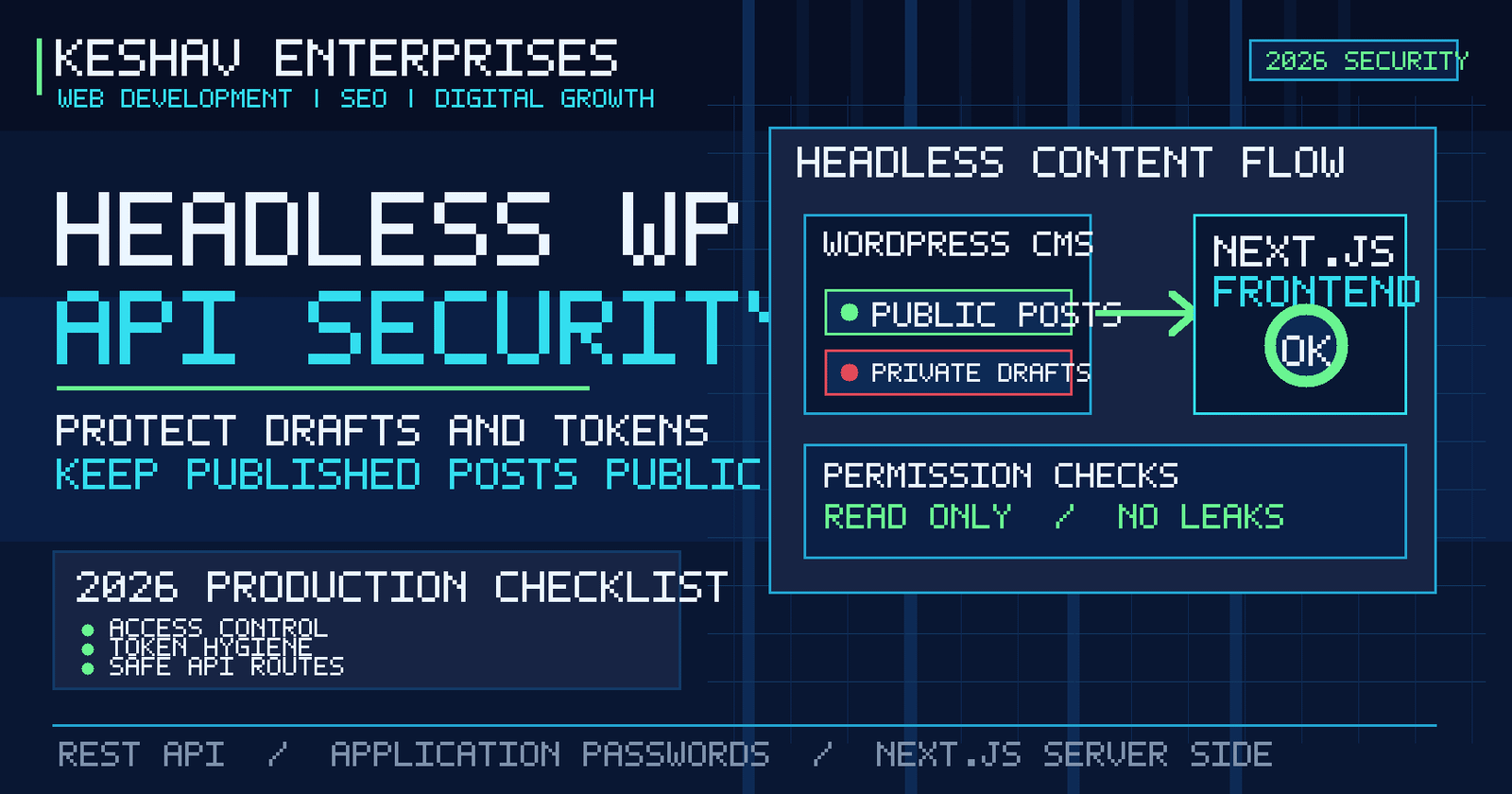
    Yes. WordPress can operate as a headless CMS while Next.js renders the public website through the WordPress REST API or another content interface. This preserves WordPress publishing while allowing a custom React front end.

    Which platform is best for an ecommerce business?

    Shopify is a strong default for many product-focused businesses because commerce infrastructure is managed. WooCommerce can be attractive when WordPress content and commerce need to live together. Custom/headless commerce is justified when business requirements go beyond standard platform capabilities.

    Can I migrate from one platform later?

    Yes, but migrations can involve URLs, product or content data, redirects, analytics, customer information, integrations and SEO preservation. Choosing a suitable platform now can reduce migration cost later.

    Need help choosing the right platform?

    Keshav Enterprises works with WordPress, Shopify, ecommerce and custom React/Next.js projects. Instead of forcing every project into one stack, the platform should be selected around content, commerce, integrations, internal capability and growth requirements.

    Discuss your website requirement and share what you are building, who needs to manage it, required integrations and your target launch window.

  • Website Development Cost in Delhi NCR in 2026: A Practical Pricing Guide for Businesses

    Website Development Cost in Delhi NCR in 2026: A Practical Pricing Guide for Businesses

    If you are planning a new business website in Delhi NCR, one of the first questions is usually simple: how much should a professional website actually cost? The difficult part is that there is no single useful price for every project. A five-page service website, a multilingual corporate site, a Shopify store and a custom Next.js platform may all be called “website development,” but the effort, risk and long-term maintenance are very different.

    This guide explains the main factors that shape website development cost in Delhi NCR, gives practical planning ranges, and shows how to compare proposals without choosing a vendor only because the first number looks lower. The goal is not to push a fixed package. It is to help you understand what you are paying for and what should be included in a serious scope.

    Quick answer: what does a business website cost in Delhi NCR?

    For planning purposes, many small and mid-sized business projects can be thought about in four broad bands. These are indicative budgeting ranges, not a quotation; actual pricing depends on requirements, content readiness, integrations, design depth and support.

    Website type Typical scope Indicative planning range Best suited for
    Starter business website 5–8 pages, responsive design, contact form, basic SEO setup ₹25,000–₹80,000 Local services, consultants, early-stage businesses
    Growth-focused corporate website 10–25+ pages, custom UI, CMS, lead journeys, analytics, stronger SEO architecture ₹70,000–₹2,00,000+ Established service businesses and B2B companies
    Ecommerce website Catalog, collections, checkout, payment integration, shipping, tracking and conversion work ₹1,00,000–₹4,00,000+ Retailers, D2C brands, manufacturers and distributors
    Custom web application Custom workflows, dashboards, APIs, authentication, databases and application logic ₹2,00,000 to several lakhs+ SaaS, portals, internal systems and complex platforms

    If two vendors quote very different amounts for the “same website,” the scope is often not actually the same. One may be pricing a pre-built theme with content insertion, while another is pricing discovery, information architecture, custom design, development, testing, analytics, technical SEO and post-launch support.

    What actually changes the price of website development?

    1. Number and complexity of page templates

    Page count matters, but template complexity matters more. Twenty pages built from four reusable layouts can be easier to manage than ten pages with ten completely different interactive designs. A practical proposal should distinguish between unique templates and pages populated from those templates.

    2. Custom design versus theme-led development

    A theme can be a sensible choice for a straightforward WordPress project, especially when speed to launch and editor friendliness matter. Custom design requires more discovery, wireframing, visual design, responsive states and quality assurance, but it can create a clearer brand experience when the business has more complex positioning or conversion needs.

    If your priority is an editable marketing website, see our WordPress development approach in Delhi. If you need a broader custom build, review our website development services in Delhi NCR.

    3. CMS and content-management requirements

    A brochure site that is rarely updated has different needs from a publishing-heavy website with blogs, case studies, careers, locations, resources and multiple content editors. CMS requirements can include role permissions, draft/review workflows, reusable content blocks, scheduled publishing, media management and multilingual editing.

    A good CMS should reduce the cost of future updates. Choosing the cheapest build but making every content change dependent on a developer can become more expensive over time.

    4. Ecommerce functionality

    Ecommerce introduces product architecture, variants, collections, filters, payments, taxes, shipping, transactional emails, inventory, analytics and conversion testing. The total effort depends on catalog size and operational complexity, not just the number of products.

    For businesses comparing store platforms, our Shopify development service explains where a managed commerce platform can reduce technical overhead. For broader store requirements, see ecommerce website development in Delhi NCR.

    5. Integrations and custom functionality

    Integrations often create the biggest difference between a basic website and a serious business platform. Examples include CRM systems, WhatsApp flows, payment gateways, booking systems, ERP tools, job application workflows, marketing automation, custom calculators, member areas and third-party APIs.

    Every integration should be scoped around what data moves, where it goes, who owns the account, what happens if the third-party service is unavailable, and whether there are recurring licensing charges.

    6. Content strategy and copywriting

    A visually attractive website cannot compensate for unclear content. If the project includes keyword research, page mapping, content writing, content migration, case-study development or multilingual copy, those activities should be visible in the proposal instead of being treated as an afterthought.

    For search-led projects, page architecture should be decided before design is locked. This avoids the common situation where SEO is “added later” by forcing keywords into a layout that was never built to answer search intent.

    7. SEO foundations

    Foundational SEO is more than adding a plugin. A strong implementation considers crawlable navigation, indexable pages, metadata, canonical URLs, XML sitemaps, robots rules, heading structure, internal links, structured data where appropriate, image handling, redirects and performance.

    Ongoing SEO is a separate discipline that includes research, content improvement, authority development, local visibility and measurement. If organic growth is a major acquisition channel, compare the development scope with the SEO services required after launch.

    8. Performance and Core Web Vitals

    Speed affects user experience, conversion and how easily visitors can interact with a site. Performance work can include image sizing, modern formats, font optimization, script reduction, caching, server rendering, lazy loading and removal of unnecessary animation.

    Performance should be considered during development, not left for a final “speed optimization” plugin. Heavy animation, large hero videos and multiple third-party scripts can make a polished design feel slow on real mobile devices.

    9. Migration and redirects

    Redesigning an existing website involves more than replacing pages. A safe migration may require URL inventory, redirect mapping, metadata transfer, content migration, analytics preservation, Search Console checks and post-launch monitoring. Skipping redirects can cause previously indexed URLs to return 404 errors and lose accumulated search value.

    10. Testing, security and post-launch support

    Professional development includes responsive testing, browser testing, form validation, broken-link checks, error handling, backups and security configuration appropriate to the platform. The proposal should state what happens after launch: warranty period, maintenance scope, response times, updates and what is charged separately.

    Why a ₹20,000 website and a ₹2 lakh website can both be “correct”

    Price only makes sense in relation to scope. A ₹20,000 site may be perfectly reasonable for a small business that needs a simple online presence using an existing design system. The same budget is not realistic for a custom multilingual corporate platform with integrations, structured content, testing and an ongoing publishing workflow.

    The better question is: what business problem must the website solve?

    • If the goal is credibility and a clear contact route, keep the build focused.
    • If the goal is organic lead generation, budget for content architecture, SEO and conversion paths.
    • If the goal is ecommerce, budget for merchandising, checkout, tracking and operations.
    • If the site supports internal workflows, treat it as software rather than a marketing brochure.

    How to compare website development proposals properly

    When reviewing proposals from a website development company in Delhi NCR, compare the items below line by line rather than comparing only the grand total.

    1. Discovery: Is requirement clarification included?
    2. Information architecture: Who defines the sitemap and user journeys?
    3. Design: Is the design custom, theme-based or a hybrid?
    4. Responsive states: Are mobile and tablet layouts explicitly tested?
    5. Content: Who writes, supplies, edits and uploads it?
    6. SEO: Which technical and on-page items are actually included?
    7. Analytics: Are GA4, conversion events or other tracking requirements configured?
    8. Integrations: Are third-party fees and dependencies clearly listed?
    9. Testing: What browsers, devices and functional flows are tested?
    10. Ownership: Who owns the source code, design files, accounts and domain access?
    11. Maintenance: What happens after launch and what is the response time?

    Which platform is usually the most cost-effective?

    There is no universal winner. WordPress can be cost-effective for content-led marketing websites. Shopify can reduce operational complexity for many ecommerce businesses. Next.js can be a strong choice when performance, application-like functionality or a custom front end is important. WooCommerce may suit businesses that want WordPress content management and commerce in one system.

    Platform choice should follow requirements rather than fashion. Rebuilding a simple business site as a complex custom application can increase development and maintenance cost without improving the customer journey. At the same time, forcing complex workflows into a plugin-heavy setup can create long-term technical debt.

    A practical website budget checklist

    • Business goals for the website.
    • Target customers and geographic markets.
    • Approximate number of pages or content types.
    • Current website URL, if any.
    • Examples of websites you like and why.
    • Required forms, CRM, payments, booking or other integrations.
    • Whether copywriting and images are ready.
    • Whether you need WordPress, Shopify, WooCommerce, React/Next.js or advice on the platform.
    • Expected launch date.
    • Who will approve designs and content.
    • Post-launch maintenance expectations.

    This information makes it easier for vendors to quote comparable scopes and reduces change requests later.

    Frequently asked questions

    How much does a 5-page website cost in Delhi?

    A simple five-page business website can often be delivered at the lower end of the market when content, branding and functionality are straightforward. The final figure depends on whether the design is custom, who writes the content, which CMS is used, and whether SEO, analytics, integrations and support are included.

    Is WordPress cheaper than a custom Next.js website?

    For a conventional marketing website, WordPress can require less custom engineering and may therefore be more economical. Next.js can make sense when the project needs a highly customized front end, application logic, performance architecture or integration patterns that justify a custom build.

    How much does an ecommerce website cost?

    Ecommerce pricing depends on platform, catalog size, product options, payment and shipping rules, design, apps, tracking and integrations. A small Shopify store and a custom commerce platform should not be expected to have the same budget.

    Does website development include SEO?

    A professional build should include foundational technical and on-page considerations such as crawlability, metadata structure, responsive design and performance. Ongoing SEO—keyword research, content growth, authority work, local optimization and reporting—is usually a separate continuous service unless explicitly included.

    How long does website development take?

    A focused business website may take a few weeks, while larger corporate sites, ecommerce stores and custom applications can take longer. Content readiness, feedback speed, integrations and testing often influence the schedule as much as development itself.

    Should I choose the cheapest website developer?

    Not automatically. Compare the actual scope, quality assurance, ownership, platform suitability, support and long-term maintenance. A lower initial price can be sensible for a smaller requirement, but a vague scope can also lead to additional costs later.

    Planning a new website?

    If you are comparing platforms, rebuilding an existing site or trying to understand the right budget, start with the business requirement rather than a package. Keshav Enterprises works across website development, WordPress, Shopify, ecommerce and search optimization for businesses in Delhi NCR and other markets.

    Request a website development consultation and share your current website, required functionality, preferred timeline and any known technical constraints. A clear scope is the best starting point for an accurate quotation.