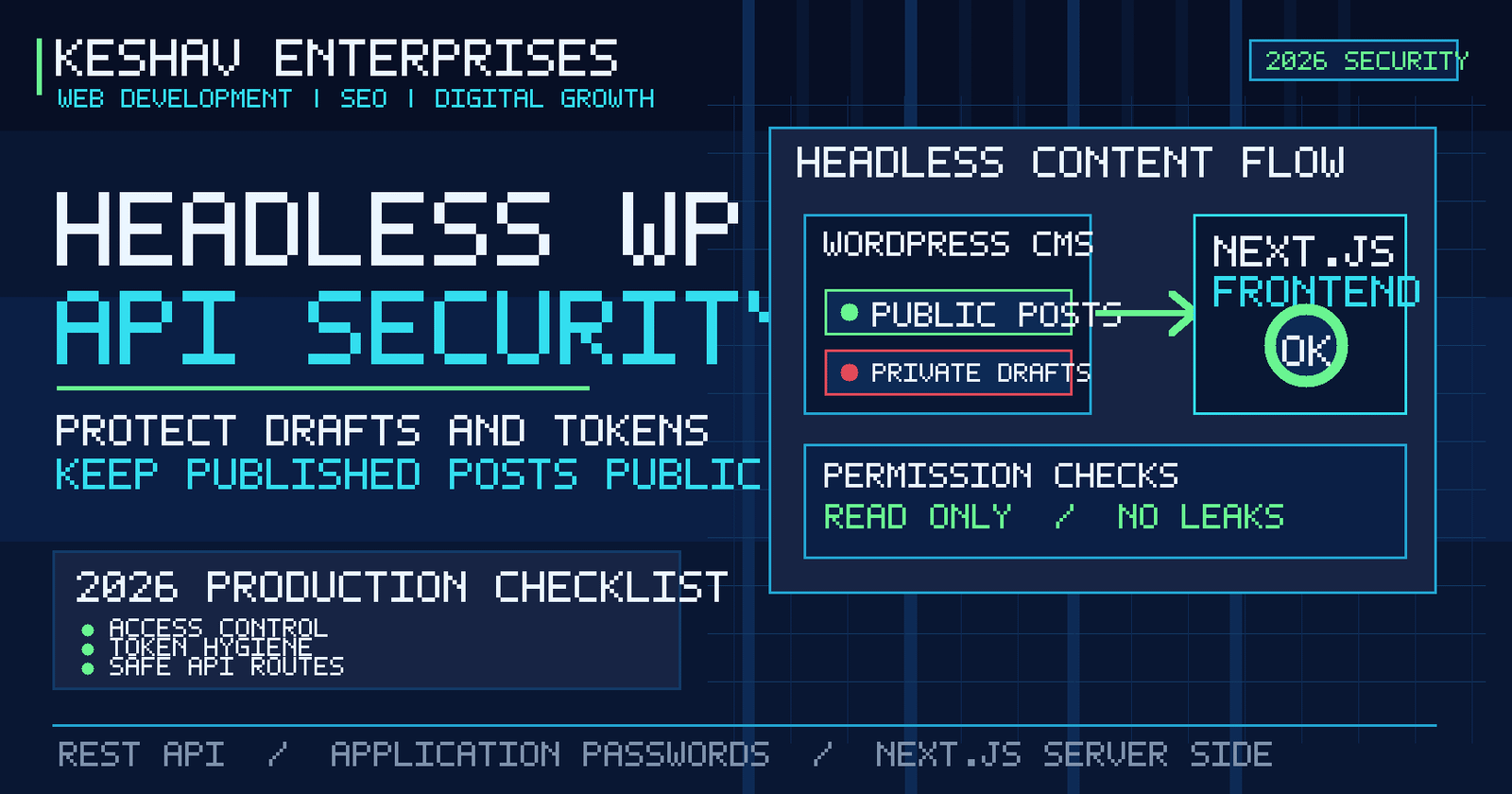
Quick answer: A secure headless WordPress website should let anonymous visitors read only intentionally public content, keep drafts and credentials inaccessible, enforce permission checks on every protected REST API route, and fetch privileged data only on the server. In Next.js, never put WordPress application passwords into client-side code or NEXT_PUBLIC_ environment variables. Test the actual public responses after each deployment.
This headless WordPress REST API security checklist for 2026 is designed for agencies, ecommerce teams and businesses using WordPress as a CMS with a React or Next.js frontend. It complements our separate guide to fixing missing articles and webhook revalidation: content freshness and API access control are different problems. A blog can update correctly while still exposing information that should remain private.
What is headless WordPress REST API security?
Headless WordPress separates the content-management dashboard from the public website. Editors write and publish in WordPress; a frontend built with Next.js requests content through the REST API and renders it for visitors. The API becomes a key boundary between publicly readable articles and authenticated operations such as editing, previewing and uploading media.
Security means applying least privilege across that boundary. Public content can be served without a password. Protected operations must authenticate the caller and verify what that caller is allowed to do. A login token alone is not proof that the caller may read every record or edit every post. This distinction is central to the OWASP API Security Top 10.
For Delhi NCR businesses operating marketing websites, lead-generation portals or editorial sites, the objective is practical: protect unpublished campaigns, prevent unauthorized changes, reduce credential exposure and keep public articles crawlable.
Public posts versus private drafts: what should an API return?
By default, the WordPress REST API can return published posts to unauthenticated readers. Draft, pending, private and other restricted content require appropriate permissions. A public React frontend should not use an administrator token to fetch ordinary blog pages. Instead, request published records through the public endpoint and handle missing records as a genuine not-found state.
| Content or action | Recommended access | Reason |
|---|---|---|
| Published blog articles | Public read | Readers and search engines need the content |
| Draft or scheduled articles | Authorized editorial preview only | Unpublished information must stay private |
| Create or update posts | Authenticated user with correct capability | Prevent unauthorized publishing |
| Media uploads and plugin settings | Restricted by role and purpose | Reduce the impact of stolen credentials |
| Webhook revalidation | Authenticated server-to-server request | Prevent arbitrary cache invalidation |
Use a private browser session or an unauthenticated test client to inspect what a stranger can read. Do not assume that hiding a draft link in the interface makes the underlying endpoint private. Review custom post types, preview routes, custom fields and third-party plugin endpoints separately.
1. Audit the WordPress REST API without disabling public content
Begin with a route inventory. Document which endpoints the frontend uses, which are provided by WordPress core and which come from plugins or custom code. Check whether each route needs public read access, editor access or no external access at all.
A public published-post request may resemble GET /wp-json/wp/v2/posts?status=publish&per_page=10. The public response should contain only fields intended for visitors. A custom endpoint returning unpublished copy, customer details or private metadata requires a proper permission callback and field-level filtering.
Disabling the entire REST API is rarely a sound solution for a headless site because it can break the very publishing integration the business relies on. Prefer precise controls: correct roles, capability checks, narrow response fields, rate limits where warranted and a maintained inventory of exposed routes.
WordPress’s custom endpoint documentation explains why routes need explicit permission_callback handling. A callback that always returns true is suitable only for genuinely public data.
2. Keep application passwords on the server
WordPress Application Passwords are revocable credentials intended for integrations, not for interactive logins. They are useful when an authorized server process needs to create or update WordPress content over HTTPS. They are not required merely to show public blog posts.
- Create a dedicated integration user with only the capabilities the workflow actually needs.
- Generate a separate application password for each trusted integration so credentials can be revoked independently.
- Store secrets in the deployment platform’s server-side secret store or environment configuration, never in a Git repository.
- Never expose secrets in browser bundles, client components, HTML source, public JSON or logging output.
- Rotate credentials when a team member leaves, a secret is suspected to be exposed, or an integration is retired.
- Use HTTPS for every authenticated request and review access logs for unexpected activity.
The official WordPress Application Passwords guide covers revocation and secure use. If a secret appears in client-side code, consider it compromised and rotate it rather than merely deleting it from the latest commit.
3. Use server-side Next.js data access for privileged requests
Next.js Server Components and server-only modules can read environment secrets without shipping them to the browser. Client Components must be treated as public code, even when they are initially rendered on the server. A variable beginning with NEXT_PUBLIC_ is intended for browser exposure, so it is the wrong place for a WordPress API credential.
Separate the code paths. A public blog page can fetch published content without credentials. A protected preview route should verify the editor’s identity and permissions before requesting draft data. Do not serialize raw authenticated WordPress responses into props if they contain internal fields that visitors do not need.
Next.js’s data security guide explains the distinction between server-side data access and client-visible data. Also check the documentation for your deployed Next.js version because server actions, caching and route conventions evolve.
4. Secure editorial previews and draft URLs
Draft previews are a common weak point in headless systems. A marketing editor may need to review a landing page before publication, but a preview URL should not become a permanent public backdoor. Require authenticated access, use short-lived signed preview links when appropriate, and ensure previews are excluded from search indexing.
Check that preview routes do not return unpublished content to users who merely guess a slug. Test expired tokens, signed-out sessions, different user roles and requests without preview credentials. If previews use a shared secret, rotate it and protect it like any other production credential.
Do not cache protected draft responses in a public CDN cache. Separate authenticated preview fetches from public post fetches and confirm that cache keys cannot mix the two. A draft must remain private even when the public blog uses aggressive caching for performance.
5. Verify custom endpoint permissions and response fields
A custom REST route should validate both authentication and authorization. Authentication identifies the caller. Authorization determines whether that caller may perform the requested action on the specific object. A user who can edit their own post may not be allowed to edit another author’s post or access a private custom field.
For WordPress plugin development, use capability checks such as current_user_can() within the route’s permission callback, with object-level checks where appropriate. Validate input types and limit the fields returned. Avoid exposing internal user email addresses, API keys, form submissions or administrative notes through an overly broad JSON response.
For a public endpoint, explicitly list the fields the frontend needs. Treat third-party plugin output as untrusted until reviewed. The WordPress route and endpoint guide provides the permission model and callback patterns.
6. Handle CORS, rate limiting and security headers correctly
CORS is not authentication. Restricting browser origins can reduce unintended cross-origin use, but it does not prevent a direct HTTP client from calling a public endpoint. Never rely on CORS headers to protect private WordPress content. Access decisions must be enforced by the API itself.
Apply sensible request limits to expensive endpoints, login attempts and webhook handlers. Monitor repeated authorization failures, unusual query volumes and unexpectedly large responses. For the Next.js frontend, configure appropriate HTTPS enforcement, content-security policies and other response headers, then test third-party scripts, analytics and embedded tools before enforcing a strict policy.
A content security policy can help reduce browser-side injection risk, but a policy copied without testing may block necessary scripts. Introduce it carefully, preferably with reporting during rollout. Keep WordPress core, themes, plugins, Node.js and Next.js dependencies updated under a controlled deployment process.
7. Protect WordPress-to-Next.js webhooks without breaking publishing
A webhook that tells Next.js to refresh blog content is different from the API used to read articles. The webhook should authenticate the sender, validate the event payload, allow only expected event types and slugs, and return meaningful status codes. Do not place the webhook secret in the browser or in a public query string.
For sensitive deployments, prefer a signed payload with a timestamp and replay protection rather than an unprotected URL. Keep retry behavior idempotent so repeated delivery does not publish duplicate posts or trigger uncontrolled builds. Log event IDs and outcomes without logging credentials or full private article content.
If your site publishes successfully in WordPress but the React blog stays outdated, investigate the publishing chain separately. A secure webhook that is never delivered still leaves the public site stale. Security and reliability must be tested together, not traded against each other.
8. Check SEO and AI-search visibility after hardening
Security changes can accidentally block public crawlers, public media or structured data. After tightening the API, verify that published articles still render as accessible HTML on the public Next.js domain. Confirm the correct canonical URL, page title, description, internal links, image URL, robots directives and sitemap entry.
Do not put a noindex rule on the entire site to hide previews. Apply preview-specific restrictions and ensure public pages remain discoverable. An API returning a valid JSON post does not prove that the public React route is live or indexable. Test the actual URL as a signed-out visitor and check what a crawler receives without JavaScript interaction.
For broader architecture decisions, compare WordPress, Shopify and Next.js for business websites. Our WordPress development team in Delhi also works with headless CMS integrations and custom frontend requirements.
2026 headless WordPress API security audit checklist
| Check | Pass condition | Owner |
|---|---|---|
| Public post endpoint | Published content readable without admin token | Developer |
| Draft and private content | Denied to anonymous visitors | Developer / editor |
| Integration credentials | Server-only, scoped and revocable | Technical lead |
| Custom route permissions | Role and object checks verified | Developer |
| Preview links | Authenticated, expiring and not publicly cached | Developer / editor |
| Webhook | Authenticated, validated and monitored | DevOps |
| Updates and backups | Tested updates, restorable backup and recovery plan | Site owner |
| Public SEO output | Frontend pages crawlable with correct canonical and sitemap | SEO / developer |
Start with a baseline audit, fix high-risk exposures, then retest after deployment. Record the date, test account, endpoint, expected result and actual result. For teams without dedicated operations support, a structured website maintenance plan helps keep security checks from becoming a one-time exercise.
Common headless WordPress security mistakes
- Using an administrator token for every fetch: Public content does not need broad administrative privileges.
- Assuming CORS protects drafts: Direct API calls bypass browser CORS enforcement.
- Exposing credentials in frontend environment variables: Anything shipped to a browser should be treated as public.
- Allowing custom endpoints without capability checks: Hidden URLs are not authorization.
- Publicly caching preview responses: Sensitive content can be served to the wrong visitor.
- Blocking the entire REST API: This can break headless publishing, editor tools and frontend content delivery.
- Skipping regression tests: Security hardening may unintentionally break images, canonical metadata, feeds or sitemap generation.
Frequently asked questions about WordPress REST API security
Is the WordPress REST API safe to leave enabled?
Yes, when core and plugins are maintained and permissions are configured correctly. Public read access for published content is normal. Review custom endpoints and sensitive fields rather than disabling the API indiscriminately.
Can visitors see WordPress drafts through the REST API?
They should not be able to read protected drafts without appropriate permissions. Test anonymous requests, preview routes and custom endpoints because poorly implemented extensions can expose content.
Do I need an application password to show public blog posts?
Usually not. Published posts are normally available through public read endpoints. Use authenticated requests only for actions or data that genuinely require them.
Where should WordPress API credentials live in Next.js?
Keep credentials in server-only environment configuration or a managed secret store. Do not place them in client components, public variables or browser-visible requests.
Does CORS stop someone from calling a WordPress endpoint?
No. CORS controls certain browser cross-origin behavior; it is not an authorization system. The server must enforce access rules.
How do I preview unpublished WordPress content securely?
Use an authenticated preview flow with restricted or short-lived access, prevent public caching, and ensure preview pages are not indexable.
Can API security settings affect Google indexing?
Yes. If a change blocks public article data or server rendering, search engines may receive empty or broken pages. Retest the public HTML, canonical tags and sitemap after deployment.
How often should a headless WordPress security audit be repeated?
Review access and dependencies during regular maintenance and after plugin updates, new integrations, staff changes or architecture changes. High-risk findings should be addressed immediately rather than waiting for a fixed calendar date.
Need a secure WordPress and Next.js setup in Delhi NCR?
Keshav Enterprises helps businesses plan WordPress websites, headless CMS integrations, technical maintenance and custom web development. A useful audit starts with the actual publishing flow, public API responses, frontend rendering and permissions, not a generic plugin checklist. Contact our Delhi NCR team to discuss your website architecture and the security or publishing issues you want resolved.